
How to Protect Yourself from AI-Powered Cyber Attacks: A Complete 2026 Security Guide
Summarize this blog post with: ChatGPT | Perplexity | Claude | Grok
If you already use strong passwords and pause before clicking suspicious links, you're ahead of most people online. What many of us underestimate is how artificial intelligence has quietly rewritten the attacker's playbook, making scams more personal, more convincing, and far harder to spot. In this guide, you'll learn exactly what AI-powered cyber attacks are, how they work in 2026, and the precise, practical steps that protect you and your organization.
## Key Takeaways
- ▸AI-powered cyber attacks use artificial intelligence to automate, personalize, and scale threats like phishing, deepfakes, and voice cloning.
- ▸AI-enabled adversary attacks rose 89% year over year, according to the CrowdStrike Global Threat Report 2026 — Source: Infosecurity Magazine, 2026.
- ▸Deepfake and voice-cloning fraud is now mainstream, with Americans losing nearly $900 million to AI-powered scams reported to the FBI — Source: Malwarebytes/FBI, 2026.
- ▸Human detection is unreliable, as only about 0.1% of people can consistently identify AI-generated fakes — Source: iProov via StationX, 2026.
- ▸Multi-factor authentication, password managers, and verification habits remain your strongest everyday defenses.
- ▸Verification is the new vigilance: confirming identity through a second channel defeats most impersonation attacks.
- ▸Organizations need AI-aware defenses, including employee training, identity controls, and continuous attack-surface monitoring.
## What Are AI-Powered Cyber Attacks?
AI-powered cyber attacks are cyber threats that use artificial intelligence to automate, personalize, or scale malicious activity such as phishing, impersonation, malware creation, and fraud. They make traditional attacks faster, cheaper, and far more convincing.
To be specific, AI lowers the skill and time required to launch sophisticated attacks. For example, a scammer who once needed strong English and hours of effort can now generate flawless, personalized phishing emails in seconds using a language model.
The shift is measurable. AI-generated phishing made up 37% of AI-driven attack types in breaches, and AI deepfake attacks accounted for 35% — Source: DeepStrike, 2026. In addition, one analysis found that 82.6% of phishing emails are now AI-generated — Source: StationX, 2026.
Artificial intelligence in attacks acts as a force multiplier, turning one attacker into the equivalent of a large, tireless team. To understand the broader shift in enterprise risk, read our overview of AI-powered cyber threats and enterprise security in 2026.
The Main Types of AI-Powered Attacks
AI-powered attacks cluster into a few dominant categories: AI phishing, deepfakes, voice cloning, and AI-assisted malware. Knowing the categories helps you recognize them in the wild.
For example, the most common forms you'll encounter include:
- ▸AI phishing — flawless, personalized scam messages generated at scale.
- ▸Deepfake video and images — synthetic media impersonating real people.
- ▸Voice cloning (vishing) — AI-replicated voices used in phone scams.
- ▸AI-assisted malware — code that adapts to evade detection.
Each type exploits trust in something we used to believe was reliable — a familiar face, a known voice, or a well-written message. Learn the mechanics in our deep dive on AI phishing and deepfake attacks in 2026.
## Why AI-Powered Cyber Attacks Are So Dangerous in 2026
AI-powered attacks are dangerous because they remove the traditional warning signs people rely on to spot a scam. The typos, awkward phrasing, and crude fakes that once gave attackers away are gone.
First, consider the scale and speed. AI-enabled adversary activity rose 89% year over year in 2025 — Source: CrowdStrike Global Threat Report 2026 via Infosecurity Magazine. For example, attackers can now generate thousands of unique, targeted messages in the time it once took to write one.
Second, there is the believability problem. Studies show only about 0.1% of people can reliably distinguish AI-generated fakes, and high-quality deepfake video fools most viewers — Source: iProov/DeepStrike, 2026. When seeing and hearing are no longer proof, verification becomes essential.
Third, the financial impact is severe. Americans lost nearly $900 million to AI-powered scams reported to the FBI, while one multinational lost $25 million in a single deepfake video-call attack impersonating its CFO — Source: Malwarebytes/FBI, 2026; scam.ai, 2024. To frame this inside organizational defense, see our guide to AI-driven cyber threats and enterprise security adaptation.
## How Do AI-Powered Cyber Attacks Work?
AI-powered attacks work by using machine learning to gather information, generate convincing content, and adapt in real time to defeat both human judgment and automated defenses. The process mirrors a normal attack but supercharges every stage.
To clarify, here is how a typical AI-driven attack unfolds:
Reconnaissance — AI scrapes social media and public data to profile a target.
Content generation — A model crafts a personalized message, fake voice, or deepfake video.
Delivery — The attack reaches the victim by email, phone, chat, or social media.
Adaptation — AI adjusts its responses based on how the victim reacts.
For example, an AI chatbot can hold a convincing real-time conversation with a victim, answering questions and building trust the way a human con artist would. This adaptability is what separates AI attacks from older, static scams.
AI Phishing and Impersonation
AI impersonation uses synthetic voice, video, and messaging to convincingly mimic a trusted person. It has become one of the fastest-growing threats facing organizations.
Notably, research found that 53% of organizations have been impacted by AI-powered impersonation schemes, and traditional phishing defenses struggle to keep pace — Source: IANS Research, 2026. The attacker no longer pretends to be your bank — they pretend to be your boss, in your boss's voice. For a real-world pattern, see our breakdown of the Microsoft Teams helpdesk impersonation attack.
## How Can You Protect Yourself from AI-Powered Cyber Attacks?
You protect yourself from AI-powered attacks by combining strong account security with a habit of verifying anything urgent or unusual through a second channel. Technology and behavior together form the defense.
Step 1: Lock Down Your Accounts
Multi-factor authentication requires a second verification step beyond your password, so a stolen or guessed password is not enough to break in. Because AI makes credential theft and phishing easier, MFA is now non-negotiable. For example, an app-based code or hardware key stops an attacker even when they have your exact password.
In addition, use a password manager to give every account a unique, strong password. Unique passwords ensure one leaked credential cannot unlock your other accounts — a critical defense given the scale of modern credential leaks.
Step 2: Verify Before You Trust
Verification through a second channel is the single most effective defense against AI impersonation. For example, if your "CEO" calls urgently requesting a wire transfer, hang up and call back on a known number before acting. Treat any urgent request for money, credentials, or secrecy as a red flag until independently confirmed.
Practically, agree on a family or team "safe word" for emergencies, since voice cloning can fake a loved one's call. This simple step neutralizes one of the most emotionally manipulative AI scams.
Step 3: Slow Down and Scrutinize
Urgency is the attacker's favorite weapon, so deliberately slowing down defeats most scams. For instance, pause before clicking links, hover to inspect URLs, and be skeptical of perfect-but-unexpected messages. Strengthen your instincts with our guide to email spoofing prevention.
[Insert image: Checklist graphic showing verify-by-second-channel, MFA, and password manager steps | Alt text: "Protect yourself from AI-powered cyber attacks with verification and MFA"]
## How Can You Spot a Deepfake or AI-Generated Scam?
You can spot many AI-generated scams by watching for unnatural details, context mismatches, and pressure tactics, even when the media itself looks convincing. Detection is harder than before, but not impossible.
To start, look for these warning signs:
- ▸Unnatural visual artifacts — odd blinking, mismatched lighting, or blurred edges around the face.
- ▸Audio inconsistencies — flat emotion, strange pacing, or background that doesn't match.
- ▸Context that doesn't fit — an unusual request, wrong channel, or out-of-character urgency.
- ▸Pressure to act fast or stay silent — the hallmark of social engineering.
For example, a video call where the "executive" refuses to verify themselves or pushes for immediate secrecy is a strong deepfake signal. That being said, remember that detection alone is unreliable — only about 0.1% of people consistently catch fakes — so verification habits matter more than visual inspection. Build your foundation with our beginner's guide to threat intelligence and IoC analysis.
## How Can Organizations Defend Against AI-Powered Attacks?
Organizations defend against AI-powered attacks by combining employee training, strong identity controls, verification policies, and continuous attack-surface monitoring. No single tool is enough against adaptive threats.
Train People and Set Verification Policies
Security awareness training is the practice of teaching staff to recognize and respond to threats. Because 53% of organizations have faced AI impersonation, training must now cover deepfakes and voice cloning specifically. For example, mandate dual-approval and call-back verification for all payment changes and wire transfers.
Harden Identity and Email
Strong identity controls limit what an attacker can do even after a successful deception. Practically, enforce MFA across all accounts and deploy email authentication. Domain spoofing fuels AI phishing, so implement the protections in our SPF, DKIM, and DMARC blueprint and review our AI-powered phishing threat analysis.
Monitor Your Attack Surface Continuously
Attack surface management is the continuous discovery and monitoring of all internet-facing assets that could be exploited by an attacker. To act on this, regularly map what your organization exposes using the ReconShield subdomain finder, DNS lookup, and vulnerability scanner. Learn the discipline in our attack surface management guide, and explore free options in our roundup of free cybersecurity tools.
## Which Tools Help Defend Against AI-Powered Cyber Attacks?
The most effective defense stack blends account-security tools, email authentication, breach monitoring, and external exposure scanning. Using both free and dedicated tools closes the most gaps.
To begin, secure the basics that AI attacks target most. A reputable password manager, an authenticator app or hardware key, and breach-notification services like Have I Been Pwned form a strong personal foundation. For example, breach alerts tell you the moment a leaked credential of yours appears online.
For organizations, layer in exposure monitoring. You can map what attackers see with the ReconShield tools suite, validate encryption with the SSL checker, and confirm open services with the port scanner. In addition, established defensive platforms and AI-driven detection tools help spot adaptive threats, as discussed in our look at AI-driven cyber risk management.
## What's Next for Defending Against AI Threats?
The next phase of defense is treating verification as a default reflex and assuming that any voice, face, or message could be synthetic. The era of trusting media at face value is over.
First, build verification into daily habits — confirm urgent requests, use safe words, and never act on pressure alone. Second, keep your accounts hardened with MFA and unique passwords so deception alone cannot cause loss. Third, for organizations, make AI-aware training and continuous monitoring permanent, using the methods in our attack surface management guide. In an AI world, the human habit of verifying is the control that scales with the threat.
## Conclusion
AI-powered cyber attacks have erased the old warning signs, making convincing scams cheaper, faster, and more personal than ever. With AI-enabled attacks up 89% and deepfake fraud now mainstream, the threat is no longer theoretical — it targets individuals and enterprises alike every day.
The good news is that the defenses are within reach. Turn on multi-factor authentication, use a password manager, verify every urgent request through a second channel, and stay skeptical of perfect-but-unexpected messages. Organizations should add AI-aware training, strong identity controls, and continuous exposure monitoring. Start by mapping your own digital footprint today with the ReconShield tools suite, and make verification the habit that keeps you safe in 2026.
Written by the ReconShield Research Team — a group of information security researchers specializing in attack surface management, DNS infrastructure mapping, and OSINT methodologies.
Reviewed by a Senior Security Researcher on the ReconShield team, with expertise in AI-driven threats, social engineering, and identity security.
## Analyst Commentary & Implementation Blueprint
Security advisory
Continuous security exposure assessment is critical to identifying public vulnerabilities before they are exploited. Organizations should maintain a passive inventory of all web servers, TLS configs, and open ports, ensuring that default configurations are eliminated and security advisories are actively implemented.
Hardened Security Configuration Blueprint
# General Security Hardening Directive
ServerTokens ProductOnly
ServerSignature Off
FileETag None
Actionable Mitigation Checklist
- ✔Perform passive asset inventories weekly.
- ✔Restrict administrative ports using local firewall controls.
- ✔Monitor active CVE alerts for exposed software.
Common Inquiries & FAQs
Why is passive scanning preferred for continuous auditing?
Passive audits do not cause operational impact or trigger firewall blocks, making them ideal for constant surveillance of internet-facing assets.
What should I do if a vulnerability is flagged?
Apply the latest vendor patches, restrict access to the resource via firewalls, or verify configuration flags to mitigate risks.
Surendra Reddy
Surendra Reddy is a cybersecurity researcher and founder of ReconShield, specializing in OSINT and defensive infrastructure analysis.
Connect on LinkedIn ↗// AUDIT BRIEFING DISCUSSION (2 COMMENTS)
Great breakdown of the passive infrastructure vectors. We recently audited our external DNS zones and found multiple dangling staging environments. Implementing wildcard certificates reduced our CT log leaks significantly.
Is there any automated tooling you recommend for daily crt.sh scraping? Manually checking CT logs is becoming unsustainable for our domain portfolio.
// MORE ARTICLES
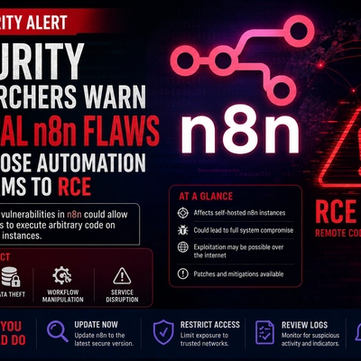
Security Researchers Warn Critical n8n Flaws May Expose Automation Platforms to RCE
Researchers have disclosed critical vulnerabilities in n8n that could expose automation workflows and connected enterprise systems to remote code execution risks, prompting urgent patch recommendations for users and administrators.
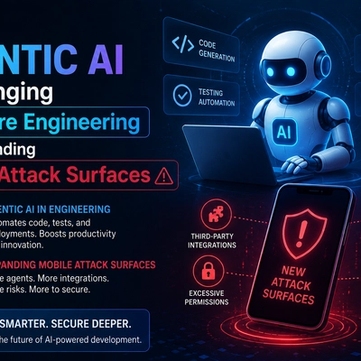
How Agentic AI Is Changing Software Engineering and Expanding Mobile Attack Surfaces
Agentic AI is rapidly transforming software engineering workflows through automation and intelligent coding assistance, while cybersecurity experts warn of expanding mobile attack surfaces and emerging application security risks.

AI Meets Penetration Testing: PentestCode Launches with 18 Specialized Security Agents
PentestCode launches with 18 integrated security tools and a 13-agent AI architecture that automates full penetration testing workflows.