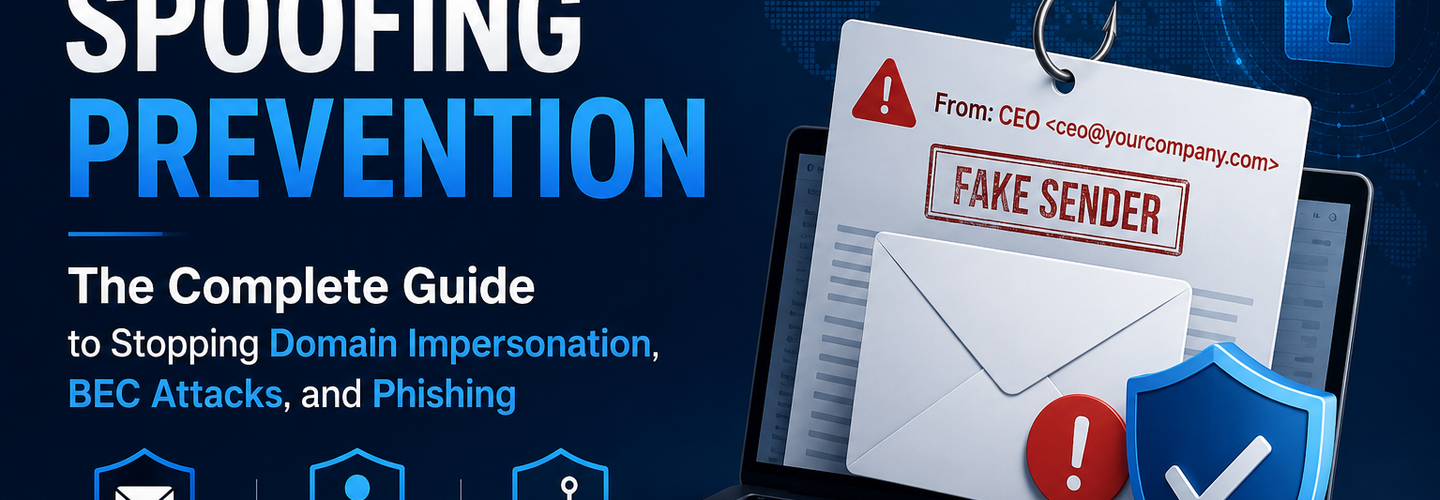
Email Spoofing Prevention: The Complete Guide to Stopping Domain Impersonation, BEC Attacks, and Phishing in 2026
Summarize this blog post with: ChatGPT | Perplexity | Claude | Grok
You've probably already published an SPF record and maybe even configured DKIM — but if DMARC is sitting at p=none with no enforcement, or if your subsidiary domains and non-sending domains are missing authentication records entirely, your organization is still trivially spoofable by anyone with a basic SMTP client. Email spoofing is not a sophisticated attack — it is a configuration gap, and the gap is closed by DNS records that take minutes to publish. In this guide, you'll learn exactly how email spoofing works at the protocol level, why each layer of authentication is necessary, and the precise steps to eliminate every spoofing vector from your domain portfolio.
## Key Takeaways
- ▸Email spoofing is the practice of forging the sender address in an email to make it appear to originate from a trusted domain — technically trivial to execute against any domain that has not deployed authenticated email controls.
- ▸SMTP was designed without authentication, meaning any mail server anywhere in the world can claim to send email from any domain — the entire email spoofing problem is a consequence of this original protocol design decision.
- ▸SPF alone prevents only envelope sender spoofing — it does not protect the From: header that recipients actually see, making SPF-only deployments ineffective against the most common display-name and header-From spoofing techniques.
- ▸DKIM cryptographic signatures prove that a message was authorized by and unmodified by the signing domain — providing a tamper-evident authentication layer that survives email forwarding where SPF fails.
- ▸DMARC enforcement at p=reject is the only configuration that actually prevents spoofed email from being delivered to recipients — p=none and p=quarantine provide monitoring and partial filtering but do not block delivery.
- ▸Non-sending domains — parked domains, legacy domains, acquired company domains — are among the most commonly spoofed because organizations focus email authentication exclusively on their primary sending domain.
- ▸Business email compromise (BEC) attacks exploiting domain spoofing cost organizations $2.9 billion in 2023 — more than any other cybercrime category — Source: FBI Internet Crime Complaint Center, 2023.
## What Is Email Spoofing and Why Is It So Easy to Execute?
Email spoofing is the deliberate forgery of email sender information to make a message appear to originate from a domain or individual the recipient trusts — and it is trivially easy to execute against any domain that has not deployed SPF, DKIM, and DMARC authentication because the SMTP protocol has no built-in sender verification mechanism.
SMTP (Simple Mail Transfer Protocol), standardized in 1982, was designed for reliability on trusted academic networks — not for a global internet where any actor can connect to any mail server and claim any identity. The MAIL FROM command (the envelope sender) and the From: header (the address recipients see) are both free-form text fields that any connecting client can set to any value. A mail server receiving a connection has no native mechanism to verify that the claimed sender domain matches the IP address of the connecting server — this verification gap is the entire foundation of email spoofing.
The practical consequence is stark. Any person with basic command-line knowledge and a mail server can send email claiming to be from ceo@yourcompany.com with no technical barrier whatsoever if your domain lacks authentication records. The tools to do this are free, widely documented, and require zero special access. What stops spoofing is not SMTP security — it is the DNS records that receiving servers check before deciding whether to deliver a message.
3.4 billion spoofed emails are sent globally every single day — Source: Valimail Email Fraud Landscape, 2024. The scale reflects both how easy spoofing is and how many domains remain inadequately protected. Audit your domain's current email authentication posture — SPF configuration, DKIM selector publication, and DMARC enforcement level — using the ReconShield DNS Security Analysis tool, which validates all three authentication records simultaneously and flags every misconfiguration that leaves your domain spoofable.
## What Are the Different Types of Email Spoofing?
Email spoofing encompasses four distinct attack techniques — each targeting a different email address field, each requiring a different authentication control to prevent, and each bypassing defenses designed for other technique types.
Envelope Sender Spoofing (MAIL FROM Spoofing)
Envelope sender spoofing forges the MAIL FROM address used in SMTP negotiation — the technical return path address that determines where bounce notifications go. This address is typically not visible to email recipients in their mail client but is the address that SPF validates. A correctly configured SPF record with -all terminator instructs receiving servers to reject messages where the connecting IP is not authorized for the MAIL FROM domain.
This is the attack type SPF was specifically designed to prevent. However, attackers who discover a domain's SPF record is missing or uses ~all instead of -all can freely forge the MAIL FROM address, and the resulting SPF check either passes or produces a non-blocking soft-fail result that most receiving servers treat as delivery permission.
Header-From Spoofing (Display Address Spoofing)
Header-From spoofing forges the From: header field that email clients display to recipients — making the email appear to come from a trusted identity while using a technically different MAIL FROM address that may pass SPF checks for a completely different domain. This is the most operationally common spoofing technique in phishing and BEC campaigns because it exploits the gap between what SPF validates (MAIL FROM) and what recipients see (From header).
An attacker executing header-From spoofing sends email with MAIL FROM: attacker@legitimatedomain.com (passing that domain's SPF check) while setting From: CEO Name <ceo@targetcompany.com> in the message headers. Recipients see the spoofed From header. SPF passes on the legitimate domain's MAIL FROM. Without DMARC enforcement requiring alignment between the From header domain and the SPF-validated domain, this attack delivers successfully to most inboxes.
DMARC alignment is the only control that closes the header-From spoofing gap — by requiring that the domain in the From header aligns with the domain authenticated by either SPF or DKIM. Deploy and enforce DMARC using the complete deployment sequence in the ReconShield SPF-DKIM-DMARC Blueprint.
Display Name Spoofing
Display name spoofing exploits the fact that most email clients show the sender's display name rather than the email address by default — forging the display name to match a trusted person (CEO, IT helpdesk, financial controller) while using a completely different email address that has no relationship to the impersonated identity.
For example, an attacker sets From: "John Smith CEO" <attacker@randomdomain.com>. Mobile email clients in particular frequently display only the display name, hiding the actual email address entirely. Technically, this attack type cannot be prevented by SPF, DKIM, or DMARC — those protocols authenticate domains, not display names. Defence relies on email client configuration to always display the full From address, user awareness training, and anti-impersonation controls in email security gateways that flag messages where the display name matches an internal employee but the domain does not.
Lookalike Domain Spoofing
Lookalike domain spoofing registers a domain visually similar to the target's legitimate domain — using character substitutions (rn instead of m), homoglyph characters from other Unicode blocks, or additional words (company-secure.com, company-helpdesk.com) — and then deploys a complete email authentication stack on the lookalike domain to send fully authenticated email that passes all SPF, DKIM, and DMARC checks.
This attack is the most sophisticated form of email spoofing because technically correct authentication controls cannot stop it — the email is genuinely authenticated, just for the wrong domain. Defence requires defensive domain registration of common lookalikes, brand monitoring for newly registered similar domains, and user awareness. Discover recently registered lookalike domains targeting your brand by monitoring the WHOIS creation dates of newly registered domains matching your brand patterns. The ReconShield WHOIS Intelligence tool provides the domain registration investigation capability for evaluating suspicious lookalike domains discovered through brand monitoring.
## Why SPF Alone Is Not Enough to Prevent Email Spoofing
SPF alone prevents only one of four email spoofing techniques and provides this protection only when configured with -all hard fail termination and DMARC enforcement — without DMARC, even a correctly configured SPF record cannot prevent header-From spoofing, which is the attack vector used in the majority of real-world phishing and BEC campaigns.
The SPF protocol validates only the envelope sender (MAIL FROM) address — not the From: header that recipients see. Attackers who understand SPF architecture specifically exploit this gap by using a MAIL FROM address from a domain they control with a legitimate SPF record while spoofing the From header to impersonate the target organization. SPF passes. The email delivers. The recipient sees the spoofed From address.
Additionally, SPF breaks on email forwarding — a legitimate email forwarded by a mail server not in the original domain's SPF record fails SPF at the final destination, creating false positives that discourage tight enforcement. This forwarding breakage is one of the primary reasons many organizations leave DMARC at p=none indefinitely — they observe SPF failures from forwarded legitimate email and conclude that enforcement would break too much legitimate mail.
DKIM solves the forwarding problem because DKIM signatures are carried in message headers that survive forwarding — a DKIM-signed message retains its valid signature regardless of which servers relay it. This is why DKIM and DMARC alignment together provide more robust protection than SPF alone, and why the complete three-protocol stack is the correct deployment target rather than SPF in isolation. The ReconShield SPF Complete Guide covers every SPF configuration detail, and the DKIM Configuration Guide covers the cryptographic signing layer that closes the gaps SPF leaves open.
## How DMARC Enforcement Closes the Email Spoofing Gap
DMARC (Domain-based Message Authentication, Reporting and Conformance) is the enforcement layer that transforms SPF and DKIM from informational authentication signals into binding policy decisions — instructing receiving mail servers precisely how to handle messages that fail authentication checks for your domain.
A DMARC record is published as a TXT record at _dmarc.yourdomain.com and contains three critical components: a policy (p=) that specifies how to handle failing messages, reporting addresses for aggregate (rua=) and forensic (ruf=) reports, and optionally a subdomain policy (sp=) and percentage (pct=) for graduated rollout.
The three DMARC policy levels represent a progression from visibility to enforcement. p=none — monitoring mode — collects reports of authentication failures without affecting message delivery. p=quarantine — partial enforcement — delivers failing messages to the spam folder rather than the inbox. p=reject — full enforcement — instructs receiving servers to refuse delivery of failing messages entirely, preventing them from reaching recipients at all.
Only p=reject actually prevents spoofed email from reaching recipients. p=none and p=quarantine are deployment waypoints — necessary for safely mapping your legitimate sending infrastructure before enforcement — but organizations that remain at p=none indefinitely are monitoring domain abuse without preventing it.
The Safe DMARC Enforcement Progression
The recommended DMARC deployment sequence progresses through four stages — each stage building on verified learning from the previous stage's report analysis before advancing enforcement.
Stage 1 — Publish p=none with reporting. Publish v=DMARC1; p=none; rua=mailto:dmarc-reports@yourdomain.com; ruf=mailto:dmarc-forensic@yourdomain.com; fo=1 and wait 2–4 weeks for aggregate reports. DMARC aggregate reports (sent as XML to your rua address) list every mail source claiming your domain, whether it passed or failed authentication, and the volume from each source. This data is the authoritative inventory of every legitimate and illegitimate sender claiming your domain.
Stage 2 — Enumerate and authenticate all legitimate senders. Analyse the aggregate reports to identify every IP and sending service claiming your domain. For each legitimate source that is failing authentication, add it to your SPF include: list, configure DKIM signing with your domain's key, and verify both pass before advancing. For illegitimate sources appearing in reports, confirm they represent spoofing activity — the forensic reports provide message samples for investigation.
Stage 3 — Advance to p=quarantine with gradual percentage rollout. Once all legitimate senders are passing authentication, advance to v=DMARC1; p=quarantine; pct=10; rua=mailto:dmarc-reports@yourdomain.com. The pct=10 parameter applies quarantine policy to only 10% of failing messages initially, allowing monitoring of deliverability impact before full enforcement. Monitor aggregate reports for any legitimate senders still failing, advance pct to 25, 50, 100 over subsequent weeks.
Stage 4 — Advance to p=reject at 100%. When p=quarantine; pct=100 has run cleanly for two or more weeks with no legitimate senders failing, advance to v=DMARC1; p=reject; rua=mailto:dmarc-reports@yourdomain.com. At this stage, your domain is fully protected — spoofed messages are rejected at the receiving server before delivery. Validate your complete DMARC configuration using the ReconShield DNS Security Analysis tool.
## Email Spoofing Prevention for Non-Sending Domains
Non-sending domains — parked domains, legacy domains, acquired company domains, regional domains, and defensive registrations — are among the most commonly exploited targets for email spoofing campaigns because organizations focus authentication exclusively on their primary email-sending domain while leaving every other domain in their portfolio completely unprotected.
A parked domain with no SPF, DKIM, or DMARC records can be freely used to send spoofed email claiming to be from that domain. Attackers specifically target recently expired or legacy domains because recipients may recognize the domain name from past communications, and the domain's age and prior reputation history can help spoofed email pass content-based spam filters that associate domain age with legitimacy.
The remediation is simple and takes minutes per domain. Publish a null SPF record: v=spf1 -all. Publish a DMARC record with reject policy: v=DMARC1; p=reject. No DKIM configuration is needed for non-sending domains — DMARC at p=reject paired with null SPF closes the spoofing vector completely without requiring key generation. Apply this to every non-sending domain in your portfolio. Use the ReconShield DNS Security Analysis tool to audit every domain for authentication record presence and policy enforcement level.
## How to Detect If Your Domain Is Being Actively Spoofed
DMARC aggregate reports are the primary mechanism for detecting active email spoofing campaigns targeting your domain — providing a daily or weekly aggregate summary of every mail source claiming your domain, whether each message passed or failed authentication, and the volume from each source.
DMARC aggregate reports are sent as XML attachments to the email address specified in your rua= tag. Most organizations process these through a DMARC report analyser — either a commercial service or an open-source tool — that parses the XML and presents the data in a human-readable format. The key signal for active spoofing is sources appearing in reports that do not correspond to any mail-sending service you operate or have authorized — particularly high-volume sources generating consistent failure results from IP ranges associated with bulletproof hosting providers.
Additional detection signals outside of DMARC reports include: recipient complaint submissions to your abuse contact, reports from business partners or customers of suspicious email purportedly from your organization, and brand monitoring alerts for newly registered lookalike domains. Investigate every suspicious lookalike domain using the ReconShield WHOIS Intelligence tool to determine creation date, registrar identity, and hosting infrastructure — the signals that distinguish active phishing infrastructure from coincidental domain registrations.
When investigating source IPs from DMARC reports, cross-reference each unauthorized sender IP against threat intelligence using the ReconShield IP Reputation Intelligence tool. A source IP appearing in your DMARC report with a high threat reputation score, bulletproof hosting ASN, and blacklist presence across multiple feeds is definitively malicious spoofing infrastructure — providing the evidence needed for abuse reporting to the registrar and hosting provider.
## Email Spoofing Prevention Checklist
A complete email spoofing prevention program covers five layers — authentication record deployment, non-sending domain protection, monitoring configuration, incident response capability, and user awareness — each addressing a distinct attack vector or operational requirement.
Layer 1 — Primary domain authentication. Publish SPF with -all termination covering all legitimate senders. Configure DKIM with RSA-2048 keys for every mail-sending service. Deploy DMARC at p=reject with aggregate reporting enabled. Validate all three using the ReconShield DNS Security Analysis tool. Refer to the ReconShield SPF-DKIM-DMARC Blueprint for the complete deployment workflow.
Layer 2 — Non-sending domain protection. Publish v=spf1 -all and v=DMARC1; p=reject on every domain your organization owns that does not send email. Audit your complete domain portfolio quarterly. Use the ReconShield WHOIS Checker to inventory all registered domains and confirm authentication records exist on each.
Layer 3 — DMARC report monitoring. Configure a DMARC report processing workflow that flags new unauthorized senders within 24 hours of their first appearance in aggregate reports. Act on every new unauthorized source — investigate with IP reputation tools, report to abuse contacts, and add to firewall block lists where appropriate.
Layer 4 — Lookalike domain monitoring. Implement brand monitoring for newly registered domains containing your organization's name, trademarks, or key terms. Investigate any flagged domain using WHOIS and passive DNS intelligence. Register high-risk lookalikes defensively. Report active phishing lookalike domains to registrars and hosting providers using the abuse contacts in their WHOIS records.
Layer 5 — MX record and mail server hardening. Verify that your mail server IPs have valid PTR records (reverse DNS). Confirm mail server IP reputation is clean using the ReconShield IP Reputation tool. Audit SMTP TLS configuration — require STARTTLS and validate certificates. Check HTTP security headers on any webmail portal with the Security Headers Auditor.
## What's Next: BIMI and the Future of Email Sender Identity
Brand Indicators for Message Identification (BIMI) is the emerging email standard that displays a verified brand logo in the sender avatar position in supporting email clients — providing a visible authentication signal to recipients that complements the technical authentication signals invisible to end users.
BIMI requires DMARC at p=quarantine or p=reject enforcement as a technical prerequisite — making it a direct incentive for organizations that have hesitated to advance beyond p=none. Major email clients including Gmail, Apple Mail, and Yahoo Mail support BIMI display for messages that pass all authentication checks and have a valid Verified Mark Certificate (VMC) from an authorized CA. BIMI adoption increased by 200% in 2024 among Fortune 500 companies as it became a measurable brand trust differentiator in email marketing performance — Source: BIMI Group, 2024.
MTA-STS (Mail Transfer Agent Strict Transport Security) is a complementary standard that prevents downgrade attacks on SMTP connections by publishing a policy requiring that all email to your domain be delivered only over authenticated, encrypted TLS connections. MTA-STS policies are published via a TXT DNS record and an HTTPS-hosted policy file, and receiving servers that support MTA-STS will refuse to deliver email to your mail servers over unencrypted or certificate-invalid connections.
Run the ReconShield passive scanner suite to audit your domain's complete email security posture — combining SPF validation, DKIM selector checking, DMARC enforcement verification, and HTTP security header analysis in a single non-intrusive workflow.
## Conclusion
Email spoofing is a solved problem at the technical level — the protocols that prevent it have existed for over a decade, the DNS records that deploy them take minutes to publish, and the verification tools to confirm correct configuration are free. What persists is an implementation gap: organizations that have partially deployed authentication without advancing to enforcement, or that have secured their primary domain while leaving every other domain in their portfolio unprotected.
Close the gap systematically. Audit every domain you own using the ReconShield DNS Security Analysis tool. Advance DMARC enforcement to p=reject on your primary domain using the progression in the ReconShield SPF-DKIM-DMARC Blueprint. Publish null SPF and reject DMARC on every non-sending domain. Monitor DMARC aggregate reports continuously. Investigate every unauthorized sender with the IP Reputation tool and WHOIS Checker.
Every spoofed email that successfully delivers to a recipient represents a configuration gap that was preventable.
Written by Surendra Reddy Cybersecurity Researcher & Founder, ReconShield. Surendra specializes in OSINT, exposure intelligence, and AI-driven threat analysis. Author Profile →
Reviewed by ReconShield Editorial Team — Peer-reviewed for technical accuracy against current SMTP, SPF, DKIM, DMARC, and BIMI standards.
## Analyst Commentary & Implementation Blueprint
Security advisory
Continuous security exposure assessment is critical to identifying public vulnerabilities before they are exploited. Organizations should maintain a passive inventory of all web servers, TLS configs, and open ports, ensuring that default configurations are eliminated and security advisories are actively implemented.
Hardened Security Configuration Blueprint
# General Security Hardening Directive
ServerTokens ProductOnly
ServerSignature Off
FileETag None
Actionable Mitigation Checklist
- ✔Perform passive asset inventories weekly.
- ✔Restrict administrative ports using local firewall controls.
- ✔Monitor active CVE alerts for exposed software.
Common Inquiries & FAQs
Why is passive scanning preferred for continuous auditing?
Passive audits do not cause operational impact or trigger firewall blocks, making them ideal for constant surveillance of internet-facing assets.
What should I do if a vulnerability is flagged?
Apply the latest vendor patches, restrict access to the resource via firewalls, or verify configuration flags to mitigate risks.
Surendra Reddy
Surendra Reddy is a cybersecurity researcher and founder of ReconShield, specializing in OSINT and defensive infrastructure analysis.
Connect on LinkedIn ↗// AUDIT BRIEFING DISCUSSION (2 COMMENTS)
Great breakdown of the passive infrastructure vectors. We recently audited our external DNS zones and found multiple dangling staging environments. Implementing wildcard certificates reduced our CT log leaks significantly.
Is there any automated tooling you recommend for daily crt.sh scraping? Manually checking CT logs is becoming unsustainable for our domain portfolio.
// MORE ARTICLES

SplitVPN Hacked: Data Breach Exposes 865,000 User Records and 58 Million Hidden Connection Logs (July 2026)
SplitVPN hacked: 865,336 user records and 58 million connection logs exposed, directly contradicting the VPN's "no-logs" promise. What was leaked and what to do now.

Critical WordPress wp2shell RCE Vulnerability Puts Millions of Sites at Risk—Patch Now
wp2shell is a pre-auth RCE in WordPress Core affecting 500M+ sites. Public exploits exist—patch to 7.0.2 or 6.9.5 immediately.
New Windows RDP Flaws Could Lead to Data Theft — Everything You Need to Know
Microsoft patched a dozen Windows RDP flaws in July 2026 that could leak memory data. See affected versions, KB numbers, and how to patch.