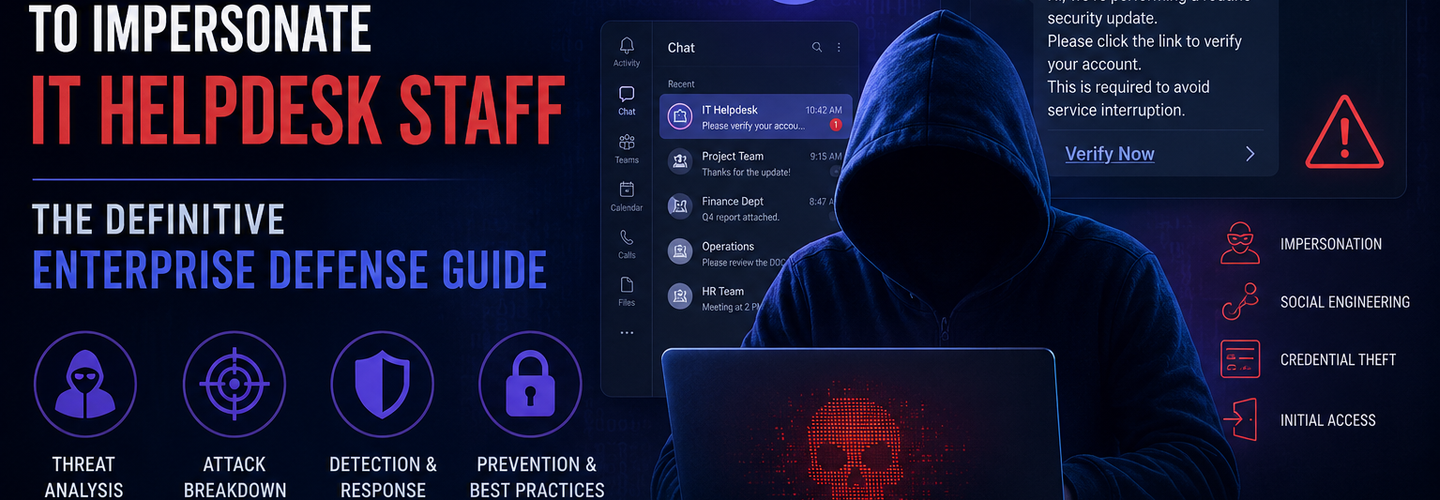
Hackers Exploit Microsoft Teams to Impersonate IT Helpdesk Staff: The Definitive Enterprise Defense Guide
Summarize this blog post with: ChatGPT | Perplexity | Claude | Grok
You've already hardened your email gateway, trained employees on phishing, and deployed MFA — but attackers have shifted their focus to the platform your team trusts most. Microsoft Teams is now an active attack surface, with threat actors posing as IT helpdesk staff inside chat windows and calls to steal credentials and seize remote access. In this guide, you'll learn exactly how these attacks unfold, why they succeed, and the specific steps your security team can take to stop them.
Key Takeaways
Microsoft Teams impersonation attacks use trusted collaboration channels to trick employees into granting access, sharing credentials, or approving malicious actions.
Attackers frequently pose as IT helpdesk staff because employees are conditioned to trust internal support requests without verification.
Cross-tenant messaging and external collaboration features expand an organization's attack surface when not properly restricted or monitored.
Modern Teams-based attacks combine multiple techniques — phishing, voice calls, remote-access tools, and credential theft — in a single coordinated campaign.
Conditional Access policies, user verification procedures, and security awareness training significantly reduce impersonation attack risk across Microsoft 365 environments.
Microsoft Defender XDR, Sentinel, and identity protection tools improve visibility into suspicious Teams activity and abnormal authentication events.
Organizations should regularly audit Teams tenant settings and monitor external communications for unusual or unauthorized behavior patterns.
What Is the Microsoft Teams IT Helpdesk Impersonation Attack?
Microsoft Teams IT helpdesk impersonation attacks are social engineering campaigns in which threat actors pose as internal IT support staff inside Microsoft Teams to manipulate employees into surrendering credentials, approving remote access, or executing attacker-controlled actions. Unlike traditional email phishing, these attacks exploit the inherent trust users place in an official-looking collaboration platform — a trust that has grown dramatically as organizations moved to remote and hybrid work models.
In a typical attack scenario, a threat actor creates or compromises a Microsoft 365 account that visually resembles an internal IT support identity. They then initiate a Teams chat with a targeted employee, reporting an urgent account issue — a locked account, a suspicious login, or an impending MFA reset. The urgency lowers the target's guard while the platform's familiar interface suppresses skepticism.
Cross-tenant Teams abuse is a key enabler of this threat. Microsoft Teams allows external users from other Microsoft 365 tenants to send messages to employees inside a target organization. Attackers register tenant accounts that mimic legitimate IT branding — names like "IT-HelpDesk@[company]-support.onmicrosoft.com" — and use them to initiate seemingly authentic conversations. When employees see a Teams notification from what appears to be their IT team, many respond without hesitation.
Learn more about social engineering attack techniques and how to recognize them.
Why Microsoft Teams Security Threats Matter for Every Organization
Microsoft Teams security threats matter because the platform has become a primary communication channel for over 320 million monthly active users, making it an extremely high-value target for credential theft and corporate espionage — Source: Microsoft, 2024.
The shift to remote and hybrid work fundamentally changed the threat landscape. Employees who once walked to their IT desk for support now receive that same support through digital channels — and attackers know it. Email phishing defenses have matured over two decades, prompting adversaries to pivot toward collaboration tools where security controls are less consistent and user awareness remains low.
The business risks are immediate and severe. A single successful Teams impersonation attack can result in full Microsoft 365 account compromise, lateral movement across cloud services, ransomware deployment, and data exfiltration. According to IBM's Cost of a Data Breach Report, the average cost of a credential-based breach reached $4.62 million in 2024 — Source: IBM Security, 2024. Organizations relying on Teams for internal IT support without strong verification controls face disproportionate exposure.
Moreover, the psychological architecture of helpdesk impersonation is uniquely effective. Employees are trained to respond promptly to IT requests — password resets, MFA issues, and software updates carry a sense of urgency that attackers deliberately manufacture. Understand the full scope of remote work cybersecurity risks and your external attack surface.
How Do Attackers Impersonate IT Support Staff Through Microsoft Teams?
Attackers impersonate IT support staff through Microsoft Teams by combining external tenant access, social engineering scripts, and remote-access tooling into a multi-stage attack chain designed to extract credentials or establish persistent system access. Understanding the full chain helps defenders identify where controls can interrupt the attack.
Stage 1: External Account Setup and Tenant Spoofing
First, the attacker registers a Microsoft 365 tenant with a display name and email address closely mimicking the target organization's IT department. Display names like "IT Support — Contoso" or "HelpDesk Contoso" are common. Because Microsoft Teams displays the sender's display name prominently — with the full tenant domain visible but less obvious — many users accept the sender's identity at face value.
Second, the attacker leverages Microsoft's external access feature, which permits cross-tenant messaging by default in many organizational configurations. Without explicit restriction, any Teams user on any tenant can initiate a conversation with employees in the target organization. This is a legitimate feature weaponized for malicious purposes.
Stage 2: Social Engineering Execution
The attacker initiates a Teams chat with a targeted employee using a pretext that triggers urgency: "We've detected unusual sign-in activity on your account. We need to verify your identity and reset your MFA immediately to prevent a lockout." The message closely mimics real IT communication language.
Voice phishing (vishing) is often layered onto the chat campaign. Attackers may follow up a Teams message with a phone call from a spoofed number, or even conduct the entire attack through a Teams call. The combination of chat and voice communication significantly increases the social proof of the impersonation — Source: Microsoft Threat Intelligence, 2024.
Stage 3: Remote Access and Credential Harvesting
At this stage, the attacker requests that the employee perform one of several high-risk actions: launch Microsoft Quick Assist and grant the "support technician" remote control of their device; enter credentials into a fake login portal shared via a Teams link; approve an MFA push notification generated by the attacker's authentication attempt; or provide a one-time passcode delivered to the employee's phone.
Once remote access is granted or credentials are captured, the attacker moves quickly. They access email, SharePoint, OneDrive, and connected SaaS platforms, exfiltrate sensitive data, and often establish persistence through registered authentication apps or OAuth grants. See how to identify credential phishing attack indicators using ReconShield's Exposure Assessment Tool.
What Are the Common Techniques Used in Teams-Based Cyber Attacks?
Teams-based cyber attacks employ a range of techniques beyond simple impersonation, often combining multiple tactics in a single campaign to maximize success rates and evade detection. Security teams must understand each technique to build layered defenses.
MFA Fatigue Attacks
MFA fatigue attacks rely on repeated authentication push requests designed to pressure users into approving an unauthorized login attempt. In the Teams context, an attacker who has obtained a user's password initiates repeated MFA requests while simultaneously messaging the target through Teams, claiming the prompts are legitimate security verifications. Under enough pressure — or confusion — many users tap "Approve."
Over 25% of MFA fatigue attack attempts succeed when combined with simultaneous social engineering contact — Source: Microsoft Digital Defense Report, 2023. Explore multi-factor authentication security best practices and how to prevent MFA fatigue.
Device-Code Phishing
Device-code phishing involves tricking users into authorizing an attacker-controlled session through Microsoft's legitimate OAuth device-code authentication workflow. The attacker initiates a device-code login flow, generates a code, and then sends the target a Teams message claiming they must enter this code to verify their identity or resolve a system issue.
The target visits the legitimate Microsoft device login page (login.microsoftonline.com/common/oauth2/deviceauth), enters the code, and unknowingly grants the attacker a fully authenticated session with all the permissions of their account. Because the page is genuinely Microsoft-owned, no phishing indicators appear. Learn more about OAuth phishing attacks and how attackers exploit authentication flows.
Quick Assist Exploitation
Microsoft Quick Assist is a built-in Windows tool that enables remote screen sharing and control, making it a prime target for helpdesk impersonation attackers. In documented campaigns attributed to the Storm-1811 threat group, attackers flooded targets with email spam, then contacted them via Teams claiming to resolve the spam issue — convincing employees to open Quick Assist and hand over full desktop control.
Malicious File Delivery via Teams
Teams allows file transfers between users, including external ones. Attackers exploit this to deliver malicious executables, LNK files, or macro-enabled Office documents disguised as IT utilities, security scanners, or password-reset tools. Once executed, these files install RATs (remote access trojans), infostealers, or ransomware. Read our research on ransomware prevention strategies and open-source ecosystem threats.
What Are the Warning Signs of a Microsoft Teams Impersonation Campaign?
Warning signs of a Microsoft Teams impersonation campaign include unexpected helpdesk outreach, external-tenant message indicators, urgent requests for credentials or remote access, and MFA prompts that arrive without user-initiated actions.
Unexpected IT helpdesk contact — An unsolicited Teams message claiming there is an account issue. Risk level: High.
External tenant indicator — The sender profile shows an "External" label. Risk level: High.
Urgent MFA reset request — Pressure to approve a push notification immediately. Risk level: Critical.
Quick Assist or remote tool request — Being asked to share your screen or install a tool. Risk level: Critical.
Suspicious link to login page — A URL that does not match official Microsoft domains. Risk level: High.
Unusual Teams meeting invite — An invite from an unknown or external organizer. Risk level: Medium.
Post-contact login anomalies — Sign-ins from new locations or devices shortly after a chat. Risk level: High.
Employees who receive an unsolicited Teams message from anyone claiming to be IT support should treat it as a potential impersonation attempt until verified through a separate, trusted communication channel — such as calling the IT helpdesk on a known internal number.
How Can Organizations Secure Microsoft Teams Against Social Engineering?
Organizations can secure Microsoft Teams against social engineering by combining tenant configuration hardening, Conditional Access policy enforcement, and structured user verification procedures that prevent unauthorized external communication and credential exposure.
Restrict External and Cross-Tenant Communication
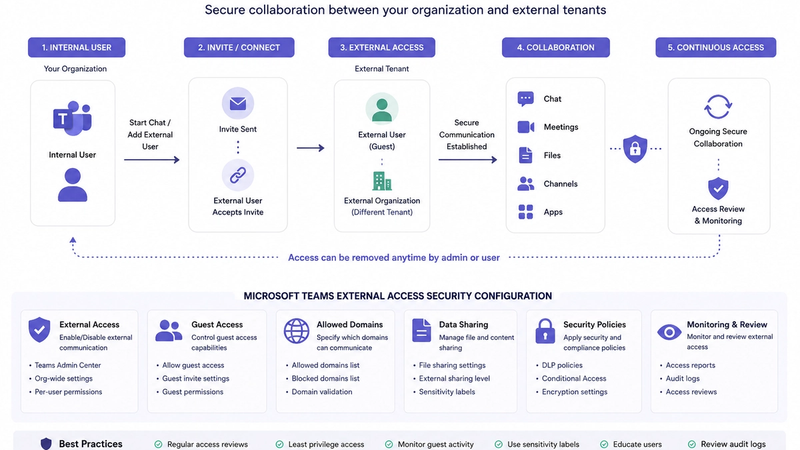
The most direct control is limiting who can initiate contact with your employees via Teams. In the Microsoft Teams Admin Center, administrators can disable external access entirely for non-required use cases, create an allowlist of approved external domains only, block anonymous chat participants from initiating conversations, and disable cross-tenant access for guest users by default.
These settings dramatically reduce the external attack surface without disrupting legitimate collaboration needs. Use ReconShield's DNS Lookup tool to audit your domain's email spoofing protections including SPF and DMARC as part of your Microsoft 365 security hardening.
Enforce Conditional Access Policies
Conditional Access policies reduce Microsoft Teams attack exposure by restricting risky authentication attempts, unmanaged devices, and access from suspicious locations or anonymous network ranges. Key policies to implement include requiring compliant or hybrid-joined devices for Teams access, blocking legacy authentication protocols that bypass MFA, enforcing sign-in risk policies using Microsoft Entra ID Protection, and requiring MFA for all cloud application access, including Teams on mobile.
Understand how these controls fit into a broader Zero Trust security model and attack surface management strategy.
Establish User Verification Procedures
Every organization should implement a helpdesk verification protocol — a defined process employees follow before complying with any IT support request received through Teams. A simple but effective procedure: acknowledge the Teams message without complying, call the IT helpdesk on the official internal number, confirm whether a ticket or outreach was initiated, and only then proceed if verified.
Security awareness training remains one of the most effective defenses against Teams-based impersonation and collaboration-platform phishing attacks. Regular simulated attacks, phishing awareness modules, and specific training on Teams social engineering scenarios are essential components of a mature security program. — Source: SANS Institute, 2024
Which Microsoft Security Tools Help Detect Teams-Based Threats?
Microsoft provides several integrated security tools that help detect, investigate, and respond to Teams-based threats, with Microsoft Defender XDR and Microsoft Sentinel offering the most comprehensive coverage. Together, these tools surface the indicators of compromise that manual monitoring would likely miss.
Microsoft Defender XDR
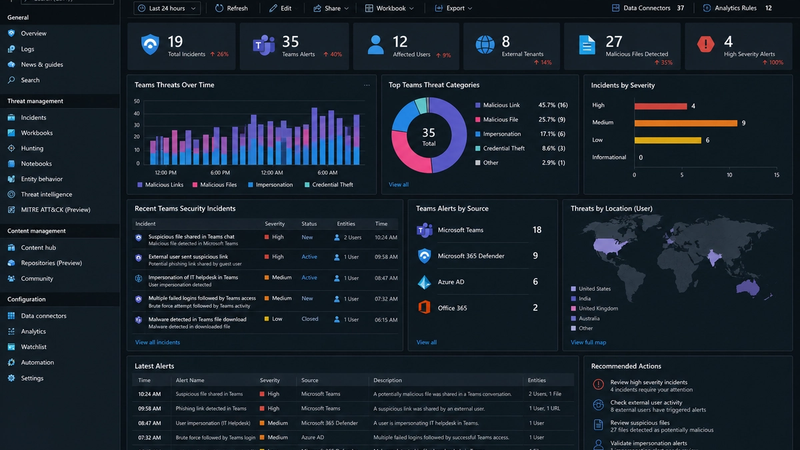
Microsoft Defender XDR correlates signals across endpoints, identities, email, and cloud applications — including Teams — to provide unified visibility into attack chains spanning the collaboration platform. Key capabilities for Teams threat detection include alerts on suspicious Teams external communication patterns, identity-based detections when credentials captured via Teams are subsequently used, and automatic disruption of attack chains in response to high-confidence signals.
Complement Defender XDR with ReconShield's IP Lookup tool to cross-reference suspicious IP addresses against 50+ threat blocklists during incident investigation.
Microsoft Sentinel
Microsoft Sentinel is a cloud-native SIEM and SOAR platform that ingests Teams audit logs, Entra ID sign-in data, and Defender alerts to support threat hunting and automated incident response. SOC teams can build custom detection rules targeting sudden external Teams message volume spikes, Quick Assist sessions initiated shortly after Teams contact, device-code authentication flows completed by targeted accounts, and OAuth app consent grants following suspicious Teams interactions.
Additional Detection Tools
Beyond the Microsoft stack, security teams should consider CASB solutions (Microsoft Defender for Cloud Apps, Netskope) for SaaS activity visibility, EDR platforms (CrowdStrike Falcon, SentinelOne) for endpoint activity post-Teams compromise, identity threat detection tools (Varonis, Semperis) for abnormal Active Directory and Entra behavior, and threat intelligence feeds that track known Teams-abusing threat groups and their IOCs.
For hands-on threat hunting, use the ReconShield Port Scanner to identify exposed services and the Security Headers tool to audit your web infrastructure for gaps attackers could exploit alongside a Teams campaign.
Real-World Examples of Teams-Based Cyber Attacks
Real-world Teams-based cyber attacks demonstrate that this threat is active, targeted, and capable of producing significant enterprise compromise across industries.
Storm-1811 (Microsoft, 2024): Microsoft Threat Intelligence documented a campaign by Storm-1811, a financially motivated threat actor, in which attackers launched email bombing campaigns to overwhelm targets, then contacted victims via Teams posing as IT helpdesk staff. Attackers convinced employees to open Quick Assist, then used that remote access to deploy Black Basta ransomware across enterprise networks. This campaign represented one of the most complete attack chains publicly attributed to Teams impersonation.
OCTO Tempest / Scattered Spider Techniques: This threat group, tracked by Microsoft, uses Teams vishing alongside SIM swapping, MFA bypass, and identity provider compromise to achieve full cloud tenant takeover. Their use of Teams as a social engineering channel demonstrates how sophisticated actors integrate collaboration platforms into broader multi-vector campaigns.
Device-Code Phishing Campaigns (2023–2024): Multiple threat intelligence firms documented large-scale device-code phishing campaigns targeting Microsoft 365 users. In several instances, attackers initiated contact via Teams after identifying targets from LinkedIn, then directed them to complete "account verification" using the device-code OAuth flow. Successful completion granted attackers persistent, MFA-resistant access to victim accounts.
For the latest documented threat campaigns, browse the ReconShield Threat Intelligence blog.
What Should Security Teams Do Next After Identifying This Threat?
Security teams should immediately audit their Microsoft Teams tenant configuration, deploy detection rules for external communication anomalies, and launch targeted employee awareness programs focused on helpdesk impersonation scenarios.
Immediate Security Audit Checklist
Review and restrict external access settings in Teams Admin Center. Audit guest user permissions across all Teams and channels. Enable Conditional Access policies requiring compliant devices for Teams access. Review OAuth app consents across all Microsoft 365 accounts for suspicious grants. Validate that Unified Audit Logs are enabled for Teams activity in Microsoft Purview. Test and confirm MFA enforcement for all users, including service accounts. Deploy Microsoft Entra ID Protection risk-based sign-in policies.
Run ReconShield's free Exposure Assessment Tool and Email Security tool to validate your organization's external-facing posture as part of this audit.
Threat Hunting Recommendations
SOC teams should proactively hunt for external Teams users who have messaged more than 5 internal employees within a short window, accounts that received a Teams message followed within 30 minutes by a Quick Assist session, device-code OAuth authentication events completed by non-IT users, and sign-in events from new locations within hours of a Teams external conversation.
Use ReconShield's WHOIS Lookup to investigate suspicious external tenant domains and the SSL Checker to verify the legitimacy of linked login pages during incident response. For a complete enterprise incident response framework, read our Attack Surface Management guide.
Employee Awareness Priorities
Launch security awareness campaigns that specifically address Teams as a phishing surface. Most existing phishing training focuses exclusively on email — a gap attackers actively exploit. Training content should cover how to identify external sender indicators in Teams, the verification procedure before complying with any IT request, what legitimate IT support will and will not ask for in Teams, and how to report suspicious Teams messages to the SOC.
Conclusion
Microsoft Teams has transformed enterprise collaboration — and attackers have transformed their playbooks to match. Helpdesk impersonation via Teams is no longer an emerging threat; it is an active, documented attack vector used by both financially motivated and nation-state-aligned threat actors. Organizations that treat Teams as inherently secure, or that rely solely on email-focused security controls, leave a significant gap that sophisticated adversaries are ready to exploit.
The good news is that this threat is defensible. Restricting external access, enforcing Conditional Access, deploying Defender XDR and Sentinel, and training employees to verify unexpected IT outreach through trusted channels can substantially reduce your exposure. Collaboration-platform security requires the same rigor as email and endpoint security — and the organizations that recognize this early will be far better positioned when the next campaign targets their team.
Start with the audit checklist in this guide. Review your Teams configuration today. Then run a free passive scan with ReconShield's infrastructure visibility platform to identify any external-facing exposure your organization may not be aware of. The attacker trying to reach your employees may already have a Teams account ready.
Written by Surendra Reddy — Cybersecurity Researcher & Founder, ReconShield. Surendra is a cybersecurity engineer specializing in Open Source Intelligence (OSINT), exposure intelligence, and AI-driven threat analysis. He built ReconShield to democratize access to enterprise-grade infrastructure visibility tools and secure the digital internet-facing assets.
Reviewed by the ReconShield security research team for technical accuracy and alignment with current threat intelligence.
## Analyst Commentary & Implementation Blueprint
Security advisory
Continuous security exposure assessment is critical to identifying public vulnerabilities before they are exploited. Organizations should maintain a passive inventory of all web servers, TLS configs, and open ports, ensuring that default configurations are eliminated and security advisories are actively implemented.
Hardened Security Configuration Blueprint
# General Security Hardening Directive
ServerTokens ProductOnly
ServerSignature Off
FileETag None
Actionable Mitigation Checklist
- ✔Perform passive asset inventories weekly.
- ✔Restrict administrative ports using local firewall controls.
- ✔Monitor active CVE alerts for exposed software.
Common Inquiries & FAQs
Why is passive scanning preferred for continuous auditing?
Passive audits do not cause operational impact or trigger firewall blocks, making them ideal for constant surveillance of internet-facing assets.
What should I do if a vulnerability is flagged?
Apply the latest vendor patches, restrict access to the resource via firewalls, or verify configuration flags to mitigate risks.
Surendra Reddy
Surendra Reddy is a cybersecurity researcher and founder of ReconShield, specializing in OSINT and defensive infrastructure analysis.
Connect on LinkedIn ↗// AUDIT BRIEFING DISCUSSION (2 COMMENTS)
Great breakdown of the passive infrastructure vectors. We recently audited our external DNS zones and found multiple dangling staging environments. Implementing wildcard certificates reduced our CT log leaks significantly.
Is there any automated tooling you recommend for daily crt.sh scraping? Manually checking CT logs is becoming unsustainable for our domain portfolio.
// MORE ARTICLES
Security Researchers Warn Critical n8n Flaws May Expose Automation Platforms to RCE
Researchers have disclosed critical vulnerabilities in n8n that could expose automation workflows and connected enterprise systems to remote code execution risks, prompting urgent patch recommendations for users and administrators.
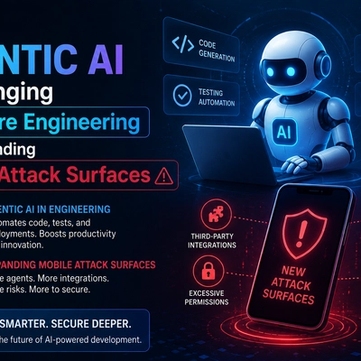
How Agentic AI Is Changing Software Engineering and Expanding Mobile Attack Surfaces
Agentic AI is rapidly transforming software engineering workflows through automation and intelligent coding assistance, while cybersecurity experts warn of expanding mobile attack surfaces and emerging application security risks.
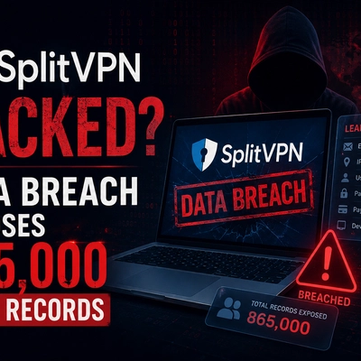
SplitVPN Hacked: Data Breach Exposes 865,000 User Records and 58 Million Hidden Connection Logs (July 2026)
SplitVPN hacked: 865,336 user records and 58 million connection logs exposed, directly contradicting the VPN's "no-logs" promise. What was leaked and what to do now.