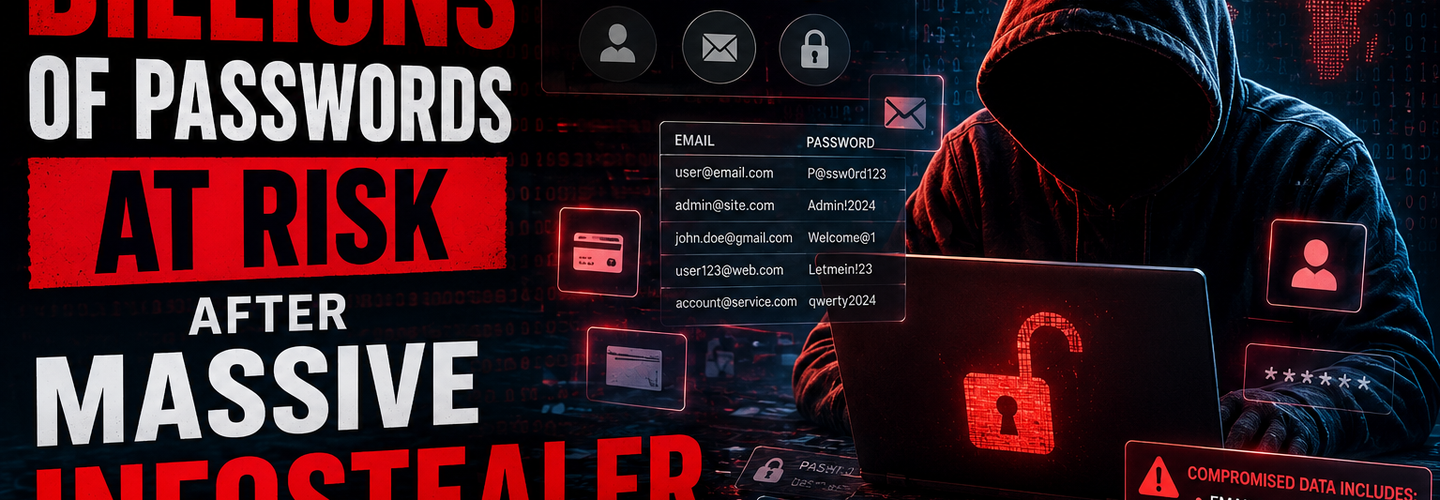
Billions of Passwords at Risk After Massive Infostealer Data Leak
Summarize this blog post with: ChatGPT | Perplexity | Claude | Grok
Most people know that data breaches happen regularly, and many assume their passwords have already shown up in at least one leaked database. What many don't realize is that modern infostealer malware harvests fresh credentials, session cookies, and authentication data directly from infected devices, creating a far greater risk than old breach dumps. In this guide, you'll learn what the massive infostealer data leak revealed, who is most at risk, and exactly how to secure your accounts before attackers exploit them — building on our coverage of the latest cybersecurity threats.
## Key Takeaways
- ▸Infostealer malware is designed to steal usernames, passwords, browser data, cookies, and other sensitive information from infected devices.
- ▸Massive credential datasets often combine data from infostealer infections, previous breaches, and exposed databases.
- ▸Password reuse significantly increases the risk of account takeover attacks after large credential leaks.
- ▸Multi-factor authentication reduces the likelihood of unauthorized access even when passwords are exposed.
- ▸Credential stuffing attacks use stolen username-password combinations to target multiple online services.
- ▸Password managers help users generate and store unique credentials for every account.
- ▸Immediate password updates and security reviews are the most effective responses to large-scale credential exposure events.
## What Is an Infostealer Data Leak and Why Is It Dangerous?
An infostealer data leak is the public exposure of credential records harvested by malware that silently steals passwords, cookies, and login data from infected devices. It is dangerous because the data is often fresh, accurate, and tied to live accounts — not just recycled from old breaches. Infostealer malware is malicious software designed to steal passwords, browser data, cookies, and sensitive information from infected devices.
First, understand the scale. Researchers at Cybernews reported in June 2025 that they found 30 exposed datasets holding more than 16 billion login records — Source: Cybernews, 2025. A year later, they disclosed an even larger exposed database containing roughly 24 billion records across 8.3 terabytes — Source: Cybernews, 2026.
Second, recognize what makes this different from a single company hack. A breach compilation aggregates credentials from many sources, while a direct company breach affects one organization's systems. To see how aggregation works at scale, review our breakdown of the 24 billion record exposure.
Third, note the source. Researchers discovered exposed databases containing up to 24 billion credential records sourced primarily from infostealer logs and breach compilations. That mix of fresh and recycled data is precisely why attackers value it.
## Why Does This Password Leak Matter?
This password leak matters because the sheer volume of fresh credentials gives attackers immediate access to personal, financial, and corporate accounts at a massive scale. When billions of working logins circulate, the odds that yours appears among them rise sharply.
To put it in perspective, threat intelligence firm KELA reported that nearly 4 million unique devices were infected by infostealers in 2025, yielding around 347.5 million compromised credentials — Source: KELA, 2026. Separately, Flashpoint estimated that infostealers exfiltrated over 1.8 billion credentials in 2025 — Source: Flashpoint, 2026.
Moreover, the risk extends beyond individuals. Organizations without multi-factor authentication face account takeover, ransomware entry, and business email compromise when employee logins leak. Password reuse is one of the primary reasons large credential leaks lead to widespread account compromise.
In addition, infostealers have become a dominant threat because they are cheap and scalable. For example, criminals now rent them through a malware-as-a-service model, making credential theft accessible to low-skill attackers worldwide.
## How Does Infostealer Malware Steal Passwords and Login Data?
Infostealer malware steals passwords by silently executing on an infected device, collecting stored credentials and session data, then exfiltrating it to attacker-controlled servers. The entire process can finish in seconds, often before any antivirus reacts.
Common Infection Methods
Infostealers spread through phishing emails, malicious ads, cracked software, and fake downloads. For example, a user searching for a "free" app may install a trojanized installer that drops the stealer in the background. To reduce this exposure, follow strong browser security best practices, since malicious extensions are a frequent infection route.
Credential and Browser Password Theft
Once active, the malware scrapes saved passwords, autofill data, and form entries directly from your browser. For example, real-world strains like Gremlin Stealer extract and package this data for exfiltration, as detailed in our analysis of how infostealer malware works. Infostealer logs often contain usernames, email addresses, passwords, session data, and login URLs collected from infected devices.
Cookie and Session Token Theft
Infostealers also steal active session cookies, which can let attackers bypass passwords and even MFA entirely. For example, a stolen session token can grant access to an email inbox without ever triggering a login prompt. Credential-harvesting strains like the Pamdoora SSH credential stealer show how silently this exfiltration happens.
## What Information Was Exposed in the Infostealer Leak?
The exposed information includes usernames, email addresses, plaintext passwords, login URLs, and session data drawn from infected devices and breach compilations. This combination is what makes infostealer logs so dangerous to victims.
Here is what these datasets typically contain:
- ▸Usernames and email addresses tied to specific services.
- ▸Plaintext passwords, often unencrypted and immediately usable.
- ▸Login URLs, showing attackers exactly where each credential works.
- ▸Session cookies and tokens capable of bypassing MFA.
- ▸Autofill and device data, including some payment details.
For example, Cybernews noted the 24 billion-record trove was drawn from 36 distinct sources — Source: Cybernews, 2026 — blending stealer logs with older breach data.
Are the Leaked Passwords Fresh or Recycled From Older Breaches?
The leaked passwords are a mix of fresh infostealer captures and recycled records from earlier breaches. Both remain dangerous, but fresh stealer logs are the bigger concern because they reflect currently active credentials. Large credential datasets may contain duplicate and previously exposed records, but they remain valuable to attackers because many users continue reusing passwords across services.
For example, KELA's research identified 124 million unique passwords within a single newly surfaced infostealer dataset — Source: KELA, 2026 — proving that even "old" compilations carry plenty of usable, non-duplicate credentials.
## Who Is Most Vulnerable to Account Takeover Attacks After a Credential Leak?
The most vulnerable users are those who reuse passwords, skip multi-factor authentication, or store credentials directly in their browsers. Attackers target these habits first because they offer the easiest path to compromise.
- ▸Password reusers: One leaked login unlocks many accounts.
- ▸Organizations without MFA: A single stolen password grants entry.
- ▸Remote workers: Personal devices often lack endpoint protection.
- ▸Browser-stored password users: Infostealers target these vaults directly.
- ▸High-value targets: Executives, admins, and finance staff face focused attacks.
For example, attackers compiled and validated tens of thousands of working enterprise logins in the Fortinet credential database incident, showing how quickly leaked data becomes account takeover attack indicators in practice.
## How Do Cybercriminals Use Stolen Credentials in Credential Stuffing Attacks?
Cybercriminals use stolen credentials in automated credential stuffing attacks that test username-password pairs across many websites until one works. Credential stuffing involves using stolen username-password combinations to gain unauthorized access to multiple online accounts.
First, attackers feed leaked credentials into automated bots. For example, a single tool can test thousands of login combinations per minute against banking, email, and shopping sites.
Second, successful logins enable a chain of follow-on attacks. As such, one compromised account can lead to identity theft, financial fraud, and business email compromise. For deeper context on these tactics, see our guide on credential stuffing attack prevention.
Third, attackers monetize access fast. For example, stolen logins are resold on dark-web markets, where KELA tracked 2.86 billion compromised credentials circulating in 2025 — Source: KELA, 2026.
## How Can You Check Whether Your Credentials Have Been Exposed?
You can check whether your credentials were exposed by using breach-monitoring services, auditing your passwords, and reviewing recent account activity. Acting on these checks early prevents most takeover attempts.
First, run your email through a reputable breach-monitoring service such as Have I Been Pwned. For example, it tells you which past breaches included your address so you know which passwords to retire.
Second, audit reused or weak passwords using your password manager's built-in security check. This single step can flag dozens of at-risk logins at once.
Third, review account activity and active sessions for anything unfamiliar. For organizations auditing exposure, our data breach response checklist walks through the full process.
## What Immediate Actions Should You Take After a Major Password Leak?
The immediate actions after a major password leak are to change critical passwords, enable MFA, and remove suspicious sessions — in that order. Speed matters, because attackers act within hours of a leak going public.
Change critical passwords first: Start with email, banking, and primary accounts.
Enable multi-factor authentication: Add a second layer following an MFA setup guide.
Sign out of all sessions: Revoke active tokens that may bypass new passwords.
Update recovery options: Refresh security questions and backup emails.
Scan your device: Remove the infostealer before resetting credentials.
For example, resetting a password while malware is still active is pointless — the stealer simply captures the new one. Multi-factor authentication significantly reduces the risk of account takeover even when passwords have been exposed in a data leak. Reinforce these habits with our best password security practices.
## What Tools and Security Resources Help Protect Against Credential Leaks?
Several free and professional tools can protect you against credential leaks by managing passwords, enforcing MFA, and monitoring exposure. Layering them gives the strongest defense.
- ▸Password managers: Bitwarden (free) and 1Password generate and store unique logins — explore options in our free cybersecurity tools roundup.
- ▸MFA apps: Google Authenticator and Authy add app-based verification.
- ▸Breach monitoring: Have I Been Pwned alerts you to new exposures.
- ▸Endpoint protection: Reputable antivirus detects and removes infostealers.
- ▸ReconShield scanners: Use the vulnerability scanner and email security checker to audit organizational exposure and anti-spoofing defenses.
[Insert image: ReconShield vulnerability scanner dashboard showing a domain's exposure score and findings | Alt text: "Audit credential exposure risk with the ReconShield vulnerability scanner"]
[Insert image: Password manager security dashboard flagging reused and weak passwords | Alt text: "Detect reused passwords with a password manager after a credential leak"]
For example, organizations can pair endpoint protection with ReconShield's email security checker to validate SPF, DKIM, and DMARC and reduce the phishing that delivers infostealers in the first place.
## What's Next for Password Security Beyond Traditional Passwords?
The future of password security is passwordless authentication built on passkeys, biometrics, and Zero Trust principles. These approaches remove the reusable secret that infostealers depend on.
First, passkeys replace passwords with device-bound cryptographic keys. For example, signing in with Face ID or a fingerprint means there's no password for malware to steal.
Second, Zero Trust security verifies every access request continuously, regardless of network or device. As such, a single stolen credential no longer guarantees access.
Third, continuous monitoring closes the remaining gaps. By combining passkeys, MFA, and exposure monitoring, you can stay ahead of evolving credential threats — a theme we explore in our latest cybersecurity threats coverage.
## Conclusion
The massive infostealer data leak — spanning reported exposures from 16 billion to 24 billion records — is a clear signal that passwords alone can no longer protect you. The key lessons are simple: stop reusing passwords, enable multi-factor authentication everywhere, and treat infostealer malware as the primary threat to your accounts. Fresh, working credentials are now the most valuable currency in cybercrime.
By acting today — changing critical passwords, adopting a password manager, and scanning your devices — you can stay protected even as billions of credentials circulate. Bookmark ReconShield, audit your exposure with our free tools, and make proactive security a habit, because in a world of infostealers, prevention always beats recovery.
Written by the ReconShield Editorial Team — a cybersecurity publication covering cyber threats, data breaches, vulnerabilities, malware, threat intelligence, and online privacy, delivering practical insights to help readers stay informed and secure.
Reviewed by Surendra Reddy, Founder & Principal Security Engineer at ReconShield — a veteran cybersecurity researcher specializing in vulnerability management, network diagnostics, and attack surface analytics.
## Analyst Commentary & Implementation Blueprint
Security advisory
Continuous security exposure assessment is critical to identifying public vulnerabilities before they are exploited. Organizations should maintain a passive inventory of all web servers, TLS configs, and open ports, ensuring that default configurations are eliminated and security advisories are actively implemented.
Hardened Security Configuration Blueprint
# General Security Hardening Directive
ServerTokens ProductOnly
ServerSignature Off
FileETag None
Actionable Mitigation Checklist
- ✔Perform passive asset inventories weekly.
- ✔Restrict administrative ports using local firewall controls.
- ✔Monitor active CVE alerts for exposed software.
Common Inquiries & FAQs
Why is passive scanning preferred for continuous auditing?
Passive audits do not cause operational impact or trigger firewall blocks, making them ideal for constant surveillance of internet-facing assets.
What should I do if a vulnerability is flagged?
Apply the latest vendor patches, restrict access to the resource via firewalls, or verify configuration flags to mitigate risks.
Surendra Reddy
Surendra Reddy is a cybersecurity researcher and founder of ReconShield, specializing in OSINT and defensive infrastructure analysis.
Connect on LinkedIn ↗// AUDIT BRIEFING DISCUSSION (2 COMMENTS)
Great breakdown of the passive infrastructure vectors. We recently audited our external DNS zones and found multiple dangling staging environments. Implementing wildcard certificates reduced our CT log leaks significantly.
Is there any automated tooling you recommend for daily crt.sh scraping? Manually checking CT logs is becoming unsustainable for our domain portfolio.
// MORE ARTICLES
Security Researchers Warn Critical n8n Flaws May Expose Automation Platforms to RCE
Researchers have disclosed critical vulnerabilities in n8n that could expose automation workflows and connected enterprise systems to remote code execution risks, prompting urgent patch recommendations for users and administrators.

How Agentic AI Is Changing Software Engineering and Expanding Mobile Attack Surfaces
Agentic AI is rapidly transforming software engineering workflows through automation and intelligent coding assistance, while cybersecurity experts warn of expanding mobile attack surfaces and emerging application security risks.

SplitVPN Hacked: Data Breach Exposes 865,000 User Records and 58 Million Hidden Connection Logs (July 2026)
SplitVPN hacked: 865,336 user records and 58 million connection logs exposed, directly contradicting the VPN's "no-logs" promise. What was leaked and what to do now.