Microsoft June 2026 Update Bug Exposes Deleted File Names: A Comprehensive Privacy Risk Breakdown
Summarize this blog post with: ChatGPT | Perplexity | Claude | Grok
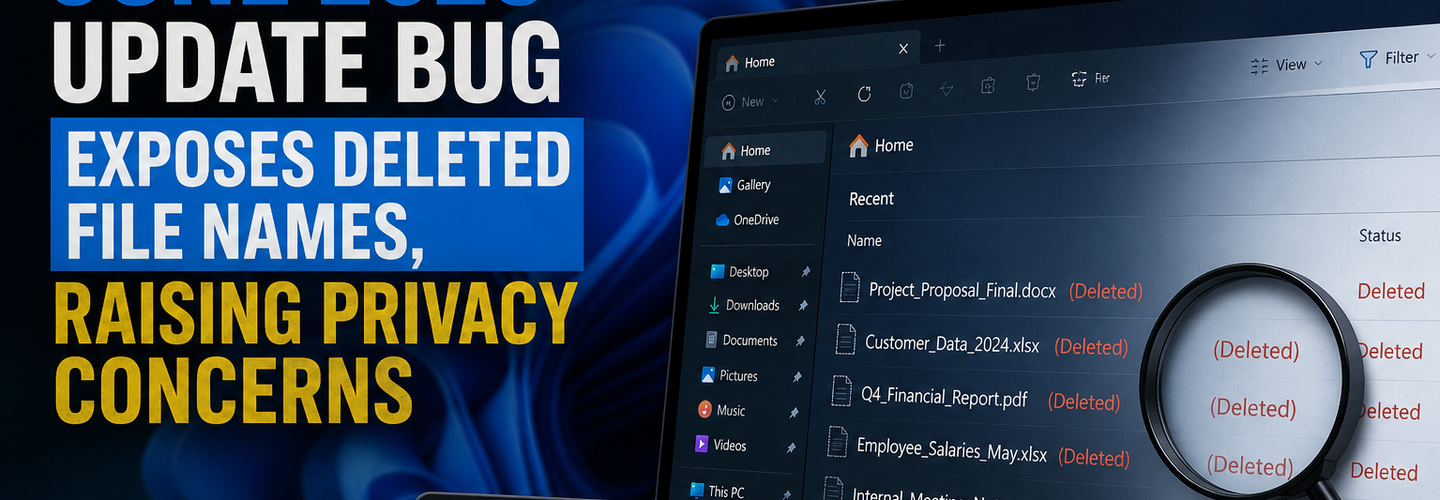
Most Windows users trust that deleting a file and emptying the Recycle Bin works exactly as expected. What many don't realize is that Microsoft's June 2026 update introduced a bug that reveals internal file identifiers in deletion prompts, raising unexpected privacy concerns. In this guide, you'll learn how the bug works, who is affected, whether your data is actually at risk, and what steps to take until a fix arrives.
## Key Takeaways
- ▸Microsoft confirmed a June 2026 Windows update bug that causes Recycle Bin deletion prompts to display internal system filenames instead of original filenames.
- ▸Recycle Bin list views and file restoration continue to display correct filenames despite the bug.
- ▸Internal filenames shown in deletion dialogs are metadata artifacts, not evidence of file corruption or unauthorized access.
- ▸Privacy concerns stem from unexpected filename exposure rather than disclosure of deleted file contents.
- ▸The issue affects supported Windows client and server versions after the June 2026 updates.
- ▸Organizations can request temporary workarounds through Microsoft Support while awaiting a permanent fix.
- ▸Keeping Windows updated remains the recommended approach despite this confirmed interface bug.
## What Is the Microsoft June 2026 Recycle Bin Filename Bug?
The Microsoft June 2026 Recycle Bin bug is a Windows update issue that causes deletion confirmation dialogs to display internal system-generated filenames instead of original filenames. In short, the dialog shows a cryptic system identifier rather than the familiar name you gave the file.
First, understand what users actually see. When deleting a file, the confirmation prompt may display a name like $RABC123.docx instead of your original document title. For example, deleting Tax_Return_2026.pdf might show a system identifier beginning with $R, which looks alarming but is expected behavior internally.
Moreover, the timeline matters. Microsoft acknowledged the issue as a "known issue" shortly after the June 2026 cumulative updates rolled out. For broader context on monthly patches, see our explainer on Windows Patch Tuesday security updates explained.
In addition, scale defines the concern. Windows runs on more than 1.4 billion active devices worldwide — Source: Microsoft, 2025. A user-interface bug at that scale generates significant attention even when the underlying risk is low.
## Why This Windows Update Bug Matters
This Windows update bug matters because it unexpectedly exposes internal file identifiers, creating privacy concerns even though it does not leak file contents. Perception of risk often drives user behavior as strongly as the risk itself.
First, trust is the core issue. Users expect deletion to be private and predictable, so any surprise in that workflow erodes confidence. For example, an employee deleting sensitive files on a shared workstation may worry that filenames are being recorded or exposed.
Second, the distinction is critical. A privacy exposure that reveals metadata is fundamentally different from a data breach that leaks actual file contents. Confusing the two leads to unnecessary panic or, worse, risky actions like uninstalling security updates.
Third, enterprises face compliance optics. Even cosmetic filename exposure can trigger questions under data-handling policies. To frame this within a wider strategy, review trends in enterprise patch management strategy and how teams assess update risk.
## How the Recycle Bin Filename Bug Works
The bug works because the deletion dialog mistakenly pulls the system-generated Recycle Bin identifier instead of the file's original display name. This is a labeling error in the interface, not a change to how files are stored.
First, understand the deletion process. When you delete a file, Windows moves it to the Recycle Bin and assigns it internal tracking names. For example, Windows creates a $R file holding the data and a $I file holding metadata like the original path and deletion time.
Second, the symptom is purely visual. The list view and restore function still show your real filename, while only the confirmation prompt shows the internal one. By recognizing this, you can confirm your files are intact and correctly named.
Why Are Internal File Names Appearing During File Deletion?
Internal Recycle Bin filenames are system-generated identifiers used by Windows to manage deleted files and are not the original filenames created by users. The June 2026 update simply surfaced these identifiers where they shouldn't appear.
For example, the $R and $I prefixes are normal internal conventions Windows has used for years. Normally hidden, these identifiers became visible in the prompt due to the update's labeling regression. For deeper background, see our notes on common Windows update problems and how regressions slip into releases.
## Which Windows Versions Are Affected by the June 2026 Update Bug?
The June 2026 update bug affects supported Windows client and server versions after installation of update KB5094126. The issue spans both consumer and enterprise editions.
Affected systems include:
- ▸Windows 11 — supported consumer and enterprise builds.
- ▸Windows 10 — supported versions still receiving updates.
- ▸Windows Server — supported server releases in managed environments.
First, confirm your update level. The behavior appears specifically after KB5094126 and related June 2026 cumulative packages. For example, a device patched in early June 2026 may show the bug, while an unpatched machine will not.
Second, scope your environment. IT teams managing mixed fleets should expect the issue across many endpoints at once. Use a structured Windows update troubleshooting checklist to identify affected machines quickly.
## Does the Recycle Bin Bug Expose Deleted File Contents?
No — Microsoft confirmed that the bug affects the deletion confirmation dialog only and does not alter, expose, or corrupt the actual files stored in the Recycle Bin. Your file contents remain protected.
First, separate what is visible from what is not. The bug exposes an internal filename label, not the document's data or its original contents. For example, the prompt may show $RABC123.pdf, but the actual file, its contents, and its real name remain unchanged and recoverable.
Second, understand the metadata angle. Metadata exposure involves revealing information about a file, such as identifiers or attributes, without exposing the file's actual contents. This is a meaningful privacy nuance rather than a breach.
Third, weigh the real risk. For most users, the practical risk is minimal and cosmetic. To understand how metadata leaks can matter in other contexts, review privacy risks from metadata exposure in Microsoft environments.
Why Is Microsoft Calling This a Known Issue Rather Than a Security Vulnerability?
Microsoft classifies this as a known issue because it is a functional display defect, not an exploitable security flaw. No attacker gains access or elevated privileges from it.
For example, a security vulnerability typically allows unauthorized access or code execution, while this bug only mislabels a dialog. As such, it falls under reliability fixes rather than emergency security patching, unlike the active threats tracked in latest Microsoft security advisories.
## What Privacy Risks Are Associated With Exposed Internal Filenames?
The main privacy risk is contextual exposure on shared or monitored systems, where visible identifiers could hint at deletion activity. The risk is situational rather than systemic.
First, consider shared environments. On a multi-user PC, unexpected filename strings could prompt curiosity or confusion. For example, a colleague glancing at a deletion prompt might notice unusual identifiers and misinterpret them as a malfunction.
Second, think about social engineering. Attackers exploit confusion, and a strange system message can be used to scare users. For example, a scammer could falsely claim your "files are corrupted" to push a fake support call.
Third, address enterprise compliance. Regulated organizations may need to document the cosmetic nature of the bug for auditors. Pair this with sound Windows 11 security best practices to maintain trust during the patch window.
## How Can Users Verify Whether Their System Is Affected?
You can verify the bug by deleting a test file and checking whether the confirmation dialog shows an internal $R identifier instead of the real name. This quick test confirms the issue without any risk to your data.
Follow these steps:
Create a harmless test file, such as Test_Document.txt.
Delete it and read the confirmation prompt carefully.
Check the Recycle Bin list view to confirm the real filename still appears.
Restore the file to verify restoration works normally.
[Insert image: Windows delete confirmation dialog showing internal $R filename | Alt text: Verify Microsoft June 2026 Recycle Bin filename bug on Windows]
First, interpret the result. If the prompt shows a $R name but the list view shows the correct name, your system is affected by the cosmetic bug. For example, seeing $RXYZ789.txt in the prompt while the bin lists Test_Document.txt confirms the known issue.
Second, know when to escalate. If real files appear corrupted or unrecoverable, that is a separate problem requiring support. By distinguishing the two, you can avoid unnecessary troubleshooting.
## What Workarounds Exist Until Microsoft Releases a Fix?
Microsoft is developing a permanent fix for the Recycle Bin filename issue and currently offers workaround guidance for commercial customers through Microsoft Support. Individual users are advised to keep updates installed.
First, do not uninstall security updates. Removing KB5094126 may reintroduce real security risks far more serious than a display bug. For example, rolling back a cumulative update can leave a device exposed to patched vulnerabilities.
Second, use available tools to assess exposure. You can audit your broader attack surface with ReconShield's free vulnerability scanner, which scores configuration gaps against CVSS guidelines. [Insert image: ReconShield vulnerability scanner dashboard results | Alt text: Scan systems for vulnerabilities with ReconShield security tool]
Third, identify software stacks during audits. The tech detector helps map technologies in your environment, and the full free cybersecurity tools suite supports ongoing monitoring. For balance, Windows Update history and the built-in Reliability Monitor are useful free options for tracking patch behavior.
Should Businesses Delay Installing the June 2026 Windows Updates?
No — businesses should not delay critical security updates over a cosmetic filename bug. The security benefits of patching outweigh a display defect.
For example, the June 2026 Patch Tuesday addressed a large batch of vulnerabilities, and skipping it would expose systems to real threats. Instead, document the known issue, inform users, and apply the eventual fix once released.
## How Is Microsoft Responding to the Recycle Bin Filename Issue?
Microsoft is responding by documenting the bug as a known issue and preparing a corrective update through its standard servicing channel. A fix is expected in an upcoming cumulative release.
First, expect a future Patch Tuesday fix. Microsoft typically resolves non-security regressions in subsequent monthly updates. For example, a follow-up cumulative package usually restores correct dialog behavior without user action.
Second, track official channels. Organizations should monitor Microsoft's release health dashboard and known-issue notices. For ongoing coverage of Microsoft flaws and remediation, follow known Windows vulnerabilities and fixes and the broader ReconShield threat intelligence hub.
## What's Next for Microsoft and Windows Users?
The next step for users is to stay patched, document the cosmetic issue, and apply the corrective update when it ships. Patience and good hygiene are the right response here.
First, organizations should communicate clearly. A short internal advisory prevents confusion and reduces support tickets. For example, a one-paragraph notice explaining the $R behavior can stop a wave of help-desk calls.
Second, treat this as a process lesson. Even minor regressions reveal the value of staged rollouts and monitoring. As such, mature update governance limits disruption from future bugs.
## Conclusion
The Microsoft June 2026 Recycle Bin bug is a low-risk, cosmetic display issue rather than a genuine data breach. It exposes internal filenames in deletion prompts, but your file contents remain safe, recoverable, and correctly named everywhere else.
The smart move is simple: stay updated, run the verification test, avoid uninstalling security patches, and apply Microsoft's fix when it arrives. By understanding the difference between a visual glitch and a real vulnerability, you protect both your data and your peace of mind. For more perspective, explore cybersecurity lessons from software bugs and keep your systems resilient.
Written by the ReconShield Editorial Team — a cybersecurity publication covering cyber threats, data breaches, vulnerabilities, malware, threat intelligence, and online privacy, delivering practical insights to help readers stay informed and secure.
Reviewed by Surendra Reddy, Founder & Principal Security Engineer at ReconShield, specializing in vulnerability management, network diagnostics, and attack surface analytics.
## Analyst Commentary & Implementation Blueprint
Security advisory
Continuous security exposure assessment is critical to identifying public vulnerabilities before they are exploited. Organizations should maintain a passive inventory of all web servers, TLS configs, and open ports, ensuring that default configurations are eliminated and security advisories are actively implemented.
Hardened Security Configuration Blueprint
# General Security Hardening Directive
ServerTokens ProductOnly
ServerSignature Off
FileETag None
Actionable Mitigation Checklist
- ✔Perform passive asset inventories weekly.
- ✔Restrict administrative ports using local firewall controls.
- ✔Monitor active CVE alerts for exposed software.
Common Inquiries & FAQs
Why is passive scanning preferred for continuous auditing?
Passive audits do not cause operational impact or trigger firewall blocks, making them ideal for constant surveillance of internet-facing assets.
What should I do if a vulnerability is flagged?
Apply the latest vendor patches, restrict access to the resource via firewalls, or verify configuration flags to mitigate risks.
Surendra Reddy
Surendra Reddy is a cybersecurity researcher and founder of ReconShield, specializing in OSINT and defensive infrastructure analysis.
Connect on LinkedIn ↗// AUDIT BRIEFING DISCUSSION (2 COMMENTS)
Great breakdown of the passive infrastructure vectors. We recently audited our external DNS zones and found multiple dangling staging environments. Implementing wildcard certificates reduced our CT log leaks significantly.
Is there any automated tooling you recommend for daily crt.sh scraping? Manually checking CT logs is becoming unsustainable for our domain portfolio.
// MORE ARTICLES

SplitVPN Hacked: Data Breach Exposes 865,000 User Records and 58 Million Hidden Connection Logs (July 2026)
SplitVPN hacked: 865,336 user records and 58 million connection logs exposed, directly contradicting the VPN's "no-logs" promise. What was leaked and what to do now.

AI Meets Penetration Testing: PentestCode Launches with 18 Specialized Security Agents
PentestCode launches with 18 integrated security tools and a 13-agent AI architecture that automates full penetration testing workflows.

Critical WordPress wp2shell RCE Vulnerability Puts Millions of Sites at Risk—Patch Now
wp2shell is a pre-auth RCE in WordPress Core affecting 500M+ sites. Public exploits exist—patch to 7.0.2 or 6.9.5 immediately.