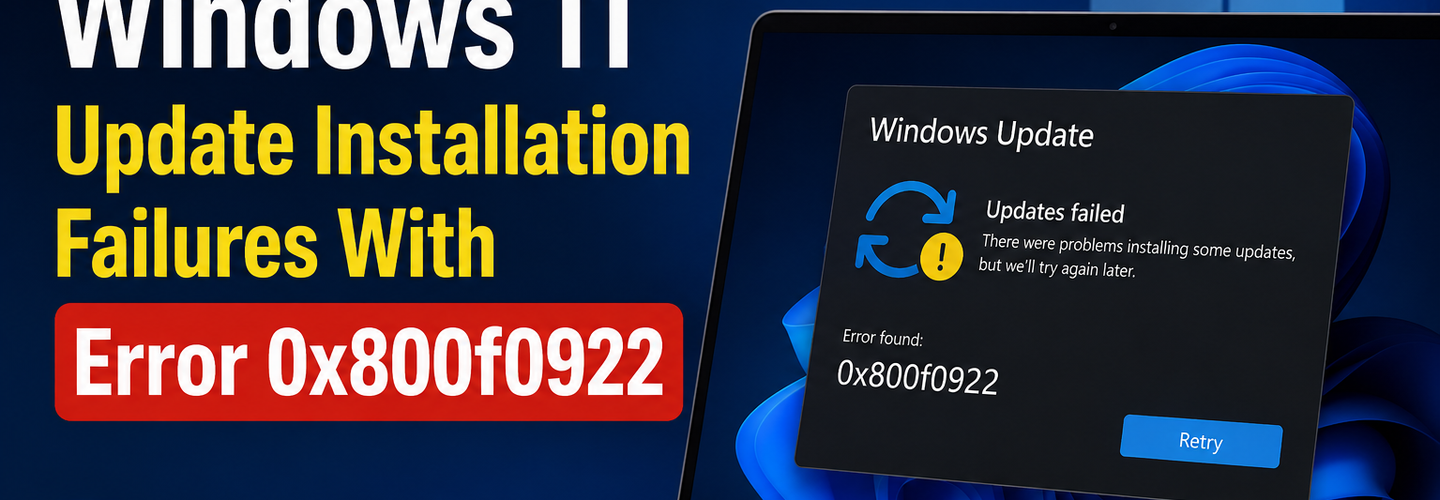
Microsoft Acknowledges Windows 11 Update Installation Failures With Error 0x800f0922
Microsoft has officially acknowledged a growing issue affecting some Windows 11 users after recent cumulative updates began failing with the installation error 0x800f0922. The problem has frustrated users worldwide, with many reporting incomplete updates, repeated installation failures, rollback loops, and occasional boot-related issues after attempting to install the latest Windows security patches.
The company says it is currently investigating the root cause while recommending temporary troubleshooting methods for affected systems. Although the issue does not appear to be linked to active cyberattacks or malware campaigns, cybersecurity professionals warn that failed security updates may still expose systems to known vulnerabilities if patches remain uninstalled for long periods.
As Windows 11 adoption continues growing across both enterprise and consumer environments, update reliability remains a critical issue for operational stability and cybersecurity protection.
## What Is Windows Error 0x800f0922?
Error 0x800f0922 is a Windows Update installation failure code that typically appears when a cumulative update or security patch cannot complete successfully. In the latest reports, the issue has surfaced after users attempted to install recent Windows 11 updates through the built-in Windows Update service.
For many affected users, the update process initially downloads correctly and begins installation normally. However, the installation eventually stalls at a certain percentage before rolling back changes and displaying the error message.
According to Microsoft and independent IT administrators, the issue may occur due to several possible reasons, including:
- ▸Insufficient system reserved partition space,
- ▸Connectivity problems with Microsoft update servers,
- ▸Corrupted Windows Update components,
- ▸Third-party antivirus conflicts,
- ▸Or failed .NET Framework dependencies.
While some users encounter the issue only once, others report repeated update failures despite multiple restart attempts.
## Microsoft Confirms the Problem
Microsoft has now confirmed that it is aware of the installation failures impacting certain Windows 11 devices. According to user reports, the issue appears across multiple hardware brands and configurations rather than being limited to a single manufacturer or processor type.
The company has not yet released a permanent fix but stated that engineering teams are actively investigating diagnostic logs and customer feedback to identify the root cause.
Some users experiencing error 0x800f0922 have also reported additional symptoms, including:
- ▸Slower system boot times,
- ▸Repeated update download attempts,
- ▸Temporary system instability,
- ▸Windows Recovery Environment prompts,
- ▸And unexpected rollback behavior after restart.
Despite these problems, Microsoft says most affected systems remain functional and secure.
## Which Windows 11 Versions May Be Affected?
Early reports suggest the issue mainly impacts systems running recent Windows 11 builds attempting to install monthly cumulative updates and security patches.
Both enterprise-managed systems and home-user devices appear affected, although Microsoft has not confirmed the exact number or percentage of impacted users.
The issue has gained attention because Windows cumulative updates are essential for maintaining system security, patching vulnerabilities, improving stability, and ensuring compatibility with modern applications.
If update failures persist, organizations may temporarily fall behind on critical security protections.
## Possible Causes Behind the Installation Failure
Although Microsoft has not confirmed the exact technical cause, cybersecurity analysts and IT professionals believe several underlying factors may contribute to the error.
1. Corrupted Windows Update Components
Damaged Windows Update cache files are among the most common causes of cumulative update failures. Temporary files stored within Windows Update directories may become corrupted over time, preventing successful patch installation.
Resetting Windows Update services and clearing cached files often resolves such problems.
2. TPM or Secure Boot Configuration Issues
Some advanced users suspect that certain BIOS configurations, Secure Boot settings, or Trusted Platform Module (TPM) validation conflicts may interfere with update verification procedures.
Windows 11 heavily relies on TPM and Secure Boot functionality for security validation, making firmware-related conflicts possible during major updates.
3. Third-Party Antivirus or Security Software
Antivirus and endpoint security products occasionally interfere with Windows update operations by blocking installation scripts or system modifications.
Security software conflicts have historically caused installation failures in previous Windows update cycles as well.
4. Limited Recovery Partition Space
Windows updates sometimes require additional reserved system partition space to modify recovery components or install new boot files. Systems with limited recovery partition capacity may trigger error 0x800f0922 during installation.
This issue is more common on older devices or systems that underwent multiple upgrade cycles.
## Recommended Temporary Fixes
Until Microsoft releases an official patch or advisory, users can attempt several troubleshooting methods that may resolve the problem.
Run the Windows Update Troubleshooter
Windows includes a built-in troubleshooter designed to identify and repair common update-related issues.
Users can access it by:
Opening Settings,
Navigating to System > Troubleshoot,
Selecting Other troubleshooters,
Running the Windows Update Troubleshooter.
The troubleshooter may automatically repair damaged update services or reset configuration problems.
Restart Windows Update Services
Resetting Windows Update-related services may help resolve corrupted update states. Advanced users sometimes manually clear temporary files inside the SoftwareDistribution folder to rebuild update caches.
Check Reserved Partition Space
Insufficient reserved partition space can directly trigger error 0x800f0922. Advanced users may need to extend reserved partitions using Disk Management or specialized partition tools.
However, users unfamiliar with partition management should proceed carefully to avoid accidental data loss.
Temporarily Disable Third-Party Antivirus
Disabling antivirus software during the update process may help identify software conflicts. However, users should only install updates through official Microsoft channels and immediately re-enable protection afterward.
## Security Risks Associated With Failed Updates
Although error 0x800f0922 itself does not appear related to active exploitation or malware, delayed updates can still create cybersecurity concerns. Systems that remain unpatched may become vulnerable to publicly known security flaws that attackers could exploit.
Cybersecurity professionals recommend that users:
- ▸Keep regular backups of important data,
- ▸Avoid unofficial “repair” tools from unknown websites,
- ▸Install updates only from trusted Microsoft sources,
- ▸Monitor official Microsoft support advisories.
Attackers often exploit confusion surrounding Windows update issues by distributing fake troubleshooting tools or malicious software disguised as update fixes.
## Enterprise IT Teams Closely Monitoring the Situation
Organizations managing large Windows environments are carefully monitoring the update failures because patch deployment interruptions may affect compliance requirements and internal security policies.
Enterprise IT administrators are advised to:
- ▸Pause broad update rollouts if failures become widespread,
- ▸Test updates in isolated staging environments,
- ▸Review Windows Event Viewer logs,
- ▸Maintain rollback and disaster recovery procedures.
For businesses operating under strict cybersecurity frameworks, failed security patch installations may temporarily impact compliance reporting and risk assessments.
## Microsoft Expected to Release Additional Guidance
Microsoft is expected to release further guidance, troubleshooting recommendations, or an out-of-band patch if the issue continues affecting larger numbers of users.
Historically, Microsoft has resolved similar update installation failures using:
- ▸Servicing Stack Updates (SSUs),
- ▸Emergency cumulative patches,
- ▸Windows Update configuration changes,
- ▸Or revised deployment packages.
Users experiencing persistent failures are encouraged to monitor official Microsoft support documentation for future updates and fixes.
## Final Thoughts
Windows update failures remain one of the most common operational challenges affecting both consumers and enterprise environments. While error 0x800f0922 does not currently appear tied to a direct cyberattack, unsuccessful security patch installations can still create operational disruptions and delay critical security protections.
As Microsoft continues investigating the issue, users should rely on official troubleshooting methods, maintain updated backups, and avoid downloading unofficial repair utilities from untrusted websites.
The incident also highlights the growing importance of reliable patch management in modern cybersecurity strategies. Even temporary update failures can increase organizational risk if critical security fixes remain unapplied for extended periods.
For the latest cybersecurity alerts, Windows vulnerability news, technology updates, and threat intelligence analysis, stay connected with ReconShield.
Read More:
₹152 Crore Cyber Scam Exposed Across 14 States – How Mule Accounts Fueled Massive Fraud
First Public macOS Kernel Exploit on Apple M5 Developed Using Mythos Preview in Just Five Days
SEBI Creates AI Cyber Defense Task Force to Protect India’s Financial Markets
Cybersecurity Agencies Warn Users Against New Digital Fraud Tactics
CISA Warns of Active Exploitation of Microsoft Exchange Server Spoofing Vulnerability
## Analyst Commentary & Implementation Blueprint
Security advisory
Continuous security exposure assessment is critical to identifying public vulnerabilities before they are exploited. Organizations should maintain a passive inventory of all web servers, TLS configs, and open ports, ensuring that default configurations are eliminated and security advisories are actively implemented.
Hardened Security Configuration Blueprint
# General Security Hardening Directive
ServerTokens ProductOnly
ServerSignature Off
FileETag None
Actionable Mitigation Checklist
- ✔Perform passive asset inventories weekly.
- ✔Restrict administrative ports using local firewall controls.
- ✔Monitor active CVE alerts for exposed software.
Common Inquiries & FAQs
Why is passive scanning preferred for continuous auditing?
Passive audits do not cause operational impact or trigger firewall blocks, making them ideal for constant surveillance of internet-facing assets.
What should I do if a vulnerability is flagged?
Apply the latest vendor patches, restrict access to the resource via firewalls, or verify configuration flags to mitigate risks.
Surendra Reddy
Surendra Reddy is a cybersecurity researcher and founder of ReconShield, specializing in OSINT and defensive infrastructure analysis.
Connect on LinkedIn ↗// AUDIT BRIEFING DISCUSSION (2 COMMENTS)
Great breakdown of the passive infrastructure vectors. We recently audited our external DNS zones and found multiple dangling staging environments. Implementing wildcard certificates reduced our CT log leaks significantly.
Is there any automated tooling you recommend for daily crt.sh scraping? Manually checking CT logs is becoming unsustainable for our domain portfolio.
// MORE ARTICLES
Security Researchers Warn Critical n8n Flaws May Expose Automation Platforms to RCE
Researchers have disclosed critical vulnerabilities in n8n that could expose automation workflows and connected enterprise systems to remote code execution risks, prompting urgent patch recommendations for users and administrators.

How Agentic AI Is Changing Software Engineering and Expanding Mobile Attack Surfaces
Agentic AI is rapidly transforming software engineering workflows through automation and intelligent coding assistance, while cybersecurity experts warn of expanding mobile attack surfaces and emerging application security risks.
Critical Tenda Router Backdoor (CVE-2026-11405): Check If Your Device Is Vulnerable Now
CVE-2026-11405 is an unpatched Tenda router backdoor granting full admin access without a password. Check if your model is affected now.