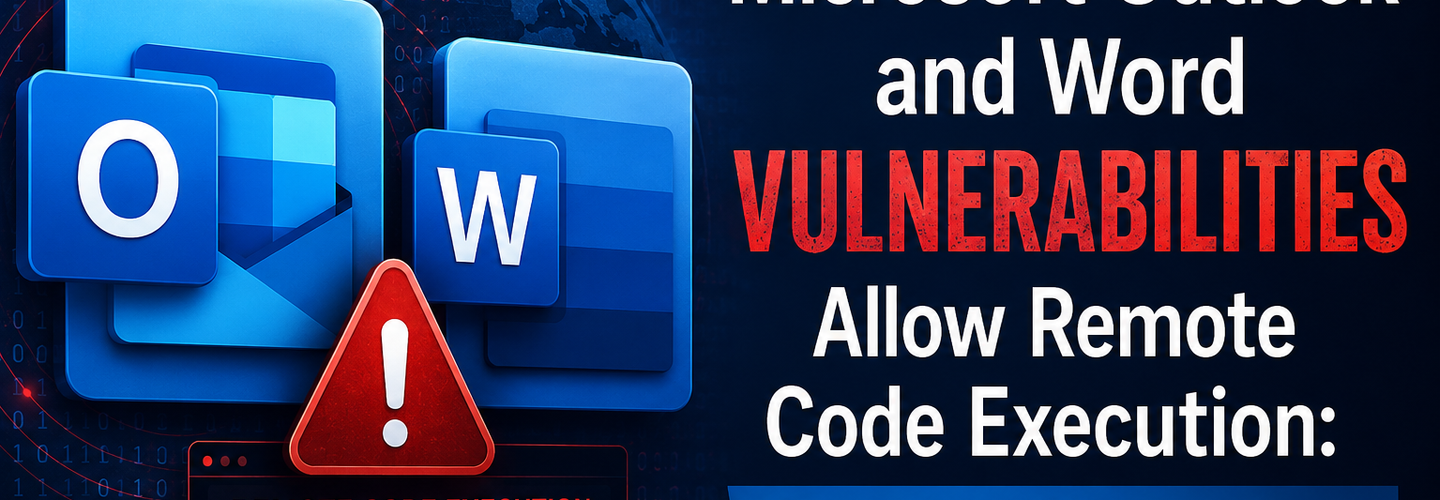
Microsoft Outlook and Word Vulnerabilities Allow Remote Code Execution: What Users Need to Know (2026)
Summarize this blog post with: ChatGPT | Perplexity | Claude | Grok
If you use Microsoft Outlook with the classic preview pane enabled, three vulnerabilities patched on June 9, 2026, mean that simply previewing an email — without opening any attachment, without clicking any link — could be enough to hand an attacker code execution on your machine. CVE-2026-45456, CVE-2026-45458, and CVE-2026-47635 all share the same root cause: Outlook's classic preview pane renders email content using Microsoft Word's document engine, and that engine contains memory-safety flaws that a specially crafted message can trigger. Each carries a CVSS score of 8.4 and requires no user interaction beyond having the preview pane open. In this guide, you'll get the technical details of each vulnerability, what makes the preview pane attack vector so dangerous, what Microsoft has confirmed about exploitation likelihood, and exactly what you need to do today.
## Key Takeaways
- ▸Three critical RCE vulnerabilities — CVE-2026-45456, CVE-2026-45458, and CVE-2026-47635 — were patched on June 9, 2026, each carrying a CVSS v3.1 base score of 8.4 (Critical), affecting Microsoft Outlook (classic) and Microsoft Word.
- ▸The attack vector is the Outlook classic preview pane — because Outlook (classic) uses Word's rendering engine to display email content, a malicious email can trigger these flaws the moment it is previewed, with no attachment opened and no link clicked.
- ▸All three vulnerabilities require no privileges and no user interaction — Microsoft's CVSS vectors confirm PR:N (no privileges required) and UI:N (no user interaction), the combination that makes them "particularly dangerous in targeted environments."
- ▸The three flaws have different technical root causes: CVE-2026-45456 is a type confusion flaw (CWE-843), CVE-2026-45458 is a use-after-free flaw (CWE-416), and CVE-2026-47635 is a heap-based buffer overflow (CWE-122) — three independent memory-safety bugs in the same Office document-parsing pipeline.
- ▸As of patch release, exploit code is assessed as "Unproven" and exploitation for CVE-2026-47635 is rated "Less Likely" by Microsoft — but official fixes are already available, and the historical precedent for this exact attack class (BadWinmail, CVE-2015-6172) shows these bugs are eventually weaponized.
- ▸This was part of Microsoft's largest Patch Tuesday on record — June 2026 fixed approximately 198–206 vulnerabilities total, including 32 rated Critical and three zero-days that were publicly disclosed before patches were available.
- ▸The immediate mitigation for organizations that cannot patch instantly is disabling the Outlook classic preview pane — removing the automatic-rendering attack surface entirely until updates are deployed.
## What Are CVE-2026-45456, CVE-2026-45458, and CVE-2026-47635?
CVE-2026-45456, CVE-2026-45458, and CVE-2026-47635 are three critical Remote Code Execution vulnerabilities in Microsoft Outlook and Word, patched as part of Microsoft's June 9, 2026 Patch Tuesday — each carrying a CVSS v3.1 base score of 8.4 and sharing a common root: memory-safety failures in the document-parsing pipeline that Outlook's classic interface shares with Word.
Recent disclosures from Microsoft have unveiled a trio of critical Remote Code Execution (RCE) vulnerabilities affecting their widely used Outlook and Word applications. These security flaws, rooted in low-level memory-safety issues within the Word rendering engine and its integration with Outlook Classic, present a significant risk to organizations and individual users alike.
The three CVEs were part of a record-setting Patch Tuesday. Microsoft's June 2026 Patch Tuesday updates fix roughly 198–206 vulnerabilities discovered in the company's products — described by SecurityWeek as Microsoft's biggest Patch Tuesday to date. Out of 32 vulnerabilities marked "critical," 28 were remote code execution flaws spanning Windows Active Directory, Windows Kerberos KDC, Remote Desktop Client, Hyper-V, the Windows Kernel, SQL Server, and Microsoft Office — with Outlook and Word among the most operationally significant because of how directly and frequently they are exposed to untrusted external content.
Audit your organization's external email security posture — verifying SPF, DKIM, and DMARC enforcement reduces the likelihood that a malicious email exploiting these flaws ever reaches an inbox in the first place. Use the ReconShield DNS Security Analysis tool to check your domain's email authentication configuration, and see the ReconShield SPF-DKIM-DMARC Blueprint for the complete deployment sequence.
## Why the Outlook Preview Pane Is the Critical Attack Vector
The defining characteristic of these three vulnerabilities is that they can be triggered through Outlook's classic preview pane — meaning a user does not need to open an email, open an attachment, or click any link for exploitation to occur. Simply having the message displayed in the reading pane is sufficient to trigger the vulnerable code path.
Microsoft states that the attack vector is the preview pane of Outlook (classic), and this vulnerability can be exploited when rendering emails in Outlook (classic), as the email rendering in Outlook (classic) utilizes Microsoft Word functionality, where this vulnerability exists.
This architectural detail is the reason these vulnerabilities are so consequential. Outlook (classic) does not have its own independent rendering engine for displaying rich-text and HTML email content — it delegates this task to the same WordMail / Word document engine that opens .docx files. Any memory-safety bug in that shared engine becomes reachable not just by opening a Word document, but by simply receiving and previewing an email. The email arrives over the network; the vulnerable code executes locally the instant the content is rendered for preview.
Although the CVSS vectors show a local attack vector (AV:L), Microsoft classifies them as remote code execution because a remote attacker can deliver malicious content over the network (for example, via email). At the same time, the actual exploit triggers locally when Office processes the content.
Given the Preview Pane attack vector, organizations using Outlook (classic) face elevated risk even without direct user interaction with malicious content. This is functionally a zero-click vulnerability class for any environment where the classic preview pane remains enabled and the email gateway does not strip or sandbox the malicious content before it reaches the mailbox.
## CVE-2026-45456: Type Confusion in the Word Rendering Engine
CVE-2026-45456 is a Type Confusion vulnerability (CWE-843) where Microsoft Office accesses a resource using an incompatible type, corrupting memory in a way that enables code execution. Type confusion bugs occur when a program treats a piece of memory as one data type when it actually contains a different type — and then performs operations on it based on the assumed (incorrect) type.
CVE-2026-45456 exploits a Type Confusion flaw (CWE-843), where Microsoft Office accesses a resource using an incompatible type, corrupting memory in a way that enables code execution. This issue can lead to memory corruption when Outlook or Word improperly interprets object types during processing.
In practical terms, a crafted document can manipulate object layout assumptions so that the Word engine interprets attacker-controlled data as a valid object or pointer. When the rendering engine then calls a function on what it believes is a legitimate object — but is actually attacker-controlled data laid out to mimic that object's structure — the attacker gains influence over what code executes next. This is a classic technique for converting a memory-layout bug into reliable code execution, because the attacker controls both the malformed object and the function pointers the engine subsequently dereferences.
Attackers can exploit this vulnerability by delivering specially crafted documents or email content that triggers incorrect memory handling, ultimately allowing arbitrary code execution. Despite being classified as a local attack vector, the lack of required privileges and user interaction makes it particularly dangerous in chained attack scenarios.
## CVE-2026-45458: Use-After-Free in Outlook and Word Memory Management
CVE-2026-45458 is a Use-After-Free vulnerability (CWE-416) — a memory management flaw that allows attackers to reference freed memory and redirect execution flow. Use-after-free bugs occur when a program continues to use a pointer to memory after that memory has been deallocated and potentially reallocated for another purpose.
CVE-2026-45458 leverages a Use-After-Free condition (CWE-416), a memory management flaw that allows attackers to reference freed memory and redirect execution flow. This flaw occurs when the application continues to use memory after it has been freed, leading to unpredictable behavior.
The exploitation pattern for use-after-free bugs in document-rendering engines follows a well-established sequence: the attacker crafts content that causes the engine to free a memory region containing an object the engine will reference again later, then triggers an allocation that places attacker-controlled data into that same freed region, and finally triggers the engine's continued use of the original (now attacker-controlled) reference. The engine ends up operating on data the attacker placed there — including, in the worst case, function pointers or vtable entries that redirect program execution to attacker-chosen code.
CVE-2026-45458 shares the same MSRC advisory framing as CVE-2026-45456: "Access of resource using incompatible type ('type confusion') in Microsoft Office allows an unauthorized attacker to execute code locally" — reflecting that Microsoft's published guidance groups these Office memory-safety flaws under closely related descriptions even where the underlying CWE classification (type confusion vs. use-after-free) differs.
## CVE-2026-47635: Heap-Based Buffer Overflow
CVE-2026-47635 abuses a Heap-Based Buffer Overflow (CWE-122), overwriting adjacent memory regions to gain control of the execution context. Heap-based buffer overflows occur when a program writes more data into a heap-allocated buffer than the buffer was sized to hold, causing the excess data to overwrite adjacent heap memory.
In a document-parsing context, a heap overflow is typically triggered by a field within the document (or, in this case, the email content rendered through Word's engine) that specifies or implies a size, where the actual data supplied exceeds that size and the parser does not validate the mismatch before copying. The overflow corrupts adjacent heap structures — which, depending on what is allocated nearby, can include other objects' data, heap metadata, or function pointers — providing the attacker a path to influence subsequent program behavior.
Unlike CVE-2026-45456 and CVE-2026-47635, which both involve type confusion, CVE-2026-45458 is the use-after-free flaw, and CVE-2026-47635 represents the third independent bug class in this set. CVE-2026-47635 is assessed as Exploitation Less Likely, and exploit code maturity is marked Unproven across all three CVEs, with official fixes already available. This is the most encouraging signal among the three — Microsoft's own assessment places this specific bug at the lower end of near-term exploitation risk, though "less likely" is a relative judgment, not a guarantee.
## How Severe Are These Vulnerabilities? Understanding the 8.4 CVSS Score
All three vulnerabilities carry an identical CVSS v3.1 base score of 8.4 (Critical), reflecting high impact on confidentiality, integrity, and availability if exploited — and the underlying vector string reveals exactly why these specific flaws are considered so dangerous despite a "local" attack vector designation.
These flaws carry a CVSS base score of 8.4 (Critical) and could allow unauthorized attackers to execute arbitrary code on affected systems without requiring any privileges or user interaction. All three CVEs share a common attack profile: local attack vector, low complexity, no privilege requirements, and no user interaction needed, a combination that makes them particularly dangerous in targeted environments.
Breaking down the components of the score: Local attack vector (AV:L) technically means the exploit executes in the context of the local application — but as established, the malicious content arrives remotely via email and triggers automatically on preview, so the practical attack surface is fully remote. Low attack complexity (AC:L) means no special conditions or significant preparation beyond crafting the malicious content are required. No privileges required (PR:N) means the attacker needs no existing access to the target system whatsoever — a completely unauthenticated, external attacker can send the email. No user interaction (UI:N) is the most consequential element for the preview-pane attack vector — it means the victim does not need to click, open, or otherwise actively engage with the malicious content for exploitation to proceed.
The combination of these four factors — remote delivery, low complexity, zero privileges, zero interaction — is the precise combination that defines a "wormable" or zero-click threat profile, the category of vulnerability most associated with the largest-scale, fastest-spreading attack campaigns in security history.
## The Historical Precedent: BadWinmail and Why This Pattern Recurs
This is not the first time a vulnerability in the Word-Outlook rendering relationship has produced a zero-click, preview-pane-triggered RCE. Earlier in 2026, a separate but architecturally similar vulnerability — CVE-2026-40361 — was patched and explicitly compared by its discoverer to a flaw from a decade earlier known as "BadWinmail."
CVE-2026-40361 is a zero-click use-after-free bug that can be exploited for remote code execution against Outlook users. CVE-2026-40361 is similar to a vulnerability found a decade ago, BadWinmail, which at the time was dubbed an "enterprise killer." The researcher who discovered both flaws, Haifei Li, explained that the vulnerability affects a DLL used heavily by both Word and Outlook, and demonstrated its potential impact in an Outlook and Exchange Server environment.
"Essentially, anyone could compromise a CEO or CFO just by sending an email," Li explained. "The threat perfectly bypasses enterprise firewalls and is delivered directly to the inbox."
The recurrence of this exact architectural pattern — a shared rendering component between Word and Outlook that processes untrusted email content with full local code privileges — is the structural reason these vulnerability classes keep appearing. As long as Outlook's classic preview pane delegates rendering to Word's document engine, every memory-safety bug discovered in that engine is a potential zero-click email RCE, regardless of whether the bug was originally found through Word document fuzzing or Outlook-specific research.
For the June 2026 trio, Microsoft has assessed CVE-2026-47635 specifically as "Exploitation Less Likely" with unproven exploit code — a meaningfully different starting position than CVE-2026-40361, which Microsoft rated "exploitation more likely." However, the BadWinmail precedent demonstrates that the gap between "patch available, exploit unproven" and "actively weaponized in the wild" can close faster than patch deployment cycles in many organizations.
## What Else Was in Microsoft's June 2026 Patch Tuesday?
The Outlook and Word RCE trio was part of an unusually large June 2026 Patch Tuesday — Microsoft's biggest on record — which included three publicly disclosed zero-days and dozens of other critical vulnerabilities across the Windows and Office ecosystem.
According to third-party analyses, three of the vulnerabilities were already known to attackers or had been publicly disclosed before patches were issued, increasing the risk in unpatched environments. All 198 CVEs require customer action, so simply relying on cloud-side mitigations is not enough.
Among the other critical vulnerabilities patched alongside the Outlook/Word trio: CVE-2026-42985, a critical heap-based buffer overflow in the Remote Desktop Client allowing an unauthorized attacker to execute code over a network — flagged by Talos as one of four vulnerabilities Microsoft has determined are "more likely" to be exploited. CVE-2026-47291, affecting the Windows web server engine http.sys, rated critical for remote code execution via an integer overflow triggered by an oversized request — Microsoft recommends restricting MaxRequestBytes as an interim mitigation. Multiple critical guest-to-host escape vulnerabilities in Windows Hyper-V, with significant implications for multi-tenant and virtualization environments. And 63 elevation-of-privilege vulnerabilities across the release, including a critical flaw in Microsoft Cryptographic Services (CVE-2026-44810) — a foundational security subsystem frequently chained with initial-access exploits like the Outlook/Word RCEs to escalate from user-level code execution to SYSTEM-level control.
The pattern across this Patch Tuesday — initial access via document/email RCE, paired with privilege escalation vulnerabilities for post-compromise — mirrors the exact attack chain structure described in the ReconShield Linux Kernel Vulnerability guide: gain a foothold through any client-side exploit, then escalate to full system control using a separate, often-unrelated vulnerability. Defending against this combined threat requires patching both categories — client-side application vulnerabilities and OS-level privilege escalation flaws — since either alone leaves the attack chain only partially broken.
## Immediate Action Steps for Administrators and Users
The remediation sequence for CVE-2026-45456, CVE-2026-45458, and CVE-2026-47635 follows the standard pattern for critical Office vulnerabilities: patch immediately, implement compensating controls where patching is delayed, and harden the email delivery path that serves as the initial vector.
Step 1 — Apply the June 9, 2026 Security Updates Immediately
Administrators should: Apply the June 9, 2026 security updates immediately. Monitor for suspicious Office process behavior using EDR solutions. Consider disabling the Preview Pane in high-risk environments as a temporary mitigation. Review email gateway filtering rules.
For organizations running Microsoft 365 Apps for Enterprise, updates are typically delivered automatically through the standard update channel — verify that automatic updates are enabled and that endpoints have actually received and applied the June 2026 cumulative update, since update delivery failures (paused updates, WSUS approval delays, deferred update rings) are common reasons patches fail to reach endpoints despite being "available."
Security teams should prioritize patching Microsoft Office LTSC 2024 installations immediately — Long-Term Servicing Channel deployments often have longer update cycles than Microsoft 365 Apps for Enterprise and may require explicit administrative action rather than relying on automatic delivery.
Step 2 — Disable the Outlook Classic Preview Pane as a Compensating Control
For organizations that cannot immediately deploy the June 2026 updates across their entire endpoint fleet — large enterprise environments with phased rollout requirements, organizations with compatibility testing requirements before deployment — disabling the Outlook classic preview pane eliminates the zero-click attack surface entirely while patches are validated and deployed.
In Outlook (classic): View → Reading Pane → Off. This requires users to explicitly open each email to view its content, which reintroduces a user-interaction requirement and removes the zero-click characteristic of these vulnerabilities. While this is a usability degradation, it is a reasonable temporary measure for high-risk user populations — executives, finance teams, and other frequent BEC/spear-phishing targets — during the patch deployment window.
Step 3 — Harden Email Gateway Filtering
Review email gateway filtering rules to identify and quarantine messages with anomalous or malformed document structures consistent with exploit attempts targeting the Office rendering engine. Email security gateways with sandboxing or content-disarm-and-reconstruction (CDR) capabilities can strip or neutralize the malformed content structures these exploits rely on before messages reach the Outlook client.
Verify your organization's email authentication configuration — while SPF, DKIM, and DMARC do not directly prevent exploitation of a rendering-engine vulnerability, they reduce the volume of spoofed and unauthenticated email reaching inboxes, which is the primary delivery mechanism for exploits of this type. Audit your configuration using the ReconShield DNS Security Analysis tool and reference the Email Spoofing Prevention guide for the complete enforcement workflow.
Step 4 — Monitor for Post-Exploitation Indicators
EDR and endpoint monitoring should focus on anomalous behavior originating from OUTLOOK.EXE and WINWORD.EXE processes — particularly unexpected child process creation, unusual network connections initiated from these processes, or memory allocation patterns inconsistent with normal document rendering. Because these vulnerabilities are memory-safety bugs in the rendering pipeline, successful exploitation typically manifests as the Office process performing actions outside its normal behavioral baseline shortly after rendering a message or document.
Step 5 — Verify Patch Deployment
After deploying updates, verify the patch level on representative endpoints by checking the installed Office build number against Microsoft's published security update reference for June 2026. For environments using centralized patch management (Microsoft Endpoint Configuration Manager, Intune, WSUS), confirm deployment compliance reporting shows the June 2026 cumulative update applied across the target population, not merely "offered" or "downloaded."
## Why Document and Email Rendering Vulnerabilities Matter for External Security Posture
While CVE-2026-45456, CVE-2026-45458, and CVE-2026-47635 are client-side vulnerabilities requiring endpoint patching rather than infrastructure configuration changes, the broader lesson connects directly to external attack surface management — the email delivery path is the most common initial access vector for exploiting exactly this class of vulnerability, and the strength of an organization's email security posture directly affects how many malicious messages capable of triggering these flaws ever reach a user's preview pane.
Organizations with strong DMARC enforcement at p=reject, properly configured SPF and DKIM, and modern email gateway filtering significantly reduce the volume of spoofed and malicious email that reaches end users — reducing the practical exposure to preview-pane RCE vulnerabilities like this trio, even before endpoint patches are fully deployed. Conversely, organizations with DMARC at p=none or missing email authentication entirely have a substantially larger population of potentially malicious messages reaching inboxes, increasing the probability that any single zero-click vulnerability is encountered before patching completes.
Audit your organization's complete email authentication posture using the ReconShield passive scanner suite — covering SPF, DKIM, DMARC, and the broader DNS and infrastructure configuration that determines how exposed your organization is to email-delivered exploitation attempts. For the complete deployment methodology, see the SPF Complete Guide, DKIM Configuration Guide, and SPF-DKIM-DMARC Blueprint.
## Summary Checklist for Administrators
Complete the following actions in the next 24–48 hours:
Verify the June 9, 2026 Microsoft Office security update has been deployed to all endpoints running Outlook (classic) and Word, with particular priority on Microsoft Office LTSC 2024 installations which require explicit administrative deployment.
For any endpoint population where patch deployment will take longer than 48 hours, disable the Outlook classic preview pane (View → Reading Pane → Off) as a temporary compensating control, prioritizing high-risk users (executives, finance, IT administrators).
Review email gateway filtering and sandboxing configuration to ensure malformed document structures consistent with these exploit classes are detected and quarantined before delivery.
Verify SPF, DKIM, and DMARC enforcement on all organizational sending domains using the ReconShield DNS Security Analysis tool — reducing spoofed email volume reduces exposure to this and future preview-pane exploitation.
Configure EDR monitoring for anomalous behavior from OUTLOOK.EXE and WINWORD.EXE processes, including unexpected child processes and unusual network connections.
Confirm patch compliance reporting shows the June 2026 cumulative update successfully applied — not merely offered — across the target endpoint population, using your centralized patch management tooling.
## Conclusion
CVE-2026-45456, CVE-2026-45458, and CVE-2026-47635 represent the latest instance of a recurring and structurally significant vulnerability pattern: memory-safety flaws in the document-rendering engine shared by Microsoft Word and Outlook (classic), reachable through nothing more than previewing an email. With CVSS scores of 8.4, no privilege requirements, and no user interaction needed, these vulnerabilities sit squarely in the threat category that has historically produced the most consequential rapid-spread attacks — and the BadWinmail precedent from earlier this year shows the underlying architectural pattern is far from new.
The good news is that official fixes are already available and, as of the patch release, exploit code remains unproven. The window between "patch available" and "actively exploited" is the window that matters. Patch your endpoints now, disable the classic preview pane on any system where patching will be delayed, and harden your email gateway filtering and authentication configuration to reduce the volume of potentially malicious email that reaches the inbox in the first place.
Run the ReconShield passive scanner suite to audit your organization's email security posture as a complementary defensive layer to endpoint patching. Verify your DNS and email authentication configuration with the DNS Security Analysis tool, and review the Email Spoofing Prevention guide for the complete defense-in-depth approach against the email-delivered attacks that vulnerabilities like these depend on.
Written by Surendra Reddy Cybersecurity Researcher & Founder, ReconShield. Surendra specializes in OSINT, exposure intelligence, and AI-driven threat analysis. Author Profile →
Reviewed by ReconShield Editorial Team — Peer-reviewed for technical accuracy against Microsoft Security Response Center advisories, the June 2026 Patch Tuesday release notes, and analysis from Talos Intelligence, SANS Internet Storm Center, Qualys, and SecurityWeek.
## Analyst Commentary & Implementation Blueprint
Security advisory
Continuous security exposure assessment is critical to identifying public vulnerabilities before they are exploited. Organizations should maintain a passive inventory of all web servers, TLS configs, and open ports, ensuring that default configurations are eliminated and security advisories are actively implemented.
Hardened Security Configuration Blueprint
# General Security Hardening Directive
ServerTokens ProductOnly
ServerSignature Off
FileETag None
Actionable Mitigation Checklist
- ✔Perform passive asset inventories weekly.
- ✔Restrict administrative ports using local firewall controls.
- ✔Monitor active CVE alerts for exposed software.
Common Inquiries & FAQs
Why is passive scanning preferred for continuous auditing?
Passive audits do not cause operational impact or trigger firewall blocks, making them ideal for constant surveillance of internet-facing assets.
What should I do if a vulnerability is flagged?
Apply the latest vendor patches, restrict access to the resource via firewalls, or verify configuration flags to mitigate risks.
Surendra Reddy
Surendra Reddy is a cybersecurity researcher and founder of ReconShield, specializing in OSINT and defensive infrastructure analysis.
Connect on LinkedIn ↗// AUDIT BRIEFING DISCUSSION (2 COMMENTS)
Great breakdown of the passive infrastructure vectors. We recently audited our external DNS zones and found multiple dangling staging environments. Implementing wildcard certificates reduced our CT log leaks significantly.
Is there any automated tooling you recommend for daily crt.sh scraping? Manually checking CT logs is becoming unsustainable for our domain portfolio.
// MORE ARTICLES
Security Researchers Warn Critical n8n Flaws May Expose Automation Platforms to RCE
Researchers have disclosed critical vulnerabilities in n8n that could expose automation workflows and connected enterprise systems to remote code execution risks, prompting urgent patch recommendations for users and administrators.

How Agentic AI Is Changing Software Engineering and Expanding Mobile Attack Surfaces
Agentic AI is rapidly transforming software engineering workflows through automation and intelligent coding assistance, while cybersecurity experts warn of expanding mobile attack surfaces and emerging application security risks.
Microsoft Defender Zero-Day Patched: What IT Teams Need to Know
Microsoft patches RoguePlanet, a Defender zero-day (CVE-2026-50656) letting attackers gain SYSTEM access. Here's what IT teams need to know.