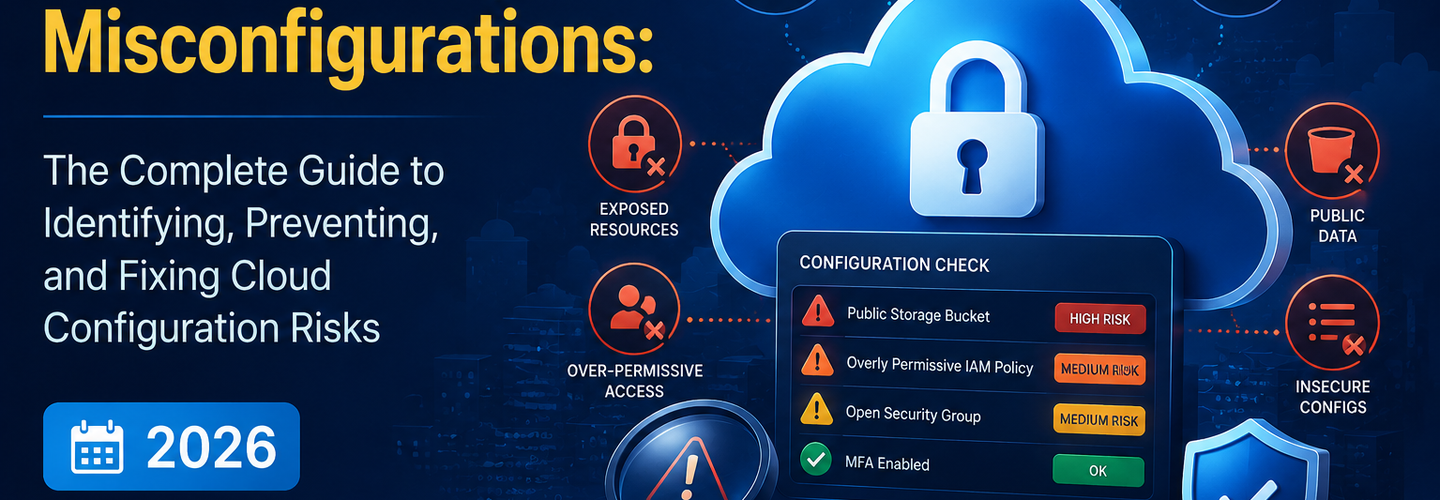
Cloud Security Misconfigurations: The Complete Guide to Identifying, Preventing, and Fixing Cloud Configuration Risks (2026)
You've migrated workloads to the cloud, enabled the right services, and trusted your provider's default settings — but that trust is exactly what attackers are counting on. Cloud security misconfigurations are now the leading cause of cloud data breaches, and most of them are entirely preventable. In this guide, you'll learn what cloud security misconfigurations are, which types cause the most damage, how attackers discover them, and the practical steps your team can take to find and fix them before they become incidents.
Key Takeaways
- ▸Cloud security misconfigurations are incorrect or insecure settings in cloud environments that expose data, systems, or services to unauthorized access.
- ▸Human error, not hacker sophistication, is responsible for the majority of cloud breaches — making misconfigurations a people and process problem as much as a technical one.
- ▸Exposed storage buckets, overly permissive IAM roles, open security groups, and disabled logging are the four most frequently exploited misconfiguration categories.
- ▸Attackers actively scan for cloud misconfigurations using automated tools and OSINT techniques, often discovering exposed assets within minutes of deployment.
- ▸Cloud Security Posture Management (CSPM) tools continuously audit cloud environments for configuration drift and policy violations, providing real-time remediation guidance.
- ▸Least-privilege access, enforced MFA, and infrastructure-as-code security scanning are three foundational controls that prevent the majority of cloud misconfiguration risk.
- ▸Regular configuration audits combined with continuous monitoring dramatically reduce the window of exposure between a misconfiguration occurring and being detected.
What Are Cloud Security Misconfigurations?
Cloud security misconfigurations are incorrect, insecure, or unintended settings in cloud infrastructure that create exploitable vulnerabilities in an organization's environment. Unlike traditional software vulnerabilities that require a vendor patch, misconfigurations are entirely within an organization's control — they exist because of choices made during setup, deployment, or ongoing management of cloud resources.
Misconfigurations can affect any layer of the cloud stack. A storage bucket set to public read access, an IAM role with administrator privileges attached to a public-facing Lambda function, a security group rule allowing inbound traffic from any IP address, or an API endpoint with authentication disabled — each of these represents a misconfiguration that attackers routinely exploit. According to the Verizon Data Breach Investigations Report, misconfiguration and error account for more than 21% of all data breaches, making them one of the most consistent threat categories year over year — Source: Verizon DBIR, 2024.
Understanding where these misconfigurations live requires complete visibility into your cloud attack surface. Our complete guide to attack surface management explains how organizations can systematically discover and assess every internet-facing asset, including cloud-hosted infrastructure that teams may not even know is exposed.
Why Do Cloud Security Misconfigurations Matter?
Cloud security misconfigurations matter because they give attackers a direct, unauthenticated path into systems that organizations believe are protected. The shared responsibility model of cloud computing means that while providers secure the underlying infrastructure, customers are entirely responsible for how they configure the services on top of it. This responsibility gap is where misconfigurations live — and where the most damaging breaches originate.
The business consequences are severe and well-documented. The IBM Cost of a Data Breach Report found that the average cost of a data breach reached $4.88 million in 2024, with cloud misconfiguration as a primary contributing factor in a significant portion of incidents — Source: IBM Security, 2024. Beyond financial impact, misconfiguration-driven breaches frequently expose sensitive customer data, intellectual property, and regulated information — triggering regulatory penalties on top of remediation costs.
Moreover, attackers do not need advanced skills to exploit cloud misconfigurations. Automated scanning tools and OSINT reconnaissance techniques allow even low-skilled threat actors to identify publicly exposed storage buckets, open API endpoints, and misconfigured services at scale. The same passive reconnaissance methods used for legitimate security research — covered in depth in our OSINT Fundamentals guide — are routinely used by attackers to harvest exposed cloud assets before security teams even know they exist.
What Are the Most Common Cloud Security Misconfigurations?
The most exploited cloud security misconfigurations fall into six recurring categories that span storage, identity, networking, encryption, logging, and API security.
Publicly Exposed Storage Buckets
Publicly accessible cloud storage buckets remain one of the most prolific sources of cloud data breaches. AWS S3, Google Cloud Storage, and Azure Blob Storage all allow administrators to set bucket-level access policies — and a single incorrectly configured permission can expose millions of sensitive records to the open internet. Misconfigured buckets have been responsible for high-profile exposures of medical records, financial data, government documents, and source code repositories.
The root cause is almost always a default setting accepted during rapid provisioning or a policy override made for temporary convenience and never reverted. Automated cloud security scanning tools catch these settings immediately — whereas manual reviews often miss them across large, multi-account environments.
Overly Permissive IAM Policies
Overly permissive Identity and Access Management (IAM) policies grant users, roles, or services more privileges than they need to perform their functions, violating the principle of least privilege. When a compromised credential carries administrator-level permissions, attackers can move laterally across the entire cloud environment, create persistent backdoor accounts, or exfiltrate data from any accessible service.
Misconfigured IAM is particularly dangerous because the damage is not limited to the initial point of compromise. For instance, if an attacker gains access to a developer's account that has been granted broad production access, they can pivot to databases, object storage, secrets managers, and compute resources — far beyond what that developer role should ever require.
Unrestricted Security Groups and Open Firewall Rules
Cloud security groups and firewall rules that permit inbound traffic from any IP address on sensitive ports expose critical services directly to the internet. A security group rule allowing 0.0.0.0/0 on port 22 (SSH), port 3389 (RDP), or port 5432 (PostgreSQL) is an open invitation to brute-force attacks, credential stuffing, and direct exploitation. You can audit which ports your internet-facing infrastructure is exposing right now with the ReconShield Port Scanner, which identifies open services without requiring any agent installation.
Additionally, security groups that allow unrestricted outbound traffic enable compromised instances to exfiltrate data or communicate with attacker-controlled command-and-control servers without restriction. Restricting both inbound and outbound rules to only what is explicitly required significantly limits the blast radius of any compromise.
Disabled or Incomplete Logging and Monitoring
Disabled cloud logging is a misconfiguration that does not create a breach on its own but ensures that every other breach goes undetected. Cloud providers offer robust native logging services — AWS CloudTrail, Azure Monitor, and GCP Cloud Audit Logs — but these must be explicitly enabled, correctly configured, and actively monitored. Many organizations enable logging for some services but leave gaps that attackers specifically exploit because they know those actions will not generate alerts.
Without comprehensive logging, security teams cannot reconstruct attacker timelines, validate the scope of a compromise, or meet regulatory audit requirements. The window between initial access and detection in cloud environments where logging is disabled is frequently measured in months, not days.
Missing Multi-Factor Authentication on Privileged Accounts
Privileged cloud accounts without multi-factor authentication (MFA) enforced represent one of the highest-risk misconfigurations in any cloud environment. A single phishing email or credential database leak can hand an attacker complete control over an AWS root account, Azure Global Administrator, or GCP Organization Admin — with no additional barrier to entry. According to Microsoft, enabling MFA blocks more than 99.9% of automated credential-based attacks — Source: Microsoft Security, 2023.
MFA enforcement must be applied consistently, including to service accounts, API users, and break-glass emergency accounts — not just human interactive logins. Validate your email authentication controls, which feed into cloud identity workflows, using the ReconShield Email Security Checker, and ensure your domain anti-spoofing posture is solid using our email spoofing prevention guide.
Misconfigured APIs and Public Endpoints
Unauthenticated or improperly secured API endpoints represent a growing misconfiguration category as organizations deploy more microservices and serverless architectures. An API gateway deployed without authentication, an internal management endpoint accidentally exposed through a public load balancer, or a GraphQL introspection endpoint left enabled in production — each creates an exploitable path that automated scanners find within hours of deployment.
Check the security headers and response configurations of your web-facing endpoints with the ReconShield HTTP Headers Checker, which validates whether critical security headers like Content-Security-Policy, HSTS, and X-Frame-Options are correctly implemented across your cloud-hosted web applications.
How Do Attackers Find Cloud Misconfigurations?
Attackers discover cloud misconfigurations through automated scanning, search engine dorking, certificate transparency log monitoring, and passive DNS reconnaissance. The speed of discovery is alarming — research by Palo Alto Networks found that attackers begin scanning for newly exposed cloud services within 15 minutes of them appearing on the internet — Source: Palo Alto Networks Unit 42, 2022.
Threat actors use tools that continuously query cloud metadata endpoints, enumerate storage bucket namespaces, and monitor certificate transparency logs for newly issued certificates that reveal subdomain infrastructure. You can discover which of your subdomains are publicly visible — and therefore accessible to the same reconnaissance — using the ReconShield Subdomain Finder. Pair this with IP Intelligence lookups to understand what services are associated with each discovered IP address.
Understanding the attacker's reconnaissance workflow is essential for defensive teams. Defenders who see their own environment the way an attacker does can prioritize misconfigurations by exploitability rather than theoretical severity. This attacker-centric approach is what defines effective cloud security posture management.
How Can Organizations Detect Cloud Security Misconfigurations?
Cloud security misconfiguration detection requires a combination of automated policy scanning, infrastructure-as-code security testing, and continuous runtime monitoring. Manual periodic audits are insufficient — cloud environments change too rapidly, and a single misconfigured resource can be exploited before the next scheduled review.
Cloud Security Posture Management (CSPM) tools continuously evaluate cloud resource configurations against security benchmarks such as the CIS Cloud Foundations benchmarks, NIST SP 800-53, and cloud-provider-specific security frameworks. They surface violations in real time and provide remediation guidance mapped to the specific misconfiguration found. Pair CSPM coverage with your vulnerability assessment workflow using the ReconShield Vulnerability Scanner to identify security weaknesses across your internet-facing cloud assets.
At the infrastructure level, scanning infrastructure-as-code (IaC) templates — CloudFormation, Terraform, ARM templates — before deployment catches misconfigurations before they ever reach production. Tools like Checkov, tfsec, and Semgrep integrate into CI/CD pipelines and block deployments that contain insecure configurations. This shift-left approach is significantly more cost-effective than finding and remediating misconfigurations in live production environments.
What Are the Best Practices for Preventing Cloud Security Misconfigurations?
Preventing cloud security misconfigurations requires systematic controls at the people, process, and technology level — no single tool or policy is sufficient on its own. The following practices address the most common root causes of misconfiguration incidents.
First, enforce least-privilege access across all IAM policies, roles, and service accounts. Audit permissions quarterly and remove any role that grants more access than the associated workload demonstrably requires. Second, enable MFA on every privileged account without exception, and enforce it through policy rather than relying on voluntary adoption. Third, activate native cloud logging on every account, region, and service — and route logs to a centralized, tamper-resistant store that cannot be disabled by a compromised account. Fourth, integrate IaC security scanning into your deployment pipeline so that misconfigured resources are blocked before provisioning. Fifth, run the ReconShield full security scanner against your cloud-hosted domains regularly to validate your external security posture from an attacker's perspective.
For cloud email infrastructure specifically — a frequently overlooked misconfiguration surface — ensure your SPF, DKIM, and DMARC records are correctly published and enforced. Our SPF Record Complete Guide covers the exact DNS-level configurations required to prevent domain impersonation originating from cloud email services. Validate your DNS security posture using the ReconShield DNS Lookup Tool to confirm that your records match expected values.
Finally, build a remediation SLA into your security operations workflow. A misconfiguration that is detected but not remediated within a defined timeframe is as dangerous as one that was never detected. The zero-trust principles explored in our this week in cybersecurity concepts briefing — including patch velocity and the economics of rapid remediation — apply directly to cloud configuration management.
What's Next: Building a Cloud Security Misconfiguration Remediation Program
A cloud security misconfiguration remediation program starts with a comprehensive inventory of every cloud resource and configuration across all accounts, regions, and providers. You cannot fix what you cannot see.
Begin with a full-scope audit: enumerate all cloud accounts, identify every storage bucket and its access policy, review all IAM roles and attached policies, list every security group rule, and confirm logging is active across all services. Use the ReconShield Subdomain Finder to surface any cloud-hosted subdomains that may have been provisioned outside of your standard deployment process. Cross-reference discovered assets against your asset inventory to identify shadow IT — cloud resources created by teams without security review.
Next, prioritize findings by exploitability and data sensitivity. A publicly readable storage bucket containing customer PII is a higher priority than a permissive IAM role attached to a development sandbox. Assign remediation ownership to specific teams with defined timelines and track closure in your security ticketing system. For unfamiliar terms encountered during your cloud security audit, the ReconShield Cyber Glossary provides clear definitions of cloud security terminology for practitioners at every level.
Schedule recurring automated scans on a weekly cadence and trigger additional scans whenever new infrastructure is deployed. Treat configuration drift — the gradual deviation from a known-secure baseline — as a continuous risk management problem, not a one-time audit activity.
Conclusion
Cloud security misconfigurations are not exotic attack techniques — they are the predictable result of complex cloud environments, fast-moving deployment cycles, and the dangerous assumption that cloud providers secure everything by default. A single misconfigured resource can expose an organization's most sensitive data to anyone with an internet connection and a basic scanning tool.
The good news is that misconfigurations are among the most preventable security risks your organization faces. With the right combination of automated scanning, least-privilege policies, continuous monitoring, and clear remediation ownership, your team can close the configuration gaps that attackers depend on. Start your assessment today with ReconShield's free Vulnerability Scanner, Port Scanner, and full security scanner — and see your cloud exposure the same way an attacker would.
Written by
Surendra Reddy
Cybersecurity Researcher & Founder, ReconShield
Surendra is an information security engineer specializing in OSINT methodology, internet telemetry mapping, and cryptographic domain security. He designed ReconShield to help teams manage their attack surface exposure.
Reviewed by
ReconShield Editorial Board
Reviewed against CIS Cloud Benchmarks, NIST SP 800-53, and active cloud security research as of June 2026.
## Analyst Commentary & Implementation Blueprint
Security advisory
Continuous security exposure assessment is critical to identifying public vulnerabilities before they are exploited. Organizations should maintain a passive inventory of all web servers, TLS configs, and open ports, ensuring that default configurations are eliminated and security advisories are actively implemented.
Hardened Security Configuration Blueprint
# General Security Hardening Directive
ServerTokens ProductOnly
ServerSignature Off
FileETag None
Actionable Mitigation Checklist
- ✔Perform passive asset inventories weekly.
- ✔Restrict administrative ports using local firewall controls.
- ✔Monitor active CVE alerts for exposed software.
Common Inquiries & FAQs
Why is passive scanning preferred for continuous auditing?
Passive audits do not cause operational impact or trigger firewall blocks, making them ideal for constant surveillance of internet-facing assets.
What should I do if a vulnerability is flagged?
Apply the latest vendor patches, restrict access to the resource via firewalls, or verify configuration flags to mitigate risks.
Surendra Reddy
Surendra Reddy is a cybersecurity researcher and founder of ReconShield, specializing in OSINT and defensive infrastructure analysis.
Connect on LinkedIn ↗// AUDIT BRIEFING DISCUSSION (2 COMMENTS)
Great breakdown of the passive infrastructure vectors. We recently audited our external DNS zones and found multiple dangling staging environments. Implementing wildcard certificates reduced our CT log leaks significantly.
Is there any automated tooling you recommend for daily crt.sh scraping? Manually checking CT logs is becoming unsustainable for our domain portfolio.
// MORE ARTICLES
Security Researchers Warn Critical n8n Flaws May Expose Automation Platforms to RCE
Researchers have disclosed critical vulnerabilities in n8n that could expose automation workflows and connected enterprise systems to remote code execution risks, prompting urgent patch recommendations for users and administrators.

How Agentic AI Is Changing Software Engineering and Expanding Mobile Attack Surfaces
Agentic AI is rapidly transforming software engineering workflows through automation and intelligent coding assistance, while cybersecurity experts warn of expanding mobile attack surfaces and emerging application security risks.

AI Meets Penetration Testing: PentestCode Launches with 18 Specialized Security Agents
PentestCode launches with 18 integrated security tools and a 13-agent AI architecture that automates full penetration testing workflows.