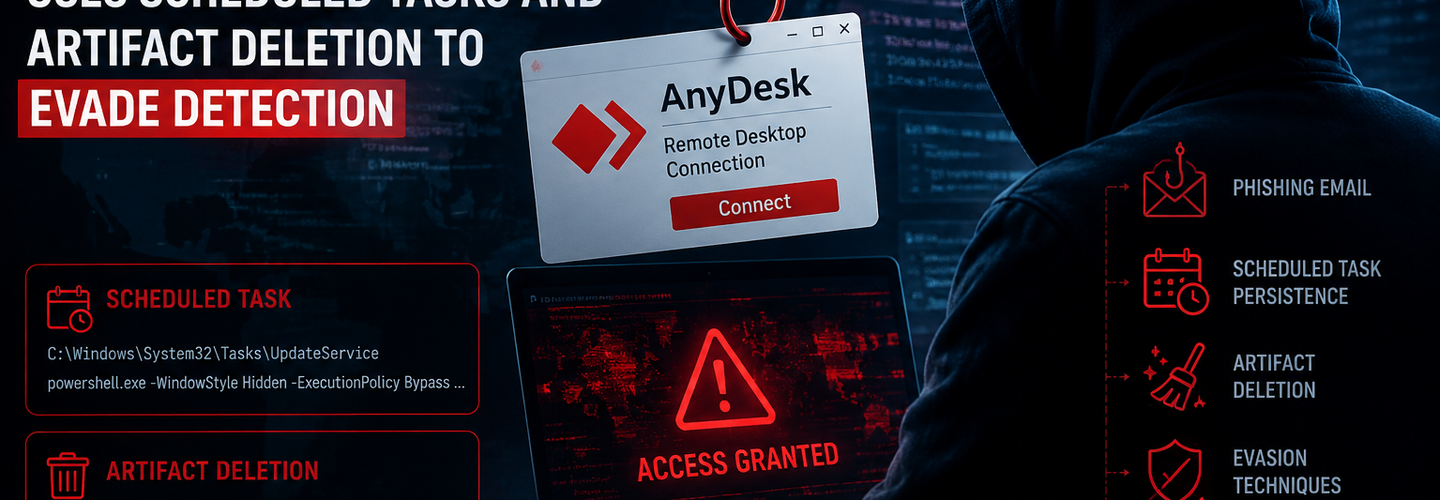
Security Alert: New AnyDesk Phishing Attack Uses Scheduled Tasks and Artifact Deletion to Evade Detection
Summarize this blog post with:
ChatGPT | Perplexity | Claude | Grok
You've probably been told that legitimate remote access software like AnyDesk is "safe" because it isn't malware in the traditional sense. What most security teams miss is that attackers don't need custom malware at all when they can weaponize a trusted tool, hide it from the user, and then erase every trace of how it got there. In this guide, you'll learn how a newly documented AnyDesk phishing campaign achieves silent, persistent remote access, and exactly what defenders should watch for.
Key Takeaways
- ▸A spear-phishing campaign impersonating a Russian aerospace research institute silently deploys a portable copy of AnyDesk for unattended remote access.
- ▸The attack chain combines a password-protected archive, a Delphi-built dropper, and a decoy PDF to slip past both users and automated scanners.
- ▸Persistence is achieved through a scheduled task disguised with a misspelled name ("Auto apdate") that relaunches a window-hiding tool at every logon.
- ▸Configuration data, including AnyDesk client IDs and certificates, is exfiltrated via SMTP using a legitimate command-line mail utility rather than a custom C2 channel.
- ▸The operators delete temporary command files, archives, executables, and PDFs after execution to hinder forensic investigation.
- ▸Security researchers at Seqrite tentatively link the tradecraft to Rare Werewolf (also tracked as Librarian Ghouls), a threat actor known for targeting industrial and aerospace organizations.
- ▸Defenders should treat unexplained scheduled tasks, unattended AnyDesk configurations, and SMTP traffic to unfamiliar domains as high-priority indicators.
What Is This New AnyDesk Phishing Attack?
This AnyDesk phishing attack is a living-off-the-land campaign that abuses legitimate remote access software instead of deploying custom malware to gain long-term, low-visibility control of a victim's machine. Living-off-the-land (LotL) describes attacker tradecraft that relies on tools already trusted by security products — in this case, AnyDesk, the SMTP utility Blat, a WinRAR-based archiver, and a window-hiding application called Tray Minimizer. Because none of these components are malicious on their own, many endpoint tools won't flag them individually.
Security researchers at Seqrite documented the campaign after tracing an email that impersonated a real Russian federal research institute tied to aerospace and aviation systems — Source: Seqrite, 2026. The message was sent from a domain registered only recently to mimic the genuine organization, and it was addressed to undisclosed recipients rather than a named contact, a pattern consistent with mass targeting rather than a single spear-phish. The observed tradecraft closely aligns with previously documented Rare Werewolf (Librarian Ghouls) campaigns, a threat actor publicly reported to target industrial, manufacturing, engineering, aerospace, and petrochemical organizations across Russia, Belarus, and Kazakhstan.
Why Does This AnyDesk Campaign Matter?
This campaign matters because it demonstrates how attackers increasingly favor trusted software abuse over custom malware to slip past both signature-based antivirus and cautious end users. Since AnyDesk is a legitimate, digitally signed application used by IT support teams worldwide, security tools have to rely on behavioral context rather than a simple blocklist to catch misuse.
At the same time, the campaign's target profile raises the stakes. Aerospace, aviation, and industrial engineering organizations often hold sensitive intellectual property and operational technology connections, making unauthorized remote access especially dangerous. Silent, unattended remote access can persist for weeks before anyone notices, giving an attacker ample time to move laterally, harvest credentials, or stage further payloads. Public reporting on related Rare Werewolf activity has also documented cryptocurrency mining deployed as a later-stage objective once persistent access is established, though this particular sample did not show that behavior.
Technical Breakdown: How the Infection Chain Works
The infection begins with a password-protected RAR archive attached to a convincing invoice-themed email, and it ends with a hidden, remotely controllable endpoint. The core evasion trick here is placing the archive password inside the email body itself, which lets the intended human victim open the file while automated email scanners — which typically can't read a password from plain text and then apply it — are left unable to inspect the contents.
The Dropper and Decoy Stage
For example, once the victim extracts and runs the attachment, a Delphi-compiled installer opens a decoy PDF to keep the victim distracted while quietly writing a series of temporary files to a staging folder. The dropper then builds a batch script indirectly, first writing content into a text file and later renaming it with a .cmd extension — a technique that can help the activity blend in with ordinary temp-file churn during casual review. That script reaches out to attacker-controlled infrastructure to pull down a second password-protected archive containing the real payload set: a portable AnyDesk build, the Blat SMTP client, Tray Minimizer, and a further batch script.
Persistence Through a Disguised Scheduled Task
Persistence in this campaign is established through a Windows scheduled task carrying a deliberately misspelled name resembling a routine update job. This can allow the payload to relaunch automatically at every user logon with elevated privileges, all while Tray Minimizer keeps the AnyDesk window from ever appearing on screen. This combination — legitimate remote access tool plus window-hiding utility plus disguised scheduled task — lets the attacker reconnect to the machine indefinitely without the victim ever seeing a suspicious icon or pop-up.
Data Exfiltration Over SMTP
Once AnyDesk is configured for unattended access, the script packages its configuration files, client identifiers, and certificates into a fresh password-protected archive and emails it out through a legitimate command-line SMTP tool to an attacker-controlled address. This gives the operators everything needed to manage the remote session later without maintaining a separate command-and-control server. Finally, the script deletes the temporary command files, executables, archives, and PDFs from the staging directory, reducing the forensic artifacts available to any later investigation.
Which Organizations and Systems Are at Risk?
The documented campaign specifically targeted Russian aerospace, aviation, and industrial engineering organizations through an invoice-themed lure impersonating a genuine research institute. That said, the underlying technique — hiding legitimate remote access software behind a disguised scheduled task and cleaning up afterward — isn't limited to any one industry or region. Any Windows environment where users can extract password-protected archives and run installers is a viable target for the same playbook.
Organizations that rely heavily on AnyDesk or similar remote access tools for legitimate IT support face an added challenge: distinguishing a real support session from an attacker-configured one requires monitoring configuration changes and connection logs, not just the presence of the software itself.
How Can You Detect This Attack?
Detecting this campaign depends on spotting the behavioral pattern rather than any single malicious file, since every individual component is legitimate software.
- ▸Audit scheduled tasks regularly for entries with subtly misspelled or oddly generic names, especially ones running at logon with elevated privileges.
- ▸Monitor for AnyDesk instances configured with the command-line --set-password flag, which indicates unattended access was set up programmatically rather than by an IT administrator.
- ▸Watch for SMTP traffic to unfamiliar external mail servers, particularly from processes that aren't your organization's approved mail client.
- ▸Flag password-protected archives arriving with the password included in the email body, since this is a well-documented technique for bypassing content-scanning email security controls.
- ▸Review temp directories for command scripts created via redirected text output (writing to a .txt file and then renaming to .cmd), a pattern used here specifically to complicate static detection.
Before opening any unexpected invoice-style attachment, it's worth checking the sending domain with a WHOIS domain lookup — freshly registered lookalike domains are a recurring signature of this style of campaign. You can also run a DNS lookup tool against the domain to see how recently its infrastructure was stood up.
[Insert image: Diagram of the AnyDesk phishing infection chain from email to persistence | Alt text: "AnyDesk phishing attack infection chain diagram"]
Enterprise Mitigation Strategies
Enterprises should treat this campaign as a reminder that application allowlisting and behavioral monitoring matter more than signature detection when trusted software is the weapon.
- ▸Restrict AnyDesk and similar remote access tools to approved, centrally managed installations, and block unmanaged portable copies from launching via Attack Surface Reduction rules.
- ▸Enable Group Policy auditing on Task Scheduler so new task creation events generate alerts for security teams to review.
- ▸Deploy endpoint detection and response (EDR) tooling capable of flagging command-line arguments like --set-password on remote access executables.
- ▸Restrict outbound SMTP from endpoints that have no legitimate business reason to send mail directly, forcing traffic through a monitored relay instead.
- ▸Train staff to recognize invoice-themed phishing that relies on password-protected archives, since this remains one of the most effective ways to bypass automated scanning.
Security teams can pair these controls with a website vulnerability scanner run against public-facing infrastructure to make sure attacker-controlled lookalike domains aren't quietly impersonating your own organization elsewhere.
Practical Security Best Practices
- ▸Verify sender domains before opening attachments, especially on invoice or contract-themed emails addressed to "undisclosed recipients."
- ▸Never enter a password supplied inside the same email as the attachment without independently verifying the sender's identity first.
- ▸Keep endpoint protection signatures current so that known indicators from documented campaigns, including this one, are recognized quickly.
- ▸Segment networks so that a single compromised endpoint can't easily reach sensitive engineering or operational systems.
- ▸Log and retain scheduled task creation events for at least 90 days to support after-the-fact investigation, since the attackers in this campaign actively delete other artifacts.
An IP reputation lookup is a fast way to check whether an address seen in your logs already appears on threat intelligence feeds tied to this or similar campaigns, and a subdomain enumeration tool can help surface additional lookalike infrastructure tied to a suspicious parent domain.
What's Next? Tracking Future Campaigns
This AnyDesk campaign is unlikely to be the last time attackers favor trusted software over custom malware, so ongoing monitoring matters as much as today's response.
- ▸Follow threat intelligence reporting from vendors like Seqrite for updates on Rare Werewolf and similar living-off-the-land campaigns.
- ▸Review our coverage of other nation-state-linked activity, including our recent analysis of a campaign targeting Indian government infrastructure, for patterns that frequently recur across regions.
- ▸Reassess your remote access tool policy at least quarterly, since the tools your IT team trusts today are exactly the ones attackers will try to abuse tomorrow.
- ▸Bookmark our cybersecurity news hub for continued coverage of emerging phishing and persistence techniques.
Conclusion
This AnyDesk phishing campaign is a clear example of how attackers can achieve powerful, long-term remote access without writing a single line of custom malware. By abusing a trusted remote access tool, hiding it from view, disguising persistence as a routine scheduled task, and deleting evidence behind them, the operators reduced their forensic footprint dramatically. Defenders need to shift from asking "is this file malicious?" to "does this legitimate tool's configuration and behavior make sense?" — because in campaigns like this one, the software itself was never the problem. Stay subscribed to trusted threat intelligence sources so the next living-off-the-land campaign doesn't catch your organization off guard.
Written by ReconShield Editorial Team — a cybersecurity publication covering cyber threats, data breaches, vulnerabilities, malware, threat intelligence, and online privacy, providing practical insights to help readers stay informed and secure.
Reviewed by Surendra Reddy, Founder & Principal Security Engineer, ReconShield — a cybersecurity researcher specializing in OSINT, infrastructure exposure intelligence, and passive diagnostic tooling.
Disclaimer: This article was initially drafted using AI assistance. However, the content has undergone thorough revisions, editing, and fact-checking by human editors and subject matter experts to ensure accuracy.
Read More:
BugHunter AI: The Ultimate AI-Powered Bug Bounty Toolkit for Ethical Hackers in 2026
GPT-5.5-Cyber: OpenAI's AI Security Model That Finds and Fixes Vulnerabilities Automatically
AI Bug Hunting: How Security Researchers Use AI to Find Vulnerabilities in 2026
CVE-2026-46331: New Linux pedit COW Exploit Enables Root Access by Poisoning Cached Binaries
Massive Temu Data Leak Claim Emerges: 310 Million Accounts Allegedly Exposed
Update Chrome Now: 382 Security Vulnerabilities Patched, Including 15 Critical Bugs
Security Alert: Multiple FatFs Vulnerabilities Impact Embedded Devices Worldwide
## Analyst Commentary & Implementation Blueprint
Security advisory
Continuous security exposure assessment is critical to identifying public vulnerabilities before they are exploited. Organizations should maintain a passive inventory of all web servers, TLS configs, and open ports, ensuring that default configurations are eliminated and security advisories are actively implemented.
Hardened Security Configuration Blueprint
# General Security Hardening Directive
ServerTokens ProductOnly
ServerSignature Off
FileETag None
Actionable Mitigation Checklist
- ✔Perform passive asset inventories weekly.
- ✔Restrict administrative ports using local firewall controls.
- ✔Monitor active CVE alerts for exposed software.
Common Inquiries & FAQs
Why is passive scanning preferred for continuous auditing?
Passive audits do not cause operational impact or trigger firewall blocks, making them ideal for constant surveillance of internet-facing assets.
What should I do if a vulnerability is flagged?
Apply the latest vendor patches, restrict access to the resource via firewalls, or verify configuration flags to mitigate risks.
Surendra Reddy
Surendra Reddy is a cybersecurity researcher and founder of ReconShield, specializing in OSINT and defensive infrastructure analysis.
Connect on LinkedIn ↗// AUDIT BRIEFING DISCUSSION (2 COMMENTS)
Great breakdown of the passive infrastructure vectors. We recently audited our external DNS zones and found multiple dangling staging environments. Implementing wildcard certificates reduced our CT log leaks significantly.
Is there any automated tooling you recommend for daily crt.sh scraping? Manually checking CT logs is becoming unsustainable for our domain portfolio.
// MORE ARTICLES
Security Researchers Warn Critical n8n Flaws May Expose Automation Platforms to RCE
Researchers have disclosed critical vulnerabilities in n8n that could expose automation workflows and connected enterprise systems to remote code execution risks, prompting urgent patch recommendations for users and administrators.

How Agentic AI Is Changing Software Engineering and Expanding Mobile Attack Surfaces
Agentic AI is rapidly transforming software engineering workflows through automation and intelligent coding assistance, while cybersecurity experts warn of expanding mobile attack surfaces and emerging application security risks.
SplitVPN Hacked: Data Breach Exposes 865,000 User Records and 58 Million Hidden Connection Logs (July 2026)
SplitVPN hacked: 865,336 user records and 58 million connection logs exposed, directly contradicting the VPN's "no-logs" promise. What was leaked and what to do now.