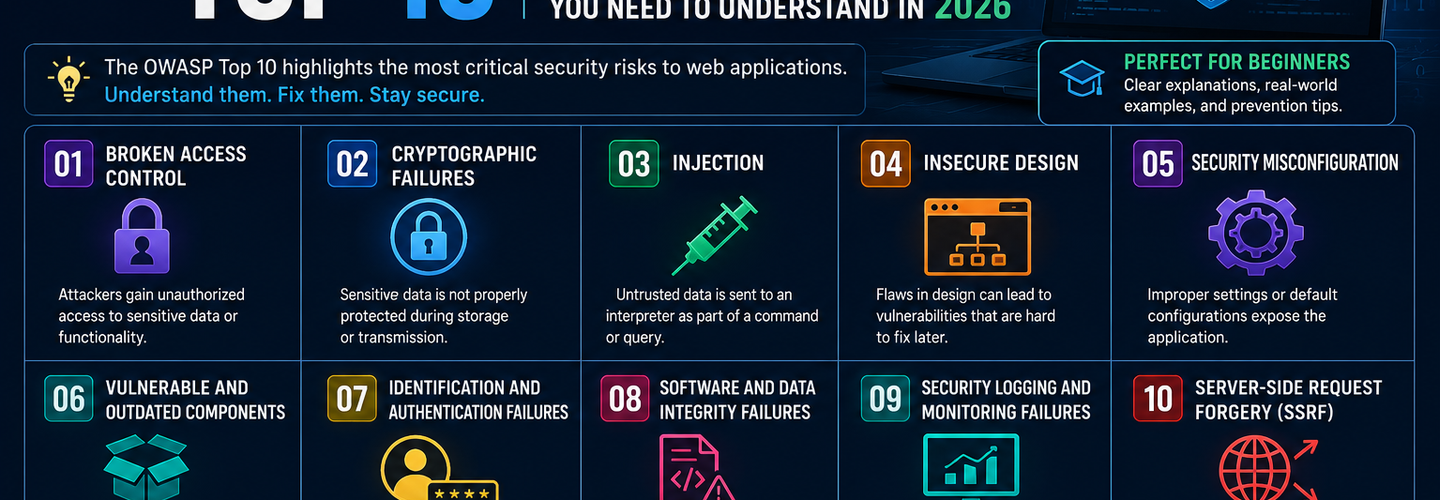
OWASP Top 10 Explained for Beginners: Every Web Vulnerability You Need to Understand in 2026
Summarize this blog post with: ChatGPT | Perplexity | Claude | Grok
You've probably heard "OWASP Top 10" mentioned in a security training, a job description, or a penetration test report — but if no one has ever explained what it actually is, why each vulnerability matters, or what a real attack using it looks like, the list can feel like a wall of jargon rather than a practical security roadmap. The OWASP Top 10 is the most widely referenced web application security standard in the world, and understanding it is genuinely the most effective starting point for anyone learning web security, writing code, running a website, or evaluating application risk. In this guide, you'll get every one of the 10 vulnerability categories from the current 2025 edition explained in plain English — with a real-world example, the specific impact, and the fix for each one.
## Key Takeaways
- ▸The OWASP Top 10 is a standard awareness document published by the Open Web Application Security Project identifying the ten most critical security risks to web applications — updated in 2025 for the first time since 2021 and based on analysis of over 175,000 CVE records.
- ▸The OWASP Top 10:2025 is the current official version as of June 2026 — released at the OWASP Global AppSec Conference in November 2025 and finalized in January 2026. There is no 2026 edition yet.
- ▸Broken Access Control (A01) has held the #1 position since 2021 — found in 94% of applications tested, it remains the most prevalent and impactful category of web vulnerability.
- ▸Two new categories joined the 2025 list: Software Supply Chain Failures (A03) and Mishandling of Exceptional Conditions (A10) — reflecting how modern attacks have shifted from individual coding mistakes to systemic weaknesses in how software is built and maintained.
- ▸SSRF was retired as a standalone category in 2025 and absorbed into Broken Access Control, recognizing that server-side request forgery is fundamentally an access control failure at its root.
- ▸The OWASP Top 10 is not a compliance checklist — it is an awareness document designed to help developers, security teams, and organizations understand where real-world web application breaches are concentrated so they can prioritize what to fix first.
- ▸Every category on the list has a practical fix — most OWASP Top 10 vulnerabilities are preventable through well-understood development practices, not exotic security technology.
## What Is the OWASP Top 10?
The OWASP Top 10 is a standard awareness document published by the Open Web Application Security Project (OWASP) that identifies the ten most critical security risk categories for web applications, based on real-world breach data, CVE analysis, and input from security practitioners worldwide. It is the closest thing the security industry has to a consensus on where web application vulnerabilities that cause actual damage are concentrated.
OWASP — the Open Web Application Security Project — is a non-profit foundation that produces free, open-source guidance on application security. The Top 10 is their most widely referenced output, updated approximately every three to four years. Previous editions were published in 2013, 2017, and 2021. The current edition — OWASP Top 10:2025 — was released in November 2025 at the OWASP Global AppSec Conference in Washington, D.C., making it the most current authoritative version as of June 2026.
The 2025 list was built on the most rigorous dataset of any edition. OWASP analyzed over 175,000 Common Vulnerabilities and Exposures (CVEs) records and collected feedback from security practitioners across the globe, mapping findings across 248 Common Weakness Enumerations (CWEs). Each category represents a family of related vulnerabilities — not a single specific bug. Broken Access Control, for example, covers dozens of different implementation failures that all produce the same outcome: a user accessing data or functionality they should not be permitted to reach.
Understanding the OWASP Top 10 is important for three distinct audiences. Developers use it to understand which types of mistakes create the security vulnerabilities that attackers actually exploit — so they can avoid building them in. Security teams use it as a framework for prioritizing what to test and remediate in applications their organization operates. Business and compliance stakeholders use it as a baseline reference: PCI DSS, many security audit programs, and SOC 2 and ISO 27001 implementations reference or map to the OWASP Top 10 as foundational application security guidance.
## The OWASP Top 10:2025 — Complete List
The current official OWASP Top 10:2025 rankings are:
A01 — Broken Access Control A02 — Security Misconfiguration A03 — Software Supply Chain Failures (New in 2025) A04 — Cryptographic Failures A05 — Injection A06 — Insecure Design A07 — Authentication Failures A08 — Software and Data Integrity Failures A09 — Logging and Alerting Failures A10 — Mishandling of Exceptional Conditions (New in 2025)
Two categories were retired or absorbed: SSRF (A10:2021) was folded into Broken Access Control. Vulnerable and Outdated Components was expanded and rebranded as Software Supply Chain Failures. Let's walk through each one.
## A01 — Broken Access Control: The Most Common Web Vulnerability
Broken Access Control is the failure to correctly enforce restrictions on what authenticated users are permitted to do — allowing attackers to access data, functionality, or accounts they should not be able to reach. It has held the #1 position since 2021 and was found in 94% of applications tested in the 2025 dataset — Source: OWASP Foundation, 2025.
Access control is how your application decides what each user is allowed to do. A well-implemented access control system ensures that a regular user cannot access an admin panel, that User A cannot view User B's private messages, and that a logged-out visitor cannot reach authenticated-only pages. When access control is broken, all of these assumptions fail.
Real-World Example
A common Broken Access Control pattern is called an Insecure Direct Object Reference (IDOR). Imagine a banking app where your account statement URL is bank.com/statements?account_id=10023. If you change 10023 to 10024 and can view someone else's account statement without any error or access denial, that is Broken Access Control. The application is checking authentication (are you logged in?) but not authorization (are you allowed to access this specific account?).
The 2025 edition absorbed Server-Side Request Forgery (SSRF) into this category. SSRF occurs when an application can be tricked into making server-side HTTP requests to internal resources — essentially using the server as a proxy to reach systems that should not be publicly accessible. OWASP recognized that at its root, SSRF is an access control failure: the server is being made to access something it should not be permitted to reach.
How to Fix It
Enforce deny-by-default on every endpoint — access should be explicitly granted, never implicitly assumed. Validate permissions server-side on every request; never trust client-supplied data like user IDs or role flags to determine access. Use a centralized access control library rather than reimplementing authorization logic in every controller. Log all access control failures and alert on repeated failures from the same source. Conduct regular authorization testing as part of penetration testing and code review.
## A02 — Security Misconfiguration: The Biggest Mover of 2025
Security Misconfiguration occurs when security settings are left at insecure defaults, are incomplete, or are overly permissive — creating vulnerabilities not through coding mistakes but through the way systems, frameworks, cloud services, and applications are configured after deployment. It is the biggest mover of the 2025 edition, climbing from #5 in 2021 to #2; OWASP notes that misconfigurations were more prevalent in this cycle's contributed data.
The shift reflects how modern infrastructure works. Applications today deploy across cloud services, container orchestration platforms, microservices architectures, and CDN configurations — each with their own security settings that must be explicitly hardened. The default configuration of almost every system is optimized for convenience and functionality, not security. Security misconfiguration is the gap between "installed" and "hardened."
Real-World Example
A classic case is an Amazon S3 bucket left publicly readable, exposing data to anyone who finds the URL. Thousands of organizations have accidentally exposed customer databases, internal documents, and backup files this way — not through any coding vulnerability, but simply by leaving the default storage permission settings unchanged. Another common example is a web server returning detailed error messages that disclose the application framework version, database type, and internal file paths — information an attacker uses to identify known vulnerabilities for exploitation.
Security Misconfiguration also covers missing HTTP security headers. A web application that does not return Content-Security-Policy, X-Frame-Options, Strict-Transport-Security, or X-Content-Type-Options headers is misconfigured — leaving the browser without the instructions it needs to prevent cross-site scripting, clickjacking, and protocol downgrade attacks. Audit your web application's HTTP security header configuration using the ReconShield Security Headers Auditor, which evaluates every major security header and flags missing or misconfigured controls. For the complete implementation guide, the ReconShield OWASP HTTP Headers Hardening guide covers every header in depth.
How to Fix It
Harden configurations by default — remove unused features, accounts, and services before deployment. Implement a repeatable hardening process for every environment type (development, staging, production) and verify it with automated configuration scanning. Scan infrastructure-as-code templates for risky settings before they reach production. For cloud environments, use Cloud Security Posture Management (CSPM) tools to continuously detect configuration drift. Regularly review SSL/TLS settings — weak cipher suites and deprecated protocol versions are security misconfigurations that attackers actively exploit. Audit your TLS configuration using the ReconShield SSL/TLS Checker.
## A03 — Software Supply Chain Failures: New in 2025
Software Supply Chain Failures is a new OWASP Top 10:2025 category that expands the 2021 "Vulnerable and Outdated Components" entry to cover the entire dependency ecosystem — including compromised packages, malicious updates, build pipeline weaknesses, and distribution channel integrity failures. This change reflects that applications today rarely consist entirely of internally developed code.
Modern web applications are built from dozens to hundreds of third-party libraries, open-source packages, and external services. Each dependency introduces code that the application implicitly trusts — and that trust can be exploited if the dependency itself is compromised, malicious, or vulnerable.
Real-World Example
The Log4Shell vulnerability (CVE-2021-44228) is the defining example of software supply chain failure. Log4j is a Java logging library used in thousands of enterprise applications worldwide. A critical remote code execution vulnerability in this single library allowed attackers to execute arbitrary code on any server running a vulnerable version — simply by submitting a specially crafted string to any logged field. Organizations that had no idea they were using Log4j — because it was a transitive dependency of another library they had explicitly included — were equally exposed. The vulnerability affected millions of systems globally and required one of the most widespread emergency patching efforts in internet history.
A more targeted supply chain attack is dependency confusion: an attacker publishes a malicious package to a public repository (npm, PyPI, RubyGems) with the same name as an internal private package used by a target organization. When the target's build system resolves the package name, it downloads the public (malicious) version instead of the private legitimate one — injecting attacker-controlled code into the build.
How to Fix It
Maintain a Software Bill of Materials (SBOM) — a documented inventory of every component, library, and dependency in your application, including transitive dependencies. Use Software Composition Analysis (SCA) tools to continuously scan dependencies for known vulnerabilities. Pin dependency versions explicitly rather than using version ranges that allow automatic updates to pull in potentially compromised new releases. Verify the integrity of downloaded packages using checksums. Apply security updates for vulnerable components as a priority — treat component vulnerabilities with the same urgency as application code vulnerabilities.
## A04 — Cryptographic Failures: When Encryption Goes Wrong
Cryptographic Failures covers vulnerabilities that arise from weak, broken, or absent cryptographic implementations — including transmitting sensitive data without encryption, using deprecated algorithms, storing passwords without proper hashing, and generating predictable random values for security-sensitive purposes.
Cryptography is what protects data in transit (between your browser and the server) and data at rest (stored in databases). When cryptography fails — whether because it is absent, implemented incorrectly, or uses algorithms that modern computing can break — sensitive data becomes accessible to attackers who intercept it or gain unauthorized database access.
Real-World Example
A persistent Cryptographic Failure is password storage using MD5 or SHA-1 hashing without salting. These algorithms are not designed for password storage — they are fast by design, which means an attacker with a stolen password database and modern GPU hardware can test billions of password candidates per second against unsalted hashes, recovering plaintext passwords from the entire database within hours. The correct approach — using adaptive hashing algorithms like bcrypt, scrypt, or Argon2 — is computationally expensive by design, making the same attack take decades rather than hours.
Another common failure is transmitting sensitive data over HTTP instead of HTTPS — or deploying HTTPS but with deprecated TLS 1.0 or TLS 1.1 protocols that have known cryptographic weaknesses. SSL certificate configuration and cipher suite strength are directly auditable externally using the ReconShield SSL/TLS Checker, which identifies deprecated protocol support, weak cipher suites, and certificate expiry without any access to the target server.
How to Fix It
Classify all data processed and stored by the application. Apply appropriate encryption — minimum TLS 1.2 for all data in transit, with a preference for TLS 1.3. Never use MD5 or SHA-1 for password storage — use bcrypt, scrypt, or Argon2 with appropriate work factors. Never roll your own cryptographic implementations — use well-reviewed, established libraries. Store cryptographic keys separately from encrypted data, with strict access controls on key management.
## A05 — Injection: The Classic Attack That Never Dies
Injection vulnerabilities occur when untrusted data is sent to an interpreter — a database, operating system, LDAP server, or XML parser — and is processed as executable code rather than as data, allowing attackers to manipulate the commands or queries the interpreter executes.
Injection was the #1 OWASP vulnerability for over a decade before Broken Access Control took its position. It remains a top-five risk because it is both extremely impactful (injection can result in complete database compromise, data exfiltration, or server command execution) and surprisingly persistent — appearing in new code written by developers who have never learned to handle user input safely.
Real-World Example
SQL Injection is the most well-known injection type. Imagine a login form that constructs a database query by directly inserting the user's input:
sql
SELECT * FROM users WHERE username = '[input]' AND password = '[input]'
If the username field contains ' OR '1'='1' --, the resulting query becomes:
sql
SELECT * FROM users WHERE username = '' OR '1'='1' --' AND password = ''
The OR '1'='1' condition is always true. The -- comments out the rest. The attacker is logged in as the first user in the database — often the administrator account — without knowing any valid credentials. From here, depending on database permissions, attackers can dump the entire database, read files from the server, or execute system commands.
Beyond SQL, injection attacks target OS commands (Command Injection), LDAP directories (LDAP Injection), XML parsers (XXE — XML External Entity), and template engines (Server-Side Template Injection). Each follows the same fundamental pattern: unsanitized user input reaching an interpreter that treats it as executable instruction rather than passive data.
How to Fix It
Use parameterized queries (also called prepared statements) for all database interactions — they separate SQL code from data, making injection impossible regardless of what the user submits. Use an ORM (Object-Relational Mapper) that parameterizes queries by default. Validate all input against an allowlist of expected values and formats. Apply the principle of least privilege to database accounts — application database users should have only the permissions they need and no more. For the complete web application security audit that surfaces injection-related exposure, use the ReconShield Exposure Assessment Tool.
## A06 — Insecure Design: Security Missed Before Code Is Written
Insecure Design covers security risks that arise from fundamental flaws in architecture, design decisions, and threat modelling gaps — vulnerabilities that cannot be patched after the fact because they are built into the application's foundational structure. This category focuses on design-time failures, not implementation bugs.
The distinction matters because fixing a SQL injection requires adding parameterized queries to existing code. Fixing insecure design often requires rearchitecting a feature or system entirely — which is significantly more expensive and disruptive the later it is discovered. Security must be considered during the design phase, not retrofitted after deployment.
Real-World Example
A common insecure design failure is a "forgot password" flow that resets passwords by emailing a plain-text temporary password rather than a single-use time-limited reset link. The design is insecure because the temporary password travels through email — which may be unencrypted, may be forwarded, and sits indefinitely in sent and received folders. A correctly designed password reset flow sends a time-limited token that is used once and expires after 15 minutes regardless of whether it is used.
Another insecure design pattern is building a multi-tenant application where tenant data isolation is enforced entirely by application-layer filtering rather than by separate database schemas or cryptographic access controls — making a single application bug potentially expose every tenant's data simultaneously.
How to Fix It
Integrate threat modelling into the design phase of every significant feature — ask "how could an attacker abuse this?" before a single line of code is written. Use secure design patterns and reference architectures. Define security requirements alongside functional requirements. Limit resource consumption per user or session to prevent abuse patterns that exploit design assumptions. The 2025 update broadens Insecure Design to more explicitly cover AI-integrated application attack surfaces — model injection, prompt manipulation, and trust boundary failures in applications that call LLM APIs are now explicitly within scope.
## A07 — Authentication Failures: Broken Login and Session Management
Authentication Failures covers vulnerabilities in how applications verify user identity and manage authenticated sessions — including weak password policies, credential stuffing vulnerabilities, missing multi-factor authentication, insecure session management, and improper logout implementation.
Authentication is the mechanism that establishes who a user is before granting access to protected resources. When authentication fails, all subsequent access control decisions are built on an unverifiable identity claim — effectively meaning any attacker who successfully exploits an authentication failure has a valid session that the application treats as legitimate.
Real-World Example
Credential stuffing is the most prevalent authentication attack today. When a data breach exposes username and password pairs from one service, attackers test those same credentials automatically against thousands of other services. Users who reuse passwords across multiple accounts are compromised across every service where they have done so — not through any vulnerability in those services, but through the authentication system's acceptance of valid credentials without additional verification.
Session fixation is a different authentication failure: an attacker obtains a valid session ID before a user logs in (perhaps by injecting it via a URL parameter), then waits for the user to authenticate. If the application reuses the same session ID after authentication rather than issuing a new one, the attacker's session is now authenticated — without ever knowing the user's credentials.
How to Fix It
Implement multi-factor authentication (MFA) on all accounts, especially administrative and high-privilege accounts. Enforce strong password policies and check new passwords against lists of known-compromised credentials. Issue new session IDs on every authentication event and invalidate old session tokens on logout. Implement rate limiting and lockout on login endpoints to prevent automated credential stuffing and brute-force attacks. Set session timeouts appropriate to the sensitivity of the application. For email-based authentication (password resets, magic links), ensure DMARC is enforced on your sending domain to prevent session reset phishing — audit your email authentication using the ReconShield DNS Security Analysis tool. The complete email authentication implementation guide is in the ReconShield SPF-DKIM-DMARC Blueprint.
## A08 — Software and Data Integrity Failures: When Trust Becomes a Vulnerability
Software and Data Integrity Failures covers vulnerabilities related to code and data that are used without sufficient verification that they have not been tampered with — including insecure deserialization, CI/CD pipeline integrity failures, and auto-update mechanisms that do not verify the authenticity of updates before applying them.
This category focuses on the trust relationships applications establish with external code, data, and update sources. When those trust relationships lack integrity verification, an attacker who can influence the trusted source — a CDN, an update server, a serialized data stream — can inject malicious payloads that the application processes with implicit trust.
Real-World Example
Insecure deserialization is a classic integrity failure. Many applications serialize complex objects (shopping cart contents, user preferences, session state) into strings that are stored in cookies or sent to clients, then deserialize them when they are returned. If the application deserializes data from an untrusted source without first verifying its integrity, an attacker can craft a malicious serialized payload that triggers arbitrary code execution when the application attempts to deserialize it.
A CI/CD pipeline integrity failure occurs when a build system downloads dependencies, build tools, or container base images from unverified sources — allowing a compromised upstream repository to inject malicious code into a software build that then ships to production as a legitimate application update.
How to Fix It
Never deserialize data from untrusted sources without verifying its integrity using digital signatures or cryptographic checksums. Use digital signatures to verify the authenticity and integrity of software updates before applying them. Ensure CI/CD pipelines have integrity controls — verified source code, pinned dependency versions, signed build artifacts. Review any usage of deserialization libraries and prefer data formats (JSON, protocol buffers) that do not deserialize to objects by default.
## A09 — Logging and Alerting Failures: The Blind Spot That Enables Breaches
Logging and Alerting Failures occur when an application does not generate, retain, or monitor security-relevant log events sufficiently to detect attacks in progress, support incident investigation, or meet regulatory audit requirements — not a vulnerability that enables initial compromise, but a failure that turns contained incidents into undetected catastrophic breaches.
The 2025 edition evolves this category from "Security Logging and Monitoring Failures" to emphasize that the problem is not only about logging but also about alerting and detecting effectively. Generating logs that nobody reads is not a security control — it is storage overhead.
Real-World Example
The average time between initial compromise and breach detection is 194 days for insider threats and 16 days for external attackers — Source: IBM Cost of a Data Breach Report, 2024. This gap exists because attackers operate quietly inside applications that are generating logs that nobody is monitoring for the specific patterns that indicate active exploitation. An attacker performing thousands of authorization failures while probing for IDOR vulnerabilities, or making repeated login attempts against admin accounts, or querying database records far outside the expected volume for any user — all of these produce log data that, if monitored and alerted on, would surface the attack within minutes rather than months.
How to Fix It
Log all authentication events (successes and failures), access control decisions (especially failures), and input validation failures. Include sufficient context in each log entry: timestamp, user identity, IP address, requested resource, and outcome. Do not log sensitive data (passwords, payment card numbers, session tokens) in logs. Store logs centrally, ensure they are tamper-resistant, and retain them for a period appropriate to regulatory requirements (typically 90 days immediately accessible, one year archived). Implement alerting on anomalous patterns — repeated failures, unusual access volumes, off-hours activity. Monitor your external DNS, WHOIS, and SSL certificate status for infrastructure changes using the ReconShield passive scanner suite — unauthorized changes to these records are often the first detectable sign of an infrastructure-level attack.
## A10 — Mishandling of Exceptional Conditions: New in 2025
Mishandling of Exceptional Conditions is a brand-new OWASP Top 10:2025 category covering how applications fail to correctly handle unexpected inputs, error states, and unusual operational conditions — producing crashes, information disclosure, exploitable exception states, or denial-of-service vulnerabilities when edge cases occur.
OWASP's description is: Mishandling exceptional conditions in software happens when programs fail to prevent, detect, and respond to unusual and unpredictable situations, which leads to crashes, unexpected behavior, and sometimes vulnerabilities. This can involve one or more of the following three failings: the application doesn't prevent an unusual situation from happening, it doesn't identify the situation as it is happening, and/or it responds poorly or not at all to the situation afterwards.
This category captures a class of vulnerabilities that were previously scattered across multiple OWASP categories but share a common root: the application's behavior when things go wrong was never explicitly designed or tested.
Real-World Example
A web application that returns a full Java stack trace in its HTTP error response when it encounters an unexpected input has mishandled an exceptional condition. The stack trace discloses the application framework version, the internal file paths of application code, the database query that failed, and potentially the database schema — all of which an attacker uses to identify specific known vulnerabilities and craft targeted exploits. The correct behavior is to log the detailed error internally and return a generic, non-disclosing error message to the user.
A more exploitable example: an API endpoint that accepts a numeric field but throws an unhandled exception when it receives a string, crashing the entire API process — not just returning an error for that one request. If an attacker can reliably trigger this crash, they have a denial-of-service vulnerability that requires no authentication and no special access.
How to Fix It
Implement comprehensive exception handling throughout the application — catch specific exceptions, handle them appropriately, and never allow unhandled exceptions to propagate to the user as raw error output. Test explicitly for edge cases, boundary conditions, and unexpected inputs during development. Return generic error messages to users and log detailed error information internally. Conduct fuzz testing to discover how the application behaves with malformed, unexpected, and extreme inputs before deployment.
## How OWASP Top 10 Relates to Real Security Testing
The OWASP Top 10 is not itself a testing methodology or a compliance checklist — it is an awareness framework that informs what security testing should cover. Understanding the relationship between the list and actual security testing helps beginners avoid two common mistakes: treating a Top 10 checklist review as comprehensive security testing, and assuming the Top 10 is irrelevant to their application because they use a modern framework.
Several leading API risks relate directly to authorization failures that mirror A01. Organizations with significant API exposure should address both the web application Top 10 and the separate OWASP API Security Top 10 to ensure adequate coverage.
Automated security tools can detect some OWASP Top 10 categories reasonably well. They cannot detect others at all. The ones they miss — Broken Access Control, Security Misconfigurations unique to your application, business logic flaws, Insecure Design — are disproportionately the ones that lead to significant breaches. A manual tester working through OWASP methodology finds what automated tools leave behind.
For a practical starting point for testing your web application's external security posture without active exploitation, the ReconShield Exposure Assessment Tool performs passive OWASP misconfiguration detection, and the Security Headers Auditor evaluates A02 Security Misconfiguration at the HTTP layer. The ReconShield passive scanner suite combines these with SSL/TLS configuration auditing, email security validation, DNS intelligence, and threat reputation analysis in a single non-intrusive workflow.
## What Changed From OWASP Top 10:2021 to 2025?
The 2025 update represents the most significant structural revision of the OWASP Top 10 since its inception, reflecting four years of evolving threat data, application architecture changes, and the emergence of software supply chain attacks as a primary enterprise risk category.
The two new categories — Software Supply Chain Failures (A03) and Mishandling of Exceptional Conditions (A10) — reflect a deliberate shift in OWASP's framing. The 2025 update continues OWASP's gradual move away from individual coding mistakes and towards broader weaknesses in software design, development processes, and operational practices. In other words, application security is increasingly becoming a question of how software is built and maintained, not just whether developers are writing secure code.
Security Misconfiguration rose from #5 to #2 — the biggest single ranking shift — driven by data showing misconfigurations are now the dominant failure mode across cloud-hosted applications. Injection dropped from #3 to #5, reflecting improvement in developer awareness and the widespread adoption of ORM frameworks and parameterized queries that prevent SQL injection by default.
SSRF's absorption into Broken Access Control acknowledges the conceptual overlap: every SSRF vulnerability is fundamentally an access control failure where the server's request-making capability is not properly restricted to authorized targets.
The 2025 edition also adds explicit guidance on AI-generated code security risks for the first time. LLM coding assistants generate code that frequently contains A05 Injection patterns, A07 Authentication failures, and A04 Cryptographic weaknesses — because they are trained on historical code repositories that predate modern security practices. Every line of AI-generated code must pass the same security review as human-written code.
## What to Do After Reading This Guide
Understanding the OWASP Top 10 is the starting point — the next step is applying this knowledge to the web properties and applications you are responsible for.
If you are a developer: review your current codebase for the most impactful categories — Broken Access Control, Injection, and Authentication Failures — before addressing the others. Use parameterized queries, enforce deny-by-default authorization, implement MFA, and ensure your application never returns sensitive error information to users.
If you are an IT administrator or security professional: run the ReconShield passive scanner suite on your internet-facing domains to audit HTTP security headers (A02 Security Misconfiguration), SSL/TLS configuration (A04 Cryptographic Failures), and email authentication posture (A07 Authentication Failures — phishing setup). Check your domain registration security with the WHOIS Intelligence tool and validate DNS records using the DNS Security Analysis tool.
If you are learning web security: work through each OWASP Top 10 category using deliberately vulnerable practice applications — OWASP provides WebGoat and Juice Shop as legal, safe environments specifically designed for practicing identifying and exploiting each category. For the passive OSINT and infrastructure reconnaissance skills that complement web application security testing, the ReconShield OSINT Fundamentals guide and the passive reconnaissance guide provide the structured methodology foundation.
## Conclusion
The OWASP Top 10 exists because the same categories of vulnerability appear in web applications across every industry, every technology stack, and every organization size — year after year, breach after breach. Broken Access Control is not a problem unique to poorly funded startups. Security Misconfiguration is not a problem unique to legacy enterprise software. Injection vulnerabilities appear in code written by experienced developers at well-funded companies with security teams.
The list matters because it focuses attention on the vulnerabilities that produce the most real-world harm — and it does so with data from over 175,000 CVE records rather than theoretical risk projections. Every item on it has caused significant, documented breaches at organizations that assumed they were not vulnerable.
Start with the highest-impact, most common categories: Broken Access Control, Security Misconfiguration, and Authentication Failures. Audit your web application's external security posture using the ReconShield Exposure Assessment Tool, Security Headers Auditor, and SSL/TLS Checker. Then use the passive scanner suite for the complete integrated external security assessment across all six audit dimensions.
Security is not achieved by knowing the OWASP Top 10 — it is achieved by systematically eliminating every category from your applications one by one.
Written by Surendra Reddy Cybersecurity Researcher & Founder, ReconShield. Surendra specializes in OSINT, exposure intelligence, and AI-driven threat analysis. He built ReconShield to democratize access to enterprise-grade infrastructure visibility tools. Author Profile →
Reviewed by ReconShield Editorial Team — Peer-reviewed for technical accuracy against the OWASP Top 10:2025 official publication, OWASP Foundation data, and current web application security research.
## Analyst Commentary & Implementation Blueprint
Security advisory
Continuous security exposure assessment is critical to identifying public vulnerabilities before they are exploited. Organizations should maintain a passive inventory of all web servers, TLS configs, and open ports, ensuring that default configurations are eliminated and security advisories are actively implemented.
Hardened Security Configuration Blueprint
# General Security Hardening Directive
ServerTokens ProductOnly
ServerSignature Off
FileETag None
Actionable Mitigation Checklist
- ✔Perform passive asset inventories weekly.
- ✔Restrict administrative ports using local firewall controls.
- ✔Monitor active CVE alerts for exposed software.
Common Inquiries & FAQs
Why is passive scanning preferred for continuous auditing?
Passive audits do not cause operational impact or trigger firewall blocks, making them ideal for constant surveillance of internet-facing assets.
What should I do if a vulnerability is flagged?
Apply the latest vendor patches, restrict access to the resource via firewalls, or verify configuration flags to mitigate risks.
Surendra Reddy
Surendra Reddy is a cybersecurity researcher and founder of ReconShield, specializing in OSINT and defensive infrastructure analysis.
Connect on LinkedIn ↗// AUDIT BRIEFING DISCUSSION (2 COMMENTS)
Great breakdown of the passive infrastructure vectors. We recently audited our external DNS zones and found multiple dangling staging environments. Implementing wildcard certificates reduced our CT log leaks significantly.
Is there any automated tooling you recommend for daily crt.sh scraping? Manually checking CT logs is becoming unsustainable for our domain portfolio.
// MORE ARTICLES
Security Researchers Warn Critical n8n Flaws May Expose Automation Platforms to RCE
Researchers have disclosed critical vulnerabilities in n8n that could expose automation workflows and connected enterprise systems to remote code execution risks, prompting urgent patch recommendations for users and administrators.

How Agentic AI Is Changing Software Engineering and Expanding Mobile Attack Surfaces
Agentic AI is rapidly transforming software engineering workflows through automation and intelligent coding assistance, while cybersecurity experts warn of expanding mobile attack surfaces and emerging application security risks.
Microsoft Defender Zero-Day Patched: What IT Teams Need to Know
Microsoft patches RoguePlanet, a Defender zero-day (CVE-2026-50656) letting attackers gain SYSTEM access. Here's what IT teams need to know.