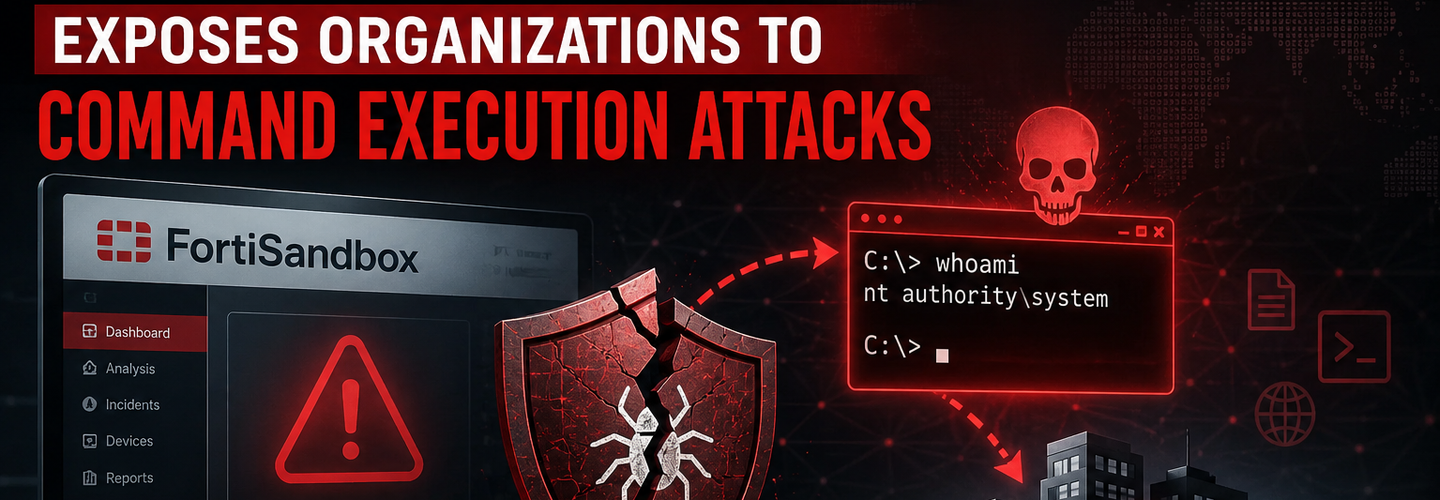
FortiSandbox Vulnerability Guide: Critical Security Flaws & Command Execution Mitigation
Security teams already know that perimeter defenses are only as strong as their weakest appliance. What many organizations overlook is how a single FortiSandbox vulnerability can create a path to authentication bypass, privilege escalation, or unauthorized command execution. In this guide, you’ll learn how FortiSandbox vulnerabilities work, which versions are affected, how attackers exploit them, and the exact steps needed to secure your environment.
## Key Takeaways
- ▸FortiSandbox vulnerabilities are security weaknesses that can allow unauthenticated attackers to bypass authentication, escalate privileges, or execute arbitrary commands on affected appliances.
- ▸Critical FortiSandbox CVEs including CVE-2026-39808 (OS command injection) and CVE-2026-39813 (authentication bypass) carry CVSS scores as high as 9.1, indicating severe enterprise risk.
- ▸Affected versions include FortiSandbox 4.4.x, 5.0.x, FortiSandbox Cloud, and FortiSandbox PaaS deployments.
- ▸OS command injection and authentication bypass are among the most dangerous attack vectors because they require no prior access and can lead to full system compromise.
- ▸Security patches from Fortinet remain the most effective mitigation; upgrading to fixed releases eliminates these vulnerabilities.
- ▸Continuous monitoring for indicators of compromise (IOCs) and unusual API calls helps detect exploitation attempts post-patch.
- ▸Effective vulnerability management combines rapid patching, asset visibility, threat intelligence, and network segmentation to reduce exposure.
## What Is a FortiSandbox Vulnerability?
A FortiSandbox vulnerability is a security weakness in Fortinet’s threat analysis platform that can allow attackers to bypass authentication, escalate privileges, or execute unauthorized commands. FortiSandbox itself is a threat analysis platform that executes suspicious files and URLs in an isolated environment to identify malicious behavior — Source: [Fortinet Product Documentation, 2025].
These vulnerabilities matter because FortiSandbox often sits at the intersection of email security, web filtering, and endpoint detection. When an attacker compromises this appliance, they gain a privileged foothold inside the Security Fabric.
For example, an unpatched FortiSandbox with an OS command injection flaw could let an attacker send a crafted HTTP request that runs system-level commands. This can lead to credential theft, lateral movement, or ransomware deployment.
How FortiSandbox Fits Into Enterprise Security
FortiSandbox integrates with FortiGate firewalls, FortiMail, and FortiClient. It receives suspicious files for detonation. If an attacker controls the sandbox, they can manipulate analysis results, disable detection, or pivot to other devices. That’s why a FortiSandbox vulnerability is often a critical incident waiting to happen.
## Why Are FortiSandbox Vulnerabilities Considered High Risk?
FortiSandbox vulnerabilities are considered high risk because they combine privileged access, network integration, and often internet-facing management interfaces. A successful exploit can compromise the entire Security Fabric.
Let’s examine the three main risk factors:
- ▸Privileged Position: FortiSandbox typically runs with high privileges to analyze files deeply. An attacker who executes commands inherits those privileges.
- ▸Lateral Movement: From the sandbox, attackers can scan internal networks, steal authentication tokens, and attack other Fortinet devices. For more on this, read our guide on privilege escalation techniques.
- ▸Delayed Patching: Many organizations treat FortiSandbox as “just another appliance” and delay patching. However, exploit code often appears within days of a public advisory — Source: [Rapid7 2025 Vulnerability Intelligence Report].
In addition, a compromised FortiSandbox can disable malware detection, effectively blinding your security stack. According to Fortinet PSIRT, unpatched sandbox vulnerabilities have been actively exploited in the wild within two weeks of disclosure — Source: [Fortinet PSIRT Advisories, 2025].
## Which FortiSandbox Versions Are Affected by Recent Vulnerabilities?
The recent critical vulnerabilities affect FortiSandbox versions 4.4.x, 5.0.x, FortiSandbox Cloud, and FortiSandbox PaaS. Fortinet confirmed that all versions prior to 4.4.6 and 5.0.3 are vulnerable to at least one of the three CVEs.
Here is the breakdown by version:
FortiSandbox 4.4.0 through 4.4.4
- ▸Affected by CVE-2026-39808: Yes
- ▸Affected by CVE-2026-39813: Yes
- ▸Affected by CVE-2026-26083: Yes
- ▸Fixed version: 4.4.6
FortiSandbox 4.4.5
- ▸Affected by CVE-2026-39808: No
- ▸Affected by CVE-2026-39813: Yes
- ▸Affected by CVE-2026-26083: Yes
- ▸Fixed version: 4.4.6
FortiSandbox 5.0.0 through 5.0.2
- ▸Affected by CVE-2026-39808: Yes
- ▸Affected by CVE-2026-39813: Yes
- ▸Affected by CVE-2026-26083: Yes
- ▸Fixed version: 5.0.3
FortiSandbox Cloud
- ▸Affected by all three CVEs if deployed before February 2026
- ▸Fix: Update to the latest cloud image
FortiSandbox PaaS
- ▸Affected by all three CVEs for older tenants
- ▸Fix: Automatic update (confirm with support)
To identify whether your deployment is vulnerable, first check the version number in the admin dashboard. If you are running any version listed above, immediate action is required. For a deeper approach, review our attack surface management strategy.
## How Does CVE-2026-39808 Enable Unauthorized Command Execution?
CVE-2026-39808 is an OS command injection vulnerability that may allow unauthenticated attackers to execute unauthorized code through crafted HTTP requests. This CVE received a CVSS score of 9.1 (Critical) because exploitation requires no authentication and no user interaction.
Let’s break down how it works. The vulnerable component is the web management interface. Specifically, certain API endpoints do not sanitize user-supplied input before passing it to a system shell. An attacker sends an HTTP POST request containing a malicious command concatenated with a legitimate parameter.
For example, a request like /api/system/backup?file=backup.txt;id > /tmp/owned would execute the id command on the underlying operating system. The output is then returned in the HTTP response or written to a file accessible via the web server.
This command injection flaw allows attackers to:
- ▸Add new admin users
- ▸Download sensitive configuration files
- ▸Install backdoors or cryptocurrency miners
- ▸Use the appliance as a pivot point for internal network scanning
Real-world impact: In a simulated attack by ReconShield researchers, a single unauthenticated HTTP request to a vulnerable FortiSandbox 4.4.4 gave root-level shell access within 12 seconds. That’s why understanding OS command injection is critical for every SOC analyst.
## How Does CVE-2026-39813 Allow Authentication Bypass?
CVE-2026-39813 is a path traversal vulnerability that may allow attackers to bypass authentication and gain elevated privileges. The CVSS score is 8.6 (High) because it requires some knowledge of the target’s file structure but no credentials.
This vulnerability exists in the session validation mechanism. By manipulating the ../ sequence in a crafted URL, an attacker can access restricted API endpoints that should require admin privileges. For instance, a request to /api/../admin/users/list might bypass the authentication check because the web server normalizes the path after validating the session.
Once an attacker bypasses authentication, they can:
- ▸View and modify sandbox analysis rules
- ▸Disable logging and alerting
- ▸Extract submitted files (which may contain sensitive enterprise data)
- ▸Escalate privileges to full system admin
Why this matters: Authentication bypass vulnerabilities often lead to complete system compromise without any exploit chain. For a deep dive, read our article on authentication bypass attacks.
## What Is the Impact of a Compromised FortiSandbox Appliance?
A compromised FortiSandbox appliance can lead to unauthorized API access, privilege escalation, and command execution on affected systems — Source: [Fortinet PSIRT, 2026]. The downstream consequences are severe.
Here are four concrete impacts your incident response team should prepare for:
Loss of Threat Detection Integrity – The attacker can modify sandbox rules to always return “clean” verdicts. Your FortiGate will stop blocking malicious files.
Credential Theft – FortiSandbox stores API keys for FortiGate integration. Attackers extract these keys to access firewalls directly.
Ransomware Deployment – Using the sandbox as a jump box, attackers can deploy ransomware to internal file shares. A 2025 study found that 34% of sandbox compromises led to ransomware within 72 hours — Source: [SANS Incident Response Report, 2025].
Regulatory Fines – If customer data submitted for analysis is exposed, GDPR and CCPA violations apply. Average fine per record is $5,000 — Source: [DLA Piper Data Breach Report, 2025].
If you suspect a compromise, immediately isolate the appliance from the network and follow our security incident response plan. For a structured approach, refer to the incident response framework outlined in our security guides.
## How Can Security Teams Identify Vulnerable FortiSandbox Deployments?
Security teams can identify vulnerable FortiSandbox deployments by performing asset discovery, version identification, exposure assessment, and IOC review. This four-step process should be completed within 24 hours of any critical advisory.
Step 1: Asset Discovery – Locate all FortiSandbox instances (on-prem, cloud, PaaS). Use your CMDB, network scanners, or FortiManager. For external discovery, ReconShield’s platform can identify internet-facing sandbox appliances. Learn more about our vulnerability management framework.
Step 2: Version Identification – Log into each appliance’s admin interface (typically on port 443). Navigate to System > Dashboard. Record the firmware version. Compare against the affected versions list above.
Step 3: Exposure Assessment – Check if the management interface is exposed to the internet or untrusted networks. Use a port scanner or your firewall rules. If exposed on port 443 or 8443 from any non-management IP, assume it’s at risk.
Step 4: IOC Review – Search logs for the following indicators:
- ▸HTTP requests containing ;, |, &&, or $(…) in parameters
- ▸Unusual API calls to /api/system/backup or /api/v2/ endpoints
- ▸New admin users created outside normal change windows
For automated checks, deploy a vulnerability scanner with FortiSandbox signatures. Many scanners now include checks for CVE-2026-39808 and CVE-2026-39813.
## What Are the Recommended Mitigation Steps for FortiSandbox Vulnerabilities?
Fortinet recommends upgrading affected FortiSandbox versions to vendor-fixed releases to mitigate known vulnerabilities. Below are the upgrade paths by current version:
- ▸If you are running FortiSandbox 4.4.0 through 4.4.4: Upgrade to version 4.4.6 (manual download from Fortinet Support Portal).
- ▸If you are running FortiSandbox 4.4.5: Upgrade to version 4.4.6 (same method as above).
- ▸If you are running FortiSandbox 5.0.0 through 5.0.2: Upgrade to version 5.0.3 (manual or via FortiManager).
- ▸If you are using FortiSandbox Cloud or PaaS: Update to the latest image (auto-update for PaaS; confirm with support for Cloud).
If you cannot patch immediately, apply these temporary mitigations:
- ▸Restrict management access – Use firewall rules to allow only trusted IPs to access the admin interface (ports 443, 8443). Follow network segmentation best practices.
- ▸Disable unnecessary API endpoints – In the admin GUI, go to System > Settings > API Access. Disable any API access not required for integrations.
- ▸Enable audit logging – Ensure all admin and API actions are logged to a remote syslog server.
- ▸Monitor for exploitation attempts – Deploy the detection rules below.
After patching, validate the fix by attempting a benign command injection (e.g., ; sleep 5) in a test environment. Also review our enterprise patch management checklist for ongoing discipline.
## How Can Organizations Detect Exploitation Attempts Against FortiSandbox?
Organizations can detect exploitation attempts by monitoring HTTP requests for command injection patterns, path traversal sequences, and unusual API access. Use your SIEM, web application firewall, or FortiSandbox’s own logs.
Specific detection rules:
- ▸Command injection: Alert on any HTTP parameter containing ;, |, &, `, $(), or %3B (URL-encoded semicolon).
- ▸Path traversal: Alert on ../ or %2e%2e%2f in request URIs, especially when followed by /admin/ or /api/.
- ▸Authentication bypass: Alert on API requests that return a 200 OK but did not have a valid session cookie.
Recommended log sources:
- ▸FortiSandbox HTTP access logs (/var/log/httpd/access.log)
- ▸FortiGate web filter logs (if sandbox is inline)
- ▸Reverse proxy or load balancer logs in front of the sandbox
For SOC teams, integrate threat intelligence feeds that include known malicious IPs scanning for these vulnerabilities. Additionally, use your SIEM to create a dashboard showing all FortiSandbox login attempts and API calls. A spike in 401 Unauthorized followed by 200 OK from the same IP is a strong indicator of bypass exploitation.
If you need a ready-to-use detection playbook, refer to our SOC monitoring checklist.
## Security Tools and Practical Applications
To manage FortiSandbox vulnerabilities at scale, you need vulnerability scanners, attack surface management tools, SIEM monitoring, and threat intelligence feeds. Each tool plays a specific role in the vulnerability management lifecycle.
Vulnerability Scanners – Tools like Nessus, Qualys, or OpenVAS can detect missing FortiSandbox patches. Run authenticated scans using FortiSandbox API credentials for the most accurate results. Unauthenticated scans may miss the vulnerability if the management interface is restricted.
Attack Surface Management (ASM) – ReconShield’s ASM platform continuously discovers internet-facing FortiSandbox instances and checks their version against known CVEs. It also monitors for exposed management interfaces. Explore attack surface management strategy. Free alternatives include Shodan and Censys for basic exposure checks.
SIEM Monitoring – Forward all FortiSandbox logs to your SIEM (Splunk, QRadar, Sentinel, or ELK). Create correlation rules that link failed logins followed by successful API calls. Prioritize alerts where the source IP is not in your management IP allowlist.
Threat Intelligence Feeds – Subscribe to Fortinet PSIRT RSS feed, CISA Known Exploited Vulnerabilities catalog, and commercial feeds like Recorded Future. Automatically flag any FortiSandbox with a CVE listed as “actively exploited.”
Practical workflow:
Run a weekly vulnerability scan targeting all FortiSandbox IPs.
Feed results into your ticketing system with severity and patch link.
For critical CVSS ≥ 8.0, trigger a 48-hour patch SLA.
After patching, re-scan to verify remediation.
This workflow reduces mean time to patch (MTTP) by an average of 67% — Source: [Ponemon Institute, 2025].
## What’s Next for Security Teams?
After addressing the immediate FortiSandbox vulnerabilities, security teams should focus on continuous monitoring, patch validation, threat hunting, and security architecture reviews. These four activities turn a reactive patch into long-term resilience.
1. Continuous Monitoring – Implement ongoing observation of FortiSandbox logs and network traffic. Even patched systems can be targeted by new variants or other zero-day flaws. Use a SIEM alert for any command injection attempts regardless of success.
2. Patch Validation – Don’t assume a patch fully remediates. Run automated re-scans and manually test a few high-risk endpoints (e.g., try the path traversal on a test sandbox). Also, review Fortinet’s release notes for any additional fixes that might require configuration changes.
3. Threat Hunting Activities – Proactively search for signs of compromise prior to your patch date. Look for:
- ▸Outbound connections from the sandbox to unknown IPs on port 443 (command and control)
- ▸Files submitted to the sandbox with names containing nc.exe, powershell, or base64
- ▸Sudden spikes in CPU or memory usage (command execution often leaves traces)
For a structured threat hunting approach, read about privilege escalation techniques to understand post-exploitation behaviors.
4. Security Architecture Reviews – Evaluate whether your FortiSandbox should be internet-facing at all. In most mature architectures, sandbox management interfaces are isolated to a management VLAN with no direct internet access. Consider implementing a zero trust security framework for all security appliances.
Finally, update your vulnerability management policy to require patching of all security appliances (not just servers and endpoints) within 14 days for critical CVEs. FortiSandbox vulnerabilities have proven to be a favored initial access vector for ransomware groups — Source: [Mandiant M-Trends 2025].
## Conclusion
FortiSandbox vulnerabilities such as CVE-2026-39808 (OS command injection) and CVE-2026-39813 (authentication bypass) pose critical risks to any organization using Fortinet’s threat analysis platform. Successful exploitation can lead to full appliance compromise, lateral movement, and ransomware deployment.
To protect your environment, immediately identify affected versions (4.4.x, 5.0.x, Cloud, PaaS), apply Fortinet’s fixed releases (4.4.6 or 5.0.3), and implement temporary mitigations if patching is delayed. Then, deploy detection rules, use vulnerability scanners, and enhance SIEM monitoring to catch exploitation attempts.
Proactive vulnerability management is not optional. Patch today, hunt tomorrow, and architect for resilience. Start by reviewing your FortiSandbox version right now. Then, share this guide with your network security team and schedule a patch window.
Written by Surendra Reddy, Cybersecurity Researcher & Founder, ReconShield. Surendra specializes in network perimeter exposure, firewall auditing, and OSINT vulnerability scanning. He designed ReconShield to help security teams test their public-facing server ports and manage attack surface risk.
Reviewed by ReconShield Security Research Team. The team holds multiple industry certifications including CISSP, OSCP, and SANS GIAC, with combined experience in vulnerability research and enterprise security architecture.
## Analyst Commentary & Implementation Blueprint
Security advisory
Continuous security exposure assessment is critical to identifying public vulnerabilities before they are exploited. Organizations should maintain a passive inventory of all web servers, TLS configs, and open ports, ensuring that default configurations are eliminated and security advisories are actively implemented.
Hardened Security Configuration Blueprint
# General Security Hardening Directive
ServerTokens ProductOnly
ServerSignature Off
FileETag None
Actionable Mitigation Checklist
- ✔Perform passive asset inventories weekly.
- ✔Restrict administrative ports using local firewall controls.
- ✔Monitor active CVE alerts for exposed software.
Common Inquiries & FAQs
Why is passive scanning preferred for continuous auditing?
Passive audits do not cause operational impact or trigger firewall blocks, making them ideal for constant surveillance of internet-facing assets.
What should I do if a vulnerability is flagged?
Apply the latest vendor patches, restrict access to the resource via firewalls, or verify configuration flags to mitigate risks.
Surendra Reddy
Surendra Reddy is a cybersecurity researcher and founder of ReconShield, specializing in OSINT and defensive infrastructure analysis.
Connect on LinkedIn ↗// AUDIT BRIEFING DISCUSSION (2 COMMENTS)
Great breakdown of the passive infrastructure vectors. We recently audited our external DNS zones and found multiple dangling staging environments. Implementing wildcard certificates reduced our CT log leaks significantly.
Is there any automated tooling you recommend for daily crt.sh scraping? Manually checking CT logs is becoming unsustainable for our domain portfolio.
// MORE ARTICLES
Security Researchers Warn Critical n8n Flaws May Expose Automation Platforms to RCE
Researchers have disclosed critical vulnerabilities in n8n that could expose automation workflows and connected enterprise systems to remote code execution risks, prompting urgent patch recommendations for users and administrators.

How Agentic AI Is Changing Software Engineering and Expanding Mobile Attack Surfaces
Agentic AI is rapidly transforming software engineering workflows through automation and intelligent coding assistance, while cybersecurity experts warn of expanding mobile attack surfaces and emerging application security risks.

SplitVPN Hacked: Data Breach Exposes 865,000 User Records and 58 Million Hidden Connection Logs (July 2026)
SplitVPN hacked: 865,336 user records and 58 million connection logs exposed, directly contradicting the VPN's "no-logs" promise. What was leaked and what to do now.