
Microsoft Teams Vulnerability Enables Hackers to Launch Spoofing Attacks
## Microsoft Teams Vulnerability Enables Hackers to Launch Spoofing Attacks
A newly discovered security vulnerability in Microsoft Teams is raising alarms across the cybersecurity community. The flaw allows malicious actors to impersonate trusted senders — including colleagues, IT administrators, and executives — enabling highly convincing spoofing attacks that can bypass traditional security defenses and deceive even vigilant users.
As organizations worldwide rely on Microsoft Teams for day-to-day communication, collaboration, and sensitive data sharing, this vulnerability represents a serious threat to enterprise security. Security researchers warn that the flaw could be weaponized for phishing campaigns, social engineering attacks, and business email compromise (BEC)-style schemes — all delivered through a platform users inherently trust.
## What Is the Microsoft Teams Spoofing Vulnerability?
The vulnerability exploits a flaw in how Microsoft Teams handles external message requests and sender identity verification. Under normal conditions, Teams is designed to warn users when they receive messages from outside their organization — a safeguard meant to reduce the risk of phishing.
However, researchers have found that attackers can manipulate metadata in crafted Teams messages to spoof the display name and identity of an internal or trusted sender. This means a message that appears to come from your company's IT department or a known colleague could actually originate from an entirely external, malicious actor.
Because Teams users are conditioned to trust messages from within their organization, this type of spoofed communication is far more dangerous than traditional email phishing. Victims are significantly more likely to click malicious links, download infected files, or hand over sensitive credentials when the message appears to come from a known, trusted contact.
## How Attackers Exploit the Flaw
According to security researchers, the attack chain typically follows this sequence:
Identity Crafting: The attacker registers a Microsoft account or uses a compromised tenant to configure a display name matching a target organization's internal employee — such as "IT Support" or "CEO Name."
Message Injection: Using the Teams API or a modified client, the attacker sends messages in a way that strips or manipulates the external-sender warning flags.
Social Engineering: The spoofed message requests the victim to take an urgent action — clicking a link, providing login credentials, approving a financial transaction, or downloading a file containing malware.
Exploitation: Once the victim complies, the attacker gains access to sensitive systems, credentials, or data.
This technique is particularly effective in large organizations where employees may not personally know every colleague and are more likely to trust a message based on the sender's displayed name and title.
## Who Is at Risk?
The Microsoft Teams spoofing vulnerability poses a risk to virtually any organization using Teams — which, as of 2025, includes over 300 million daily active users globally. However, certain sectors face elevated exposure:
- ▸Financial services firms, where wire transfer fraud and BEC attacks are common
- ▸Healthcare organizations, which handle sensitive patient data and are frequent ransomware targets
- ▸Government agencies, where data breaches carry national security implications
- ▸Law firms and legal departments, where privileged communications are highly valuable
- ▸Enterprises with large, distributed workforces, where employees are less likely to personally verify unusual requests
Remote and hybrid work models have further expanded the attack surface, as employees are more dependent on digital communication platforms and less likely to physically verify requests in person.
## Microsoft's Response
Microsoft has been notified of the vulnerability through responsible disclosure. The company has acknowledged the report and stated that a security patch is under development. In the interim, Microsoft recommends organizations apply the following mitigations:
- ▸Restrict external access settings in the Teams Admin Center to limit or block communication from unverified external tenants
- ▸Enable warning banners for all messages originating outside the organization
- ▸Audit guest access and external federation policies to ensure only trusted domains can initiate contact
- ▸Apply conditional access policies to prevent unauthorized account activity
Microsoft has also urged users to remain vigilant about unsolicited messages, especially those requesting urgent action, credential input, or file downloads.
## How to Protect Your Organization
Beyond Microsoft's official guidance, cybersecurity experts recommend a layered defense strategy:
1. User Awareness Training Educate employees about the existence of this vulnerability. Even security-aware staff may not know that Teams messages can be spoofed. Regular phishing simulation exercises should now include Teams-based attack scenarios.
2. Zero-Trust Communication Policies Adopt a zero-trust approach: no request for sensitive information or financial action should be honored through Teams alone without secondary verification — a phone call, email confirmation, or in-person check.
3. Endpoint Detection and Response (EDR) Deploy EDR solutions that can detect anomalous behavior triggered by malicious files or links delivered through Teams.
4. Monitor Teams Logs via SIEM Integrate Microsoft Teams audit logs into your Security Information and Event Management (SIEM) system to detect unusual messaging patterns, large-scale message sends, or access from unexpected geographies.
5. Apply the Principle of Least Privilege Limit which users and tenants can contact your employees through Teams. Guest access and external federation should be tightly controlled and regularly reviewed.
## The Broader Implication: Collaboration Tools as Attack Vectors
This vulnerability is part of a broader trend: cybercriminals are increasingly targeting collaboration and productivity platforms as primary attack vectors. As organizations have hardened email security with advanced filters and anti-phishing tools, attackers have pivoted to platforms like Teams, Slack, and Zoom — where defenses are comparatively immature and user trust is higher.
The Microsoft Teams spoofing vulnerability is a stark reminder that no communication platform should be treated as inherently secure. Security teams must extend the same scrutiny to collaboration tools that they apply to email and web browsing.
## Conclusion
The discovery of a spoofing vulnerability in Microsoft Teams underscores the evolving sophistication of modern cyberattacks. By exploiting user trust in a platform central to daily work, attackers can bypass technical defenses and manipulate human behavior — often the weakest link in any security chain.
Organizations should act now: update Teams policies, train employees, and monitor for signs of exploitation. Until Microsoft releases a comprehensive patch, vigilance and proactive security measures are the most effective defenses against this emerging threat.
Stay updated on the latest cybersecurity vulnerabilities and enterprise security news by bookmarking this page.
More articles:
Pentagon’s CYBERCOM Requests Massive AI Funding Jump for Cybersecurity
Google Reports North Korean Hackers Using AI to Target Cybersecurity Blind Spots
Suggested Internal Links for ReconShield
## Analyst Commentary & Implementation Blueprint
Security advisory
Continuous security exposure assessment is critical to identifying public vulnerabilities before they are exploited. Organizations should maintain a passive inventory of all web servers, TLS configs, and open ports, ensuring that default configurations are eliminated and security advisories are actively implemented.
Hardened Security Configuration Blueprint
# General Security Hardening Directive
ServerTokens ProductOnly
ServerSignature Off
FileETag None
Actionable Mitigation Checklist
- ✔Perform passive asset inventories weekly.
- ✔Restrict administrative ports using local firewall controls.
- ✔Monitor active CVE alerts for exposed software.
Common Inquiries & FAQs
Why is passive scanning preferred for continuous auditing?
Passive audits do not cause operational impact or trigger firewall blocks, making them ideal for constant surveillance of internet-facing assets.
What should I do if a vulnerability is flagged?
Apply the latest vendor patches, restrict access to the resource via firewalls, or verify configuration flags to mitigate risks.
Surendra Reddy
Surendra Reddy is a cybersecurity researcher and founder of ReconShield, specializing in OSINT and defensive infrastructure analysis.
Connect on LinkedIn ↗// AUDIT BRIEFING DISCUSSION (2 COMMENTS)
Great breakdown of the passive infrastructure vectors. We recently audited our external DNS zones and found multiple dangling staging environments. Implementing wildcard certificates reduced our CT log leaks significantly.
Is there any automated tooling you recommend for daily crt.sh scraping? Manually checking CT logs is becoming unsustainable for our domain portfolio.
// MORE ARTICLES
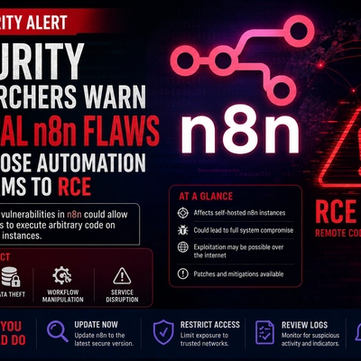
Security Researchers Warn Critical n8n Flaws May Expose Automation Platforms to RCE
Researchers have disclosed critical vulnerabilities in n8n that could expose automation workflows and connected enterprise systems to remote code execution risks, prompting urgent patch recommendations for users and administrators.

How Agentic AI Is Changing Software Engineering and Expanding Mobile Attack Surfaces
Agentic AI is rapidly transforming software engineering workflows through automation and intelligent coding assistance, while cybersecurity experts warn of expanding mobile attack surfaces and emerging application security risks.

₹250 Crore Cyber Scam Busted: Gujarat Police Arrest 19, Including MBA Student
Gujarat Police bust a ₹250 crore cyber fraud network, arresting 19 including an MBA student. Here's how the mule account scam worked.