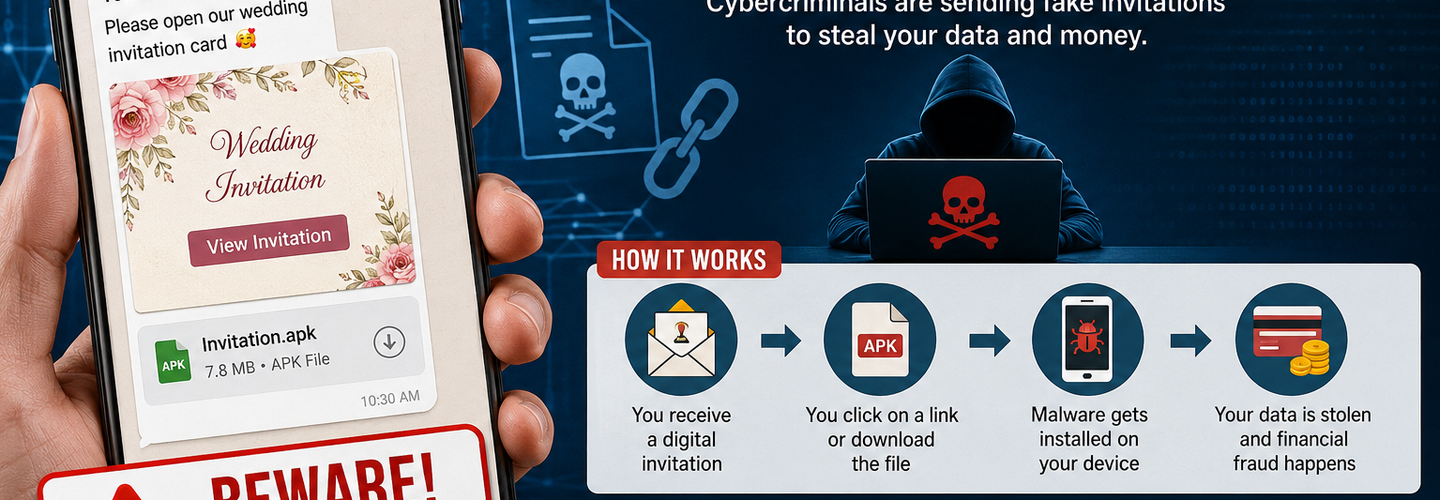
What Is a Digital Invitation Scam? Here’s How to Protect Yourself from These Growing Cyber Threats
Digital invitation scams are rapidly becoming one of the most dangerous forms of cyber fraud targeting smartphone users worldwide. Cybercriminals are exploiting the popularity of digital wedding cards, event invitations, birthday invites, and online greeting messages to trick people into downloading malicious files or clicking harmful links.
With the increasing use of messaging apps like WhatsApp, email platforms, and social media, fake invitation scams have become more sophisticated and difficult to identify. Victims often believe they are opening a harmless wedding invitation or event card sent by a friend or family member. Instead, they unknowingly install malware, expose banking credentials, or lose access to sensitive personal data.
Cybersecurity experts warn that these scams are growing rapidly due to people’s trust in familiar-looking digital communications.
## What Is a Digital Invitation Scam?
A digital invitation scam is a cyber fraud technique where scammers send fake online invitations through SMS, messaging apps, emails, or social media platforms. These invitations often appear legitimate and may include:
- ▸Wedding invitations
- ▸Birthday party invites
- ▸Festival greetings
- ▸Corporate event invitations
- ▸Anniversary celebrations
- ▸Religious ceremony invites
The message usually contains:
- ▸A suspicious APK file
- ▸A phishing link
- ▸A QR code
- ▸A fake PDF attachment
- ▸A malicious website redirect
Once clicked, the victim may unknowingly:
- ▸Install spyware or malware
- ▸Share sensitive personal information
- ▸Give hackers remote access to their device
- ▸Reveal banking credentials or OTPs
- ▸Lose money through fraudulent transactions
These scams are especially dangerous on Android devices because scammers often disguise malware as downloadable invitation applications.
## How Digital Invitation Scams Work
Cybercriminals follow a carefully planned process to execute these attacks successfully.
1. Sending a Fake Invitation
Scammers send a message pretending to be from:
- ▸Friends
- ▸Relatives
- ▸Colleagues
- ▸Event organizers
- ▸Wedding planners
The message may say:
“Please open our wedding invitation card.”
Or:
“You are invited! Download the invitation to view event details.”
The emotional and personal nature of such messages increases the chances of victims opening them immediately.
2. Malicious Link or APK File
The invitation usually contains:
- ▸A shortened URL
- ▸A downloadable APK file
- ▸A fake document attachment
Once opened, malware gets installed silently in the background.
Some malware can:
- ▸Read SMS messages
- ▸Capture OTPs
- ▸Record keystrokes
- ▸Access contact lists
- ▸Monitor banking applications
3. Financial Theft and Data Breach
After infecting the device, cybercriminals may:
- ▸Access banking apps
- ▸Steal login credentials
- ▸Initiate unauthorized transactions
- ▸Spread scams to the victim’s contacts
Many victims realize the fraud only after money disappears from their accounts.
## Why These Cyber Threats Are Increasing
Several factors are contributing to the rise of digital invitation scams.
Growing Use of Digital Invitations
People increasingly prefer online invitations over printed cards due to convenience and cost savings. This trend gives scammers a perfect opportunity to exploit trust.
Rise in Smartphone Usage
Millions of users rely on smartphones for:
- ▸Banking
- ▸Shopping
- ▸Communication
- ▸Social networking
This makes mobile devices prime targets for cybercriminals.
Lack of Cybersecurity Awareness
Many users still:
- ▸Click unknown links
- ▸Download files from strangers
- ▸Ignore security warnings
Cyber attackers exploit this lack of awareness.
Social Engineering Techniques
Scammers use emotional manipulation and urgency to trick users into acting quickly without verifying authenticity.
## Warning Signs of a Fake Digital Invitation
Recognizing suspicious behavior can help prevent cyber attacks.
Unfamiliar Sender
Be cautious if the invitation comes from:
- ▸Unknown numbers
- ▸Random email addresses
- ▸Suspicious social media accounts
APK File Attachments
Legitimate invitations rarely require downloading APK files.
If someone asks you to install an app to view an invitation, it is a major red flag.
Read : Google Foils Major Cyberattack Powered by AI-Created Zero-Day Vulnerability
Poor Grammar and Spelling
Many scam messages contain:
- ▸Typing mistakes
- ▸Broken sentences
- ▸Unusual formatting
Suspicious Links
Avoid clicking links that:
- ▸Look shortened or random
- ▸Redirect multiple times
- ▸Use strange domains
Urgent Language
Scammers often create panic or urgency:
- ▸“Open immediately”
- ▸“Limited access”
- ▸“Your invitation expires soon”
How to Protect Yourself from Digital Invitation Scams
## 1. Never Download APK Files from Unknown Sources
Avoid installing applications sent through:
- ▸SMS
- ▸Telegram
- ▸Social media messages
Only download apps from official stores like:
- ▸Google Play Store
- ▸Apple App Store
## 2. Verify Invitations Before Opening
If you receive an unexpected invitation:
- ▸Contact the sender directly
- ▸Confirm authenticity through a phone call
- ▸Avoid clicking links immediately
## 3. Enable Device Security Features
Activate:
- ▸Two-factor authentication (2FA)
- ▸App verification
- ▸Antivirus protection
- ▸Spam filters
These features reduce cyber risks significantly.
## 4. Keep Your Smartphone Updated
Software updates include important security patches that protect devices from malware and cyber attacks.
Always update:
- ▸Operating systems
- ▸Banking applications
- ▸Browsers
- ▸Messaging apps
## 5. Avoid Sharing Sensitive Information
Never share:
- ▸OTPs
- ▸Banking PINs
- ▸Passwords
- ▸Aadhaar details
- ▸Debit or credit card information
Legitimate event invitations never require financial details.
## 6. Install Trusted Mobile Security Software
Reliable antivirus tools can detect:
- ▸Malicious links
- ▸Spyware
- ▸Fake applications
- ▸Phishing attempts
Mobile security applications provide an additional layer of cybersecurity protection.
## Impact of Digital Invitation Scams
The consequences of these cyber attacks can be severe.
Victims may experience:
- ▸Financial losses
- ▸Identity theft
- ▸Account hacking
- ▸Privacy breaches
- ▸Emotional stress
Businesses and organizations can also suffer reputational damage if employee devices become compromised.
Cybersecurity agencies worldwide continue to issue warnings about the growing threat posed by phishing attacks and mobile malware campaigns.
## Role of Cybersecurity Awareness
Education remains one of the strongest defenses against online fraud.
Users should learn:
- ▸How phishing works
- ▸How malware spreads
- ▸Safe browsing habits
- ▸Mobile security best practices
Organizations should also conduct cybersecurity awareness training to help employees recognize digital scams.
## Final Thoughts
Digital invitation scams are evolving rapidly as cybercriminals develop new methods to target unsuspecting users. What appears to be a harmless wedding invitation or event greeting can actually be a dangerous malware attack designed to steal personal and financial information.
As cyber threats continue to grow, users must remain cautious while opening links, downloading files, or responding to unexpected messages. Practicing basic cybersecurity habits and staying informed about online scams can significantly reduce the risk of becoming a victim.
In today’s digital world, awareness is your strongest defense against cybercrime.
- ▸▸More Articles:
Fake Trading App Scam Swindles 600 Victims of ₹99 Crore; Software Engineer Among Three Arrested - ▸▸Controversy Grows After Cyber Crime Wing Targets Social Media Posts
- ▸▸Google Reports North Korean Hackers Using AI to Target Cybersecurity Blind Spots
Suggested Internal Links for ReconShield
## Analyst Commentary & Implementation Blueprint
Security advisory
Continuous security exposure assessment is critical to identifying public vulnerabilities before they are exploited. Organizations should maintain a passive inventory of all web servers, TLS configs, and open ports, ensuring that default configurations are eliminated and security advisories are actively implemented.
Hardened Security Configuration Blueprint
# General Security Hardening Directive
ServerTokens ProductOnly
ServerSignature Off
FileETag None
Actionable Mitigation Checklist
- ✔Perform passive asset inventories weekly.
- ✔Restrict administrative ports using local firewall controls.
- ✔Monitor active CVE alerts for exposed software.
Common Inquiries & FAQs
Why is passive scanning preferred for continuous auditing?
Passive audits do not cause operational impact or trigger firewall blocks, making them ideal for constant surveillance of internet-facing assets.
What should I do if a vulnerability is flagged?
Apply the latest vendor patches, restrict access to the resource via firewalls, or verify configuration flags to mitigate risks.
Surendra Reddy
Surendra Reddy is a cybersecurity researcher and founder of ReconShield, specializing in OSINT and defensive infrastructure analysis.
Connect on LinkedIn ↗// AUDIT BRIEFING DISCUSSION (2 COMMENTS)
Great breakdown of the passive infrastructure vectors. We recently audited our external DNS zones and found multiple dangling staging environments. Implementing wildcard certificates reduced our CT log leaks significantly.
Is there any automated tooling you recommend for daily crt.sh scraping? Manually checking CT logs is becoming unsustainable for our domain portfolio.
// MORE ARTICLES
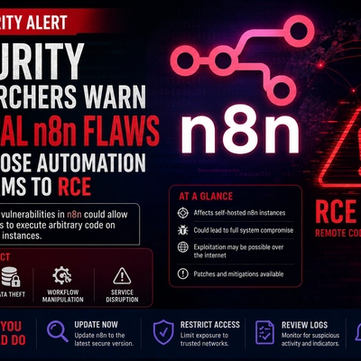
Security Researchers Warn Critical n8n Flaws May Expose Automation Platforms to RCE
Researchers have disclosed critical vulnerabilities in n8n that could expose automation workflows and connected enterprise systems to remote code execution risks, prompting urgent patch recommendations for users and administrators.

How Agentic AI Is Changing Software Engineering and Expanding Mobile Attack Surfaces
Agentic AI is rapidly transforming software engineering workflows through automation and intelligent coding assistance, while cybersecurity experts warn of expanding mobile attack surfaces and emerging application security risks.
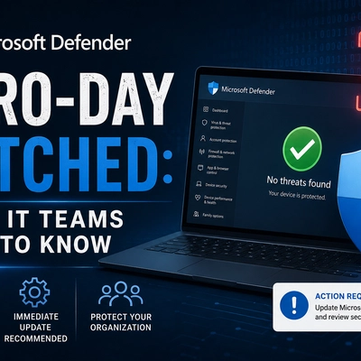
Microsoft Defender Zero-Day Patched: What IT Teams Need to Know
Microsoft patches RoguePlanet, a Defender zero-day (CVE-2026-50656) letting attackers gain SYSTEM access. Here's what IT teams need to know.