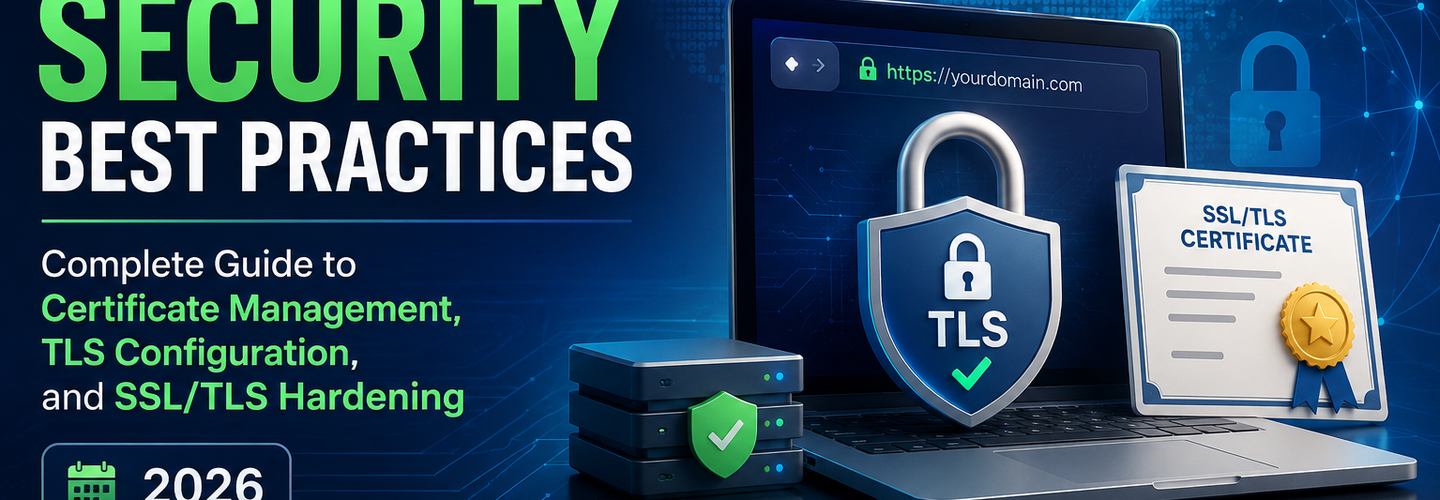
HTTPS Security Best Practices: Complete Guide to Certificate Management, TLS Configuration, and SSL/TLS Hardening (2026)
Summarize this blog post with: ChatGPT | Perplexity | Claude | Grok
You probably have HTTPS enabled on your website — most organizations do by now. But if you've never audited the actual TLS configuration, checked the cipher suites your server supports, verified that deprecated protocols are disabled, ensured HSTS is properly configured, or validated your certificate chain, your HTTPS implementation is probably weak in ways that attackers actively exploit. HTTPS is not a single binary on/off setting — it is a configuration across dozens of parameters that determine whether your encrypted connection is actually secure or just appears secure. In this guide, you'll learn exactly what makes HTTPS secure, how to configure every critical parameter, how to audit your current implementation, and how to fix the most common misconfigurations that leave organizations vulnerable to protocol downgrade attacks, man-in-the-middle interception, and certificate validation bypasses.
## Key Takeaways
- ▸HTTPS is the secure version of HTTP, using TLS (Transport Layer Security) encryption to protect data in transit between client and server — but HTTPS is only as secure as the TLS configuration that implements it.
- ▸TLS has evolved through multiple versions — TLS 1.0 and 1.1 have known cryptographic weaknesses and should be disabled immediately; TLS 1.2 is the current minimum acceptable version; TLS 1.3 (2018) is the modern standard with superior security and performance.
- ▸Cipher suites determine the encryption algorithm, key exchange mechanism, and message authentication approach — weak or deprecated cipher suites can be exploited to downgrade encrypted sessions to plaintext-equivalent security, and many servers still support them for backward compatibility.
- ▸Certificate expiry is one of the most preventable HTTPS failures — approximately 5% of SSL certificates on the internet are expired on any given day, causing browser security warnings that damage user trust and break API integrations.
- ▸HSTS (HTTP Strict Transport Security) forces all future connections to use HTTPS — preventing protocol downgrade attacks where an attacker intercepts the initial HTTP request and downgrades the connection to unencrypted HTTP.
- ▸The certificate chain must be complete and valid — missing intermediate certificates, self-signed root certificates in production, or certificate validation failures break the trust model that HTTPS depends on.
- ▸Passive auditing of TLS configuration is possible and essential — using tools like the ReconShield SSL/TLS Checker, you can identify protocol version weaknesses, weak cipher suites, certificate expiry, and HSTS misconfigurations without needing access to server configuration files.
## What Is HTTPS and Why Does Configuration Matter
HTTPS (Hypertext Transfer Protocol Secure) is HTTP with TLS (Transport Layer Security) encryption applied — protecting data transmitted between browsers and web servers from eavesdropping, tampering, and man-in-the-middle attacks. The security of HTTPS depends entirely on the correctness of the TLS configuration that implements it.
The critical misunderstanding many organizations have is that HTTPS is binary: either it is "on" or "off." In reality, HTTPS is a spectrum of security levels determined by TLS version support, cipher suite strength, certificate validity, and protocol-level security controls like HSTS. A website with HTTPS enabled but TLS 1.0 support, weak ciphers, and no HSTS is significantly less secure than a website with HTTPS enabled, TLS 1.2+ only, strong ciphers, and proper HSTS configuration. Both have a green lock icon in the browser — but the first is vulnerable to multiple attacks the second is not.
The security implications are immediate. Protocol downgrade attacks can force connections to use deprecated TLS versions with known vulnerabilities. Cipher suite downgrade attacks can force the use of weaker encryption algorithms. SSL stripping attacks can downgrade HTTPS to unencrypted HTTP if HSTS is not enabled. Certificate validation bypasses can be exploited if the certificate chain is incomplete or improperly validated.
Organizations that treat HTTPS as a compliance checkbox ("get an SSL certificate, enable HTTPS, call it done") frequently miss critical configuration gaps that attackers actively exploit.
## TLS Versions: What Changed and Why Old Versions Must Be Disabled
TLS is the encryption protocol underlying HTTPS — it has evolved through seven major versions, each introducing security improvements and deprecating older, vulnerable versions.
TLS 1.0 (1999) — Completely Broken, Disable Immediately
TLS 1.0 is ancient by cryptographic standards — released in 1999, based on SSL 3.0, and containing multiple cryptographic weaknesses that modern attacks exploit routinely. The POODLE attack (2014) revealed that TLS 1.0 can be downgraded to SSL 3.0 (which is completely broken). The BEAST attack (2011) exploited a vulnerability in TLS 1.0's encryption mode. TLS 1.0 should have been completely removed from production servers by 2018. If your server still supports TLS 1.0, attackers can force connections to that version and exploit the known vulnerabilities.
Action: Disable TLS 1.0 immediately. Most modern frameworks, cloud providers, and hosting platforms have already disabled it by default, but verify using the ReconShield SSL/TLS Checker that your server is not still advertising support for it.
TLS 1.1 (2006) — Deprecated, Disable Now
TLS 1.1 is only slightly newer than TLS 1.0 and contains similar vulnerabilities — the CBC cipher mode used in TLS 1.1 is vulnerable to BEAST-class attacks. Although not as completely broken as TLS 1.0, TLS 1.1 has been formally deprecated by the IETF and should not be supported in production systems.
Action: Disable TLS 1.1 on all production servers. Verify this using the ReconShield SSL/TLS Checker.
TLS 1.2 (2008) — Current Minimum Acceptable Version
TLS 1.2 is the current minimum version for production systems. It introduced significant cryptographic improvements: deprecated weak algorithms, supported stronger cipher suites, and added support for authenticated encryption modes that are resistant to the attacks that break TLS 1.0 and 1.1.
TLS 1.2 is now 15+ years old and remains secure if configured correctly with modern cipher suites. However, TLS 1.2 still supports some older cipher suites that have become weak, and it is more computationally expensive than TLS 1.3. Every new deployment should prefer TLS 1.3, but TLS 1.2 remains acceptable for backward compatibility.
Action: Ensure your server supports at least TLS 1.2. Verify using the ReconShield SSL/TLS Checker.
TLS 1.3 (2018) — Modern Standard, Require for New Deployments
TLS 1.3 is the current standard and the only version that should be used for new deployments. Key improvements over TLS 1.2:
- ▸Mandatory strong ciphers: TLS 1.3 removes support for weak cipher suites entirely — encryption is stronger by default with no need to carefully select ciphers
- ▸Faster handshake: TLS 1.3 reduces the number of round-trips required to establish a connection, improving both security and performance (1-RTT vs 2-RTT for TLS 1.2)
- ▸Enhanced privacy: TLS 1.3 encrypts more of the handshake process, hiding information that TLS 1.2 leaves visible
- ▸Removed obsolete features: Features like renegotiation that were exploited in attacks are completely removed
Action: Prioritize TLS 1.3 on all new deployments. Verify your server supports TLS 1.3 using the ReconShield SSL/TLS Checker.
## Cipher Suites: Understanding Encryption Strength
A cipher suite is a set of cryptographic algorithms used together to encrypt and authenticate the TLS connection — specifying the key exchange algorithm, the bulk encryption algorithm, and the message authentication code (MAC) or authenticated encryption mode.
Weak Cipher Suites That Must Be Disabled
NULL Ciphers (no encryption) — Ciphers that provide no actual encryption, used only for testing. Must be disabled.
DES and 3DES (56-bit and 168-bit encryption) — Symmetric encryption algorithms that are too weak against modern GPU-powered brute-force attacks. DES can be broken in hours, 3DES in weeks with sufficient computing power. Must be disabled.
MD5 and SHA-1 for message authentication — Cryptographic hash functions that are collision-vulnerable and unsuitable for authenticating messages. Must be disabled.
RC4 (variable-length stream cipher) — A cipher that has multiple cryptographic weaknesses (biases in the keystream, LUCKY13 vulnerability) and should be completely removed from TLS support.
Export-Grade Ciphers (deliberately weakened to comply with 1990s export restrictions) — These were never secure and are now trivially breakable. Some servers still support them for ancient client compatibility. They must be disabled.
Strong Modern Cipher Suites
ECDHE with AES-GCM — Elliptic Curve Diffie-Hellman Ephemeral (ECDHE) for key exchange provides forward secrecy (keys used for past connections cannot be compromised by stealing the server's private key), and AES-GCM (Galois/Counter Mode) provides authenticated encryption. This is the gold standard for TLS cipher suites.
Example cipher suite: ECDHE-ECDSA-AES256-GCM-SHA384
This means:
- ▸Key exchange: ECDHE (elliptic curve Diffie-Hellman)
- ▸Authentication: ECDSA (elliptic curve digital signature)
- ▸Symmetric encryption: AES-256 (256-bit advanced encryption standard)
- ▸Mode: GCM (Galois/Counter Mode, providing authenticated encryption)
- ▸Hash: SHA-384 (for PRF and MAC)
ChaCha20-Poly1305 — An alternative to AES-GCM that provides similar security with better performance on CPUs that lack AES hardware acceleration. Increasingly common in modern browsers.
Action: Verify your server supports modern cipher suites using the ReconShield SSL/TLS Checker. Disable weak ciphers through your web server configuration (Apache mod_ssl, Nginx SSL configuration, cloud provider TLS settings).
## Forward Secrecy: Why Ephemeral Key Exchange Matters
Forward secrecy (also called perfect forward secrecy, or PFS) ensures that even if an attacker steals your server's private key, they cannot decrypt past TLS sessions — because the encryption keys for those sessions were ephemeral (temporary, generated per-session) rather than derived from the long-term server private key.
Without forward secrecy, an attacker who compromises your server's private key can:
Steal the server's TLS private key (through server compromise, subpoena, or law enforcement access)
Collect stored copies of TLS handshakes for past sessions (from network captures, ISP logs, etc.)
Use the stolen private key to decrypt the handshakes and extract the session keys
Decrypt all recorded encrypted sessions back to the compromise date
With forward secrecy using ephemeral keys (ECDHE, DHE), the attacker can decrypt the handshakes but cannot extract the session keys — because they were ephemeral and are no longer accessible anywhere on the system.
This distinction is critical in the context of national security: a government with surveillance capabilities can collect encrypted traffic in transit. If that traffic was encrypted using forward secrecy, the government cannot later decrypt it even with legal access to the server's private key. If forward secrecy was not used, the government can decrypt all historical traffic.
Action: Ensure your server prioritizes ephemeral key exchange. Require ECDHE for TLS 1.2 cipher suites. TLS 1.3 mandates forward secrecy — all TLS 1.3 connections use ephemeral keys.
## Certificate Management: Expiry, Validity, and Chain Completeness
An SSL/TLS certificate proves the domain's identity to the client and enables encryption key exchange — but only if the certificate is valid, not expired, issued by a trusted certificate authority, and presented with a complete chain.
Certificate Expiry: The Most Preventable Failure
Approximately 5% of all SSL certificates on the internet are expired on any given day — Source: Scott Helme HTTPS Observatory, 2024. An expired certificate causes browsers to display security warnings ("Your connection is not private"), breaks API integrations, and damages user trust.
Certificate expiry is completely preventable through basic operational discipline:
- ▸Know your certificate expiry date (retrieved from the certificate itself or from your CA's account)
- ▸Set up renewal reminders at 90, 60, and 30 days before expiry
- ▸Renew the certificate automatically or manually before expiry
- ▸Deploy the renewed certificate before the old one expires
- ▸Monitor your certificates using the ReconShield SSL/TLS Checker to detect any that are approaching expiry or are already expired
Action: Query all domains in your portfolio using the ReconShield SSL/TLS Checker. Identify any certificates expiring within 90 days. Set up automated renewal or manual calendar reminders. For mission-critical certificates, set reminders at 90, 60, and 30 days, and call your CA 30 days before expiry to confirm renewal is scheduled.
Certificate Chain Completeness
The certificate chain is the sequence of certificates from your leaf certificate (the one specific to your domain) up through intermediate certificates to the root certificate — the root is trusted by browser vendors and certificate stores.
A complete certificate chain looks like:
Leaf certificate (your domain)
Intermediate 1 (issued by CA)
Intermediate 2 (if applicable; issued by CA)
Root certificate (trusted by browsers, not required to be presented but must be in the client's trust store)
If your server is missing intermediate certificates in the presented chain, browsers must fetch them themselves — adding latency and creating potential failure points if intermediates are temporarily unavailable. The correct configuration is to have your server present the complete chain: leaf + all intermediates (but not the root, since browsers already have it).
Action: Query your certificate using the ReconShield SSL/TLS Checker and verify that the certificate chain is complete. If intermediates are missing, configure your web server to include them.
Certificate Transparency and CAA Records
Certificate Transparency (CT) logs are public, immutable records of every SSL certificate issued for every domain — providing transparency into which certificate authorities are issuing certificates for your domain and detecting unauthorized or misconfigured certificates.
Every TLS certificate contains CT Precertificate Poison (or inclusion in CT logs), proving it was logged. Browsers verify this CT inclusion and reject certificates that are not properly logged. This prevents "shadow" certificate issuance where a CA might issue a certificate for your domain without your knowledge or approval.
CAA (Certification Authority Authorization) records are DNS records that specify which certificate authorities are authorized to issue certificates for your domain — preventing CAs other than those you explicitly authorize from issuing certificates on your behalf.
Example CAA record: 0 issue "letsencrypt.org"
This authorizes only Let's Encrypt to issue certificates for the domain.
Action: Publish CAA records authorizing only the CAs you use. Query your domain's CAA records using the ReconShield DNS Security Analysis tool.
## HSTS: Forcing HTTPS and Preventing Protocol Downgrade
HSTS (HTTP Strict Transport Security) is an HTTP header that instructs browsers to upgrade all future connections to a domain to HTTPS and to reject any unencrypted HTTP — preventing SSL stripping attacks where an attacker intercepts the initial HTTP request and prevents it from being upgraded to HTTPS.
An HSTS header looks like: Strict-Transport-Security: max-age=31536000; includeSubDomains
This tells the browser: "For the next 365 days, always use HTTPS for this domain and all subdomains. If an HTTPS connection fails or is unavailable, fail the request rather than falling back to HTTP."
The preload directive allows the domain to be added to the HSTS preload list — a list of domains that browsers ship with HSTS enabled by default, even on the first visit.
How HSTS Prevents Attacks
Without HSTS, an attacker can intercept the user's first HTTP request to your domain. If the initial request is HTTP, the attacker can:
Intercept the request
Prevent the server's 301 redirect to HTTPS from reaching the user
Serve an HTTP response that appears legitimate
Steal credentials, session tokens, or sensitive data from the unencrypted connection
With HSTS, the browser knows (from a previous visit, or from the preload list) that the domain requires HTTPS. The browser upgrades the request to HTTPS automatically, before any HTTP traffic is sent. The attacker cannot intercept and downgrade it.
Action: Implement HSTS on all production domains. Set max-age to at least one year (31536000 seconds). Include includeSubDomains to protect subdomains. Consider adding preload to enable browser-level preloading. Verify HSTS is correctly configured using the ReconShield Security Headers Auditor.
## Complete HTTPS Audit: Using ReconShield SSL/TLS Tools
A complete HTTPS audit across your infrastructure requires systematic evaluation of every certificate and TLS configuration. The ReconShield SSL/TLS Checker provides the foundation for this audit.
For every domain in your portfolio, run the SSL/TLS Checker and evaluate:
TLS Protocol Version Support: Verify only TLS 1.2+ is supported. Flag if TLS 1.0 or 1.1 is advertised.
Certificate Validity: Check the certificate is not expired and has sufficient validity remaining (>30 days ideally).
Certificate Subject: Verify the certificate is issued to the correct domain (matches your domain name or is a wildcard).
Certificate Chain: Confirm the complete chain is presented (leaf + intermediates).
Cipher Suites: Verify strong ciphers are supported and weak ciphers are disabled.
Supported Ciphers: Look for ECDHE-based suites, AES-GCM, and ChaCha20-Poly1305.
Certificate Authority: Verify the issuing CA is trusted (Let's Encrypt, DigiCert, GlobalSign, etc., not self-signed).
Then use the ReconShield Security Headers Auditor to verify:
HSTS Header: Confirm HSTS is configured with adequate max-age.
HSTS Preload: Check if the domain is preload-eligible and registered (if desired).
Other Security Headers: Verify X-Content-Type-Options, X-Frame-Options, and Content-Security-Policy are configured.
## Common HTTPS Misconfigurations and Fixes
The most common HTTPS misconfigurations that leave organizations vulnerable:
Misconfiguration 1 — Mixed Content (HTTPS Page Loading HTTP Resources)
A website is served over HTTPS but loads scripts, stylesheets, or images from HTTP URLs. Browsers block these insecure requests by default (mixed content blocking), which breaks the page. Attackers can intercept the unencrypted HTTP requests and inject malicious scripts.
Fix: Audit all resource loading in your pages. Change all HTTP URLs to HTTPS. Use protocol-relative URLs (//cdn.example.com/script.js) that inherit the page's protocol.
Misconfiguration 2 — Expired Certificates
The certificate expired and was not renewed before the expiry date. Browsers reject the connection.
Fix: Set up automated renewal through your CA or hosting provider. Set calendar reminders at 90, 60, and 30 days before expiry. Monitor certificates using the ReconShield SSL/TLS Checker.
Misconfiguration 3 — Missing Intermediate Certificates
The server presents only the leaf certificate but not the intermediate certificates in the chain. Browsers must fetch intermediates themselves, adding latency and creating failure points.
Fix: Configure your web server to include all intermediate certificates. For Apache, edit the SSLCertificateChainFile directive. For Nginx, concatenate intermediates with the leaf certificate in the certificate file.
Misconfiguration 4 — No HSTS Header
HTTPS is enabled but HSTS is not configured. Attackers can strip HTTPS on the initial request.
Fix: Add the HSTS header to all HTTPS responses: Strict-Transport-Security: max-age=31536000; includeSubDomains. Consider preload after testing.
Misconfiguration 5 — Weak or Legacy Cipher Support
The server supports old cipher suites like DES, RC4, or NULL ciphers for backward compatibility.
Fix: Disable weak ciphers in your web server configuration. Remove any ciphers not in the OWASP recommended list. Test with the ReconShield SSL/TLS Checker to confirm.
## Testing and Validation: Complete Checklist
Use this checklist to validate your HTTPS implementation:
- ▸Query all domains with the ReconShield SSL/TLS Checker
- ▸Verify no certificates are expired
- ▸Verify no TLS 1.0 or TLS 1.1 support
- ▸Verify only strong cipher suites are enabled
- ▸Verify ECDHE-based key exchange is prioritized
- ▸Verify complete certificate chains are presented
- ▸Verify HSTS header is configured on all HTTPS domains
- ▸Verify HSTS max-age is at least one year
- ▸Verify includeSubDomains is set in HSTS header
- ▸Query HTTP security headers with the ReconShield Security Headers Auditor
- ▸Verify no mixed content (HTTP resources loaded from HTTPS pages)
- ▸Set up automated certificate renewal for all certificates
- ▸Set up expiry reminders at 90, 60, and 30 days
- ▸Document certificate authorities and renewal procedures
## Conclusion
HTTPS is not a single binary setting — it is a collection of cryptographic, operational, and configuration decisions that determine whether your encrypted connection is actually secure. Organizations that treat HTTPS as "enable it and forget it" frequently leave critical gaps: expired certificates, weak cipher suites, missing HSTS headers, incomplete certificate chains.
Start with a baseline audit. Query all domains in your portfolio using the ReconShield SSL/TLS Checker. Document the current state of TLS versions, cipher suites, certificate validity, and chain completeness. Then systematically address the gaps: disable weak protocols, enable HSTS, set up certificate renewal automation, and implement monitoring.
HTTPS security is not a one-time project — it is a continuous operational practice of certificate management, configuration maintenance, and monitoring. Organizations that invest in these operational disciplines maintain strong HTTPS posture. Organizations that neglect them frequently experience certificate expiry, protocol downgrade vulnerabilities, and other HTTPS failures that damage user trust and create security risks.
Written by Surendra Reddy Cybersecurity Researcher & Founder, ReconShield. Surendra specializes in OSINT, exposure intelligence, and AI-driven threat analysis. Author Profile →
Reviewed by ReconShield Editorial Team — Peer-reviewed for technical accuracy against RFC 8446 (TLS 1.3), RFC 5246 (TLS 1.2), OWASP TLS Cheat Sheet, and current SSL/TLS best practices.
## Analyst Commentary & Implementation Blueprint
Security advisory
Continuous security exposure assessment is critical to identifying public vulnerabilities before they are exploited. Organizations should maintain a passive inventory of all web servers, TLS configs, and open ports, ensuring that default configurations are eliminated and security advisories are actively implemented.
Hardened Security Configuration Blueprint
# General Security Hardening Directive
ServerTokens ProductOnly
ServerSignature Off
FileETag None
Actionable Mitigation Checklist
- ✔Perform passive asset inventories weekly.
- ✔Restrict administrative ports using local firewall controls.
- ✔Monitor active CVE alerts for exposed software.
Common Inquiries & FAQs
Why is passive scanning preferred for continuous auditing?
Passive audits do not cause operational impact or trigger firewall blocks, making them ideal for constant surveillance of internet-facing assets.
What should I do if a vulnerability is flagged?
Apply the latest vendor patches, restrict access to the resource via firewalls, or verify configuration flags to mitigate risks.
Surendra Reddy
Surendra Reddy is a cybersecurity researcher and founder of ReconShield, specializing in OSINT and defensive infrastructure analysis.
Connect on LinkedIn ↗// AUDIT BRIEFING DISCUSSION (2 COMMENTS)
Great breakdown of the passive infrastructure vectors. We recently audited our external DNS zones and found multiple dangling staging environments. Implementing wildcard certificates reduced our CT log leaks significantly.
Is there any automated tooling you recommend for daily crt.sh scraping? Manually checking CT logs is becoming unsustainable for our domain portfolio.
// MORE ARTICLES
Chrome 149 Released With Critical Security Fixes for Windows, macOS, and Linux
Chrome 149 is out with critical security fixes for Windows, macOS, and Linux. Learn what's patched, the risks of waiting, and how to update Chrome now.
Billions of Passwords at Risk After Massive Infostealer Data Leak
Billions of passwords are at risk after a massive infostealer data leak. Learn how the breach happened, who's exposed, and how to secure your accounts now.
Update Firefox Now: Multiple Vulnerabilities Expose Users to RCE Attacks
Update Firefox now: multiple vulnerabilities expose users to RCE attacks. Learn which flaws matter, who's affected, and how to patch your browser safely today.