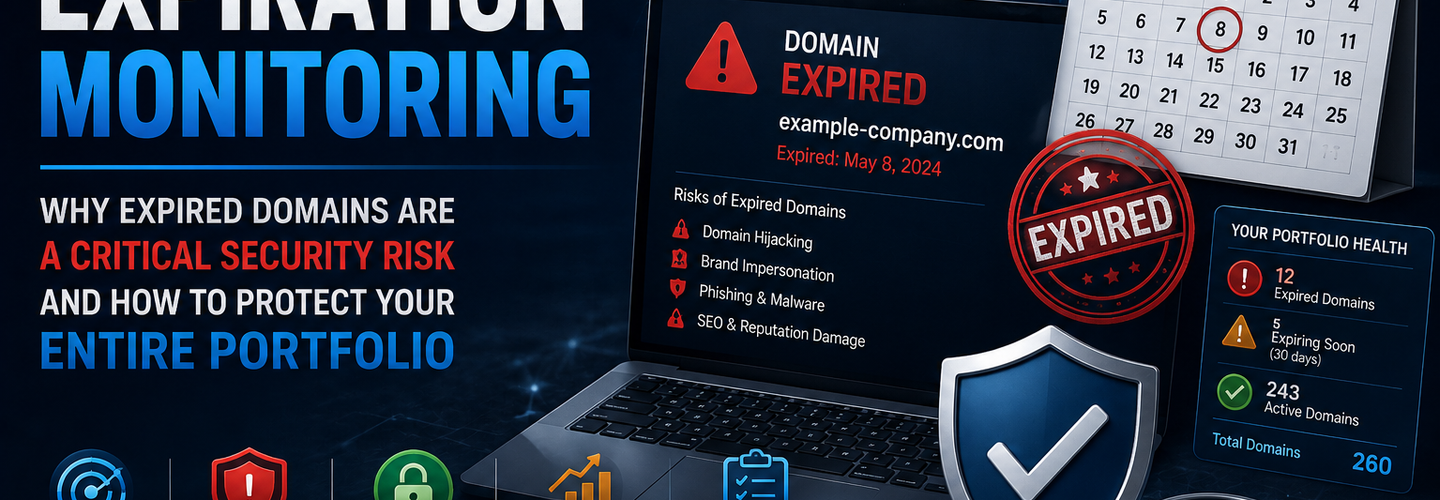
Domain Expiration Monitoring: Why Expired Domains Are a Critical Security Risk and How to Protect Your Entire Portfolio
Summarize this blog post with: ChatGPT | Perplexity | Claude | Grok
You've probably renewed your primary corporate domain without a second thought — it's on auto-renew and your registrar sends reminder emails. But if you've never audited the full portfolio of domains your organization has registered over its lifetime, there is a meaningful probability that at least one of them has already expired, and another is weeks away from lapsing into a five-day deletion queue that attackers monitor in real time. Domain expiration is not an operational footnote — it is one of the most consistently exploited attack vectors for credential interception, email hijacking, and brand impersonation at zero technical complexity. In this guide, you'll learn exactly what happens when a domain expires, how attackers exploit lapsed domains, and how to build a monitoring program that closes the expiration gap before it becomes an incident.
## Key Takeaways
- ▸Domain expiration occurs when a registration lapses past its renewal deadline, triggering a structured grace period sequence that ultimately releases the domain to public re-registration — often within 75–80 days of the initial expiry date.
- ▸Expired domains are immediately exploitable for phishing, email interception, and credential harvesting because any email still routed to that domain — password resets, authentication codes, internal notifications — is now delivered to the new domain owner.
- ▸Attackers actively monitor domain expiration feeds and lists in real time, using automated tools to attempt immediate re-registration of high-value lapsed domains within seconds of their public release.
- ▸Large organizations routinely have unknown expired domains — acquired company domains, regional variants, campaign microsites, and product domains registered years ago by teams that no longer exist — that have silently lapsed without triggering any internal alert.
- ▸The redemption grace period (typically 30 days after expiry) allows domain restoration by the original registrant at a premium fee before the domain enters the deletion queue — but only if the lapse is detected during this window.
- ▸Auto-renewal is necessary but not sufficient — auto-renewal fails when payment methods expire, billing email addresses change, or registrar accounts are decommissioned — making active monitoring essential alongside automated renewal.
- ▸Domain expiration monitoring should cover the complete registered domain portfolio, including domains that have already lapsed to detect re-registration by threat actors.
## What Happens When a Domain Expires? The Expiration Timeline
Domain expiration follows a structured multi-phase sequence defined by ICANN registrar agreements — progressing from initial expiry through grace periods, redemption windows, and ultimately public deletion over a timeline of approximately 75–80 days for most generic TLDs. Understanding each phase is essential for knowing when intervention is still possible and when a domain is permanently lost.
Day 0 — Expiry Date: The domain's registration term ends. Most registrars immediately suspend DNS resolution — the domain stops resolving and websites and email become unreachable. However, the domain is not yet available for re-registration. Some registrars maintain DNS resolution for a short grace period (typically 0–30 days) to give registrants time to renew without immediately experiencing service disruption.
Days 1–30 — Auto-Renew Grace Period (ARGP): The domain is in the Auto-Renew Grace Period. The original registrant can renew the domain at the standard renewal rate during this window with no additional fees. If a registrar has auto-renew enabled and a valid payment method on file, the renewal typically occurs during this period. If auto-renew fails (expired payment method, billing email bounce, insufficient account funds), the domain advances to the next phase.
Days 30–60 — Redemption Grace Period (RGP): The domain enters Redemption Grace Period status. The EPP status code changes to redemptionPeriod. The original registrant can still recover the domain during this window, but at a significant premium — typically $100–300 above the standard renewal cost depending on the registrar and TLD. This premium reflects the administrative cost of registry restoration. The domain remains invisible in WHOIS searches during some of this period as registrars withdraw the record.
Days 60–65 — Pending Delete: The domain status changes to pendingDelete. During this approximately 5-day window, the domain cannot be renewed by anyone — not even the original registrant. It is irrecoverably queued for deletion. No fee payment will restore it at this stage.
Day 65+ — Public Release: The domain is deleted from the registry and becomes available for immediate re-registration by anyone in the world. For high-value domains — corporate names, established brands, domains with significant backlink profiles — professional domain speculators and threat actors have automated systems attempting to register the domain within seconds of deletion. Check the current expiry status of any domain using the ReconShield WHOIS Intelligence tool, which returns the expiry date and current EPP status including redemptionPeriod and pendingDelete flags.
## Why Do Attackers Target Expired Domains?
Attackers target expired domains for four distinct exploitation purposes — each leveraging the trust, history, and existing infrastructure relationships that the domain accumulated under its original legitimate owner.
Email Interception Through Expired Domain Re-Registration
The most immediately dangerous consequence of an expired domain is email interception — because any email system, application, or service still configured to send messages to addresses at the expired domain will deliver those messages to whoever re-registers it. If a company's subsidiary domain expires and is re-registered by a threat actor, every password reset email, internal notification, authentication code, and account recovery message sent to any @subsidiarydomain.com address is now delivered to the attacker's mail server.
This attack requires zero technical sophistication beyond the domain re-registration fee. The attacker simply points MX records to their own mail server after re-registering, and begins receiving email. In organizational environments where subsidiary or acquired company domains are still referenced in internal systems years after the business integration — single sign-on systems, HR platforms, legacy application user accounts — the email interception surface can be enormous.
Real-world example: A Fortune 500 company's acquisition from six years prior had its standalone domain expire after the parent company failed to include it in their renewal tracking. A threat actor re-registered the domain within 24 hours of public release, configured MX records, and over the following three weeks received hundreds of password reset emails from enterprise SaaS platforms where the acquired company's employees still had accounts registered to their old email domain. Account compromise across multiple platforms resulted before the incident was detected.
Phishing With Domain Trust and Age Inheritance
Re-registered expired domains inherit reputation signals that make phishing campaigns launched from them significantly more effective than campaigns using freshly registered domains. Email reputation systems, spam filters, and threat intelligence feeds that positively score domain age treat a re-registered domain as established — because they track the domain name, not the current registrant.
A domain with five years of email delivery history, a positive IP reputation record, and no previous spam complaints is far more likely to deliver phishing email to inboxes than a freshly registered domain with no history. An expired domain that previously hosted a legitimate financial services website carries particular value for financial phishing campaigns — it may retain backlinks, indexed pages, and domain reputation signals that make phishing content appear credible to both spam filters and recipients.
Subdomain Trust Exploitation
Organizations that maintain DNS records pointing to expired domains — whether through forgotten CNAME records pointing to the lapsed domain's hostname, or internal documentation referencing the old domain — create additional exploitation pathways. A CNAME from legacy.currentdomain.com pointing to hostname.expireddomain.com becomes a subdomain takeover vector the moment expireddomain.com is re-registered by a threat actor. Audit every CNAME record in your DNS zone for references to lapsed or legacy domains using the ReconShield DNS Security Analysis tool.
SEO and Backlink Exploitation
Expired domains with established backlink profiles are commercially valuable to black-hat SEO operators who re-register them to inherit the backlink authority accumulated by the original domain. While less directly security-relevant than email interception, this use case means high-backlink expired domains are competitively sought — increasing the likelihood that valuable organizational domains are registered by third parties within minutes of public release rather than sitting unclaimed for days.
## Why Does Auto-Renewal Fail? The Hidden Expiration Vulnerabilities
Auto-renewal is the primary defence against unintentional domain expiration, but it fails in at least five predictable scenarios — each creating an expiration risk that is invisible until the domain is already in the grace period or deletion queue.
Payment method expiration is the most common auto-renewal failure. A credit card on file with a registrar that expires in March will cause every domain set to auto-renew after March to fail renewal silently — registrars send renewal failure notices to the account's registered email, but if that email is unmonitored or has itself changed, the failure generates no visible alert inside the organization.
Billing email address changes are the second most common failure vector. When employees who registered domains leave the organization, their corporate email address — which receives registrar invoices and failure notices — is deactivated. The domain may be registered in the former employee's name or associated with their address in the registrar account, meaning renewal communications go to a deactivated mailbox.
Registrar account decommissioning occurs when organizations consolidate domain portfolios after acquisitions or IT infrastructure rationalization. Domains registered with a legacy registrar account that is decommissioned as part of consolidation lose their auto-renewal configuration — and the consolidating team frequently fails to transfer every domain before account closure.
Domains not tracked in the inventory cannot have auto-renewal managed. An organization that has no comprehensive domain inventory — relying instead on individual team members' knowledge of domains they personally registered — has no way to know which domains exist, where they are registered, or when they expire. Domain inventory gaps are universal across organizations of every size. The average enterprise organization has 97 registered domain names — Source: Digital Shadows Domain Exposure Report, 2024 — and most security teams can immediately name fewer than a quarter of them.
Registrar financial failure or acquisition has affected domain registrations when registrars cease operations and domain transfers are not completed before registrar shutdown. While rare, this scenario results in domains requiring emergency recovery through ICANN dispute procedures.
## How to Build a Domain Expiration Monitoring Program
A domain expiration monitoring program has four components — complete domain inventory, expiry date tracking with advance alerting, auto-renewal verification, and continuous WHOIS monitoring for unauthorized changes.
Step 1 — Build a Complete Domain Inventory
The foundation of domain expiration monitoring is a comprehensive, continuously maintained inventory of every domain your organization has registered — across every registrar, every team, every subsidiary, every acquisition. Building this inventory is typically the most effort-intensive step because most organizations have never had one.
Inventory construction requires gathering domain lists from: every registrar account your organization uses, DNS hosting provider account lists, web archive searches for organizational domain names, Certificate Transparency log queries for certificates issued against your organizational names, WHOIS searches for registrant organization name matches, and direct queries to business unit leaders and IT teams. Cross-reference all sources to build a unified list. Use the ReconShield WHOIS Intelligence tool to query each candidate domain — the registration data confirms which domains are currently registered, when they expire, and which registrar holds the registration.
For acquisition-derived domains specifically, review the technical due diligence documentation from each acquisition and explicitly list every domain included in the acquired entity's registration portfolio. These domains are the most commonly missed in corporate inventories because they were registered under different organizational contexts and may have been intentionally excluded from post-acquisition infrastructure rationalization without being explicitly tracked for expiry.
Step 2 — Classify Domains by Criticality and Renewal Priority
Not all domains in a portfolio have equal security importance, and the monitoring and renewal procedures appropriate for your corporate root domain differ from those appropriate for a five-year-old campaign microsite. Classify every domain in the inventory into one of three tiers.
Tier 1 — Mission-critical domains: The primary corporate domain, payment processing domains, authentication domains, and any domain actively receiving email or serving customer-facing applications. These domains require registry-level EPP locks, a minimum 5-year registration term, multiple-person renewal authorization, backup payment methods, and monitoring with real-time alerting on any WHOIS field change. Verify Tier 1 domain lock status using the ReconShield WHOIS Checker and cross-reference name servers with the DNS Security Analysis tool.
Tier 2 — Secondary business domains: Regional variants, product domains, subsidiary domains, and domains that resolve to organizational infrastructure but are not the primary entry point. These require auto-renewal with a verified payment method, 90-day advance expiry alerting, and quarterly WHOIS record audits.
Tier 3 — Defensive and legacy registrations: Domains registered defensively to prevent competitor or threat actor registration, and legacy domains no longer serving active functions. For domains in this tier that will not be renewed, explicitly confirm whether any email or DNS records still reference them before allowing expiration. If yes, migrate those references before allowing expiration. If no, allow expiration only after confirming no remaining active dependencies.
Step 3 — Configure Advance Expiry Alerting
Domain expiry alerts must fire well in advance of the expiry date to provide time for renewal action, payment method verification, and escalation if the primary registrar contact is unavailable. The minimum alerting timeline for Tier 1 domains is 90 days, 60 days, and 30 days before expiry. For Tier 2 domains, 60 days and 30 days. For Tier 3 domains, 30 days — sufficient time to confirm whether the domain should be renewed or intentionally allowed to expire.
Configure alerts to reach multiple recipients — not just the technical contact listed in the registrar account. Alerts should reach the domain owner's manager, the IT security team, and a group mailbox that is actively monitored. Single-recipient alerts that go to a personal inbox are one of the most common reasons renewal reminders go unacted upon — employee absence, role changes, or email overwhelm leave critical renewal deadlines missed.
Step 4 — Verify Auto-Renewal Configuration Quarterly
Auto-renewal verification is a quarterly operational task — confirming that every domain in the inventory has auto-renewal enabled, that the payment method on file is valid and not expiring within the next 12 months, that the billing notification email address is active and monitored, and that the registrar account credentials are current and not locked or suspended.
Quarterly verification catches payment method expirations before they cause renewal failures — a payment method that expires in August will fail any domain auto-renewal scheduled for September or later. Maintaining a secondary backup payment method on every registrar account provides an additional failure recovery layer.
## Monitoring for Re-Registration of Your Lapsed Domains
Beyond preventing your own domains from expiring, monitoring the expiration status of domains that have already lapsed detects re-registration by threat actors — enabling rapid response including registrar abuse reporting, hosting provider notification, and customer warning communications before phishing campaigns become active.
For domains you have intentionally allowed to expire, check whether they have been re-registered monthly for the first six months after expiration. A re-registered former domain is not inherently malicious — domain speculators buy expired domains commercially — but the new registration should be investigated for phishing infrastructure signals. Check the new registration's WHOIS record for creation date alignment with your expiration date, name server provider classification, and EPP lock status using the ReconShield WHOIS Intelligence tool. Cross-reference the new hosting IP against threat feeds using the IP Reputation tool. If the re-registered domain is serving phishing content impersonating your organization, report it immediately to the registrar using their published abuse contact and to relevant anti-phishing coordination bodies.
## WHOIS Continuous Monitoring for Domain Hijacking Detection
Domain expiration monitoring and domain hijacking detection use the same underlying WHOIS monitoring infrastructure — continuous comparison of live WHOIS record output against a known-good baseline, with alerting on any field change.
A domain hijacking attempt — where an attacker compromises the registrar account and modifies the registration record without authorization — produces the same WHOIS field changes as a registrar-authorized modification: name server changes, EPP lock removal, registrar account modification. Automated WHOIS monitoring that checks name servers, EPP status codes, and registrar identity on a defined polling interval (every 15 minutes for Tier 1 domains) detects both expiration drift and active hijacking within the same monitoring workflow.
Organizations with automated domain monitoring detect domain hijacking attempts within 5 minutes on average compared to hours for those relying on manual checks — Source: Interisle Consulting, 2024. The ReconShield WHOIS Intelligence tool provides the baseline WHOIS query capability for both establishing monitoring baselines and running manual spot-checks across your domain portfolio. Validate that name servers in your WHOIS record match your live DNS configuration using the DNS Security Analysis tool — any discrepancy between the two is an immediate investigation priority.
## Domain Expiration Security Checklist
Run this checklist quarterly against your complete registered domain portfolio:
Every domain in the Tier 1 classification has: auto-renewal enabled with a backup payment method, 90/60/30-day expiry alerts configured to multiple recipients, clientTransferProhibited and clientUpdateProhibited EPP locks active (verify with WHOIS tool), registry-level locks for the corporate root domain, registration term of 5 years or greater, and a verified match between WHOIS-listed name servers and live DNS (verify with DNS Security Analysis tool).
Every domain being intentionally retired has: confirmation that no active email is routed to the domain (audit MX records using DNS Security Analysis tool), confirmation that no active CNAME records point to the domain from other zones, removal or redirection of any SSL certificates covering the domain (check with SSL/TLS Checker), and a documented decision record confirming intentional expiration by an authorized approver.
Every domain in the portfolio has: a null SPF record (v=spf1 -all) if it is a non-sending domain, and a DMARC p=reject record to prevent email spoofing from the expired domain after re-registration by a third party.
## What's Next: Automated Domain Portfolio Intelligence
The operational evolution of domain expiration monitoring is integration into a unified domain portfolio intelligence platform — combining expiry tracking, WHOIS change monitoring, DNS configuration auditing, and certificate management into a single continuously updated view of the complete domain security posture.
Organizations managing portfolios of 50 or more domains operationally require automation to maintain this visibility — manual WHOIS queries across hundreds of domains on a quarterly cadence is not operationally sustainable. API-driven WHOIS monitoring platforms poll authoritative registrar RDAP endpoints for every domain in the inventory on configurable schedules, normalize results across the inconsistent formats of hundreds of registrars, and surface expiry approaching alerts and WHOIS change alerts through integrations with ITSM platforms, SIEM systems, and communication channels.
The ReconShield passive scanner suite provides the foundational passive intelligence infrastructure that feeds into these domain portfolio management workflows — combining email authentication validation, SSL/TLS configuration auditing, and HTTP security header analysis across any domain in your portfolio for continuous external security posture visibility.
## Conclusion
Domain expiration is the attack vector that requires no technical sophistication, no vulnerability research, and no active exploitation — it simply requires patience and a domain monitoring tool. Every day an expired organizational domain sits unclaimed in the deletion queue or public release pool is a day a threat actor could acquire it and begin intercepting email, launching phishing campaigns, or exploiting the trust that the domain's history represents.
Build the inventory. Tier every domain. Configure advance alerts with multiple recipients. Verify auto-renewal quarterly. And monitor your WHOIS records continuously for the drift signals — expiry date approaching, EPP lock removal, name server changes — that indicate either an impending expiration or an active hijacking.
Start right now: audit your domain portfolio expiry dates using the ReconShield WHOIS Intelligence tool. Cross-reference your name servers with the DNS Security Analysis tool. Verify your IP reputation with the IP Reputation tool. Then run the passive scanner suite across every Tier 1 domain for the complete external security posture baseline.
Written by Surendra Reddy Cybersecurity Researcher & Founder, ReconShield. Surendra specializes in OSINT, exposure intelligence, and AI-driven threat analysis. Author Profile →
Reviewed by ReconShield Editorial Team — Peer-reviewed for technical accuracy against ICANN registrar agreements, EPP status code specifications, and current domain security research.
## Analyst Commentary & Implementation Blueprint
Security advisory
Continuous security exposure assessment is critical to identifying public vulnerabilities before they are exploited. Organizations should maintain a passive inventory of all web servers, TLS configs, and open ports, ensuring that default configurations are eliminated and security advisories are actively implemented.
Hardened Security Configuration Blueprint
# General Security Hardening Directive
ServerTokens ProductOnly
ServerSignature Off
FileETag None
Actionable Mitigation Checklist
- ✔Perform passive asset inventories weekly.
- ✔Restrict administrative ports using local firewall controls.
- ✔Monitor active CVE alerts for exposed software.
Common Inquiries & FAQs
Why is passive scanning preferred for continuous auditing?
Passive audits do not cause operational impact or trigger firewall blocks, making them ideal for constant surveillance of internet-facing assets.
What should I do if a vulnerability is flagged?
Apply the latest vendor patches, restrict access to the resource via firewalls, or verify configuration flags to mitigate risks.
Surendra Reddy
Surendra Reddy is a cybersecurity researcher and founder of ReconShield, specializing in OSINT and defensive infrastructure analysis.
Connect on LinkedIn ↗// AUDIT BRIEFING DISCUSSION (2 COMMENTS)
Great breakdown of the passive infrastructure vectors. We recently audited our external DNS zones and found multiple dangling staging environments. Implementing wildcard certificates reduced our CT log leaks significantly.
Is there any automated tooling you recommend for daily crt.sh scraping? Manually checking CT logs is becoming unsustainable for our domain portfolio.
// MORE ARTICLES
Chrome 149 Released With Critical Security Fixes for Windows, macOS, and Linux
Chrome 149 is out with critical security fixes for Windows, macOS, and Linux. Learn what's patched, the risks of waiting, and how to update Chrome now.

Billions of Passwords at Risk After Massive Infostealer Data Leak
Billions of passwords are at risk after a massive infostealer data leak. Learn how the breach happened, who's exposed, and how to secure your accounts now.

Update Firefox Now: Multiple Vulnerabilities Expose Users to RCE Attacks
Update Firefox now: multiple vulnerabilities expose users to RCE attacks. Learn which flaws matter, who's affected, and how to patch your browser safely today.